Key Takeaways
1. Master Digital Communication for Enhanced Productivity
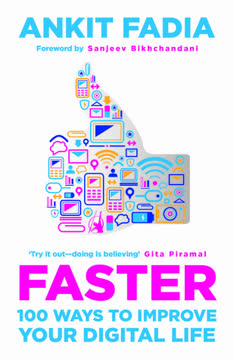
If you use technology on a daily basis but wish that there was a way to improve your interaction with it, without necessarily getting very technical or geeky, I think you will find this book quite useful.
Streamline your inbox. Email management can be a significant time sink, but smart tools can transform it. Imagine sending messages that self-destruct after being read, ensuring sensitive information remains private, or scheduling emails to arrive at a future date, perfect for birthday wishes or timely follow-ups. Gmail's "Undo Send" feature offers a crucial few seconds to retract an impulsive message, preventing common email regrets like typos or forgotten attachments.
- Burn Note: Send self-destructing messages.
- Boomerang for Gmail: Schedule emails for future delivery or return to inbox.
- Gmail Undo Send: Recall emails within a configurable time window.
Effortless file sharing. Overcoming email attachment size limits is simple with cloud services like Google Drive. These platforms offer generous free storage, seamless integration with email, and robust sharing controls, allowing you to send large videos or presentations without splitting files. For quick digital signatures, services like DocuSign eliminate the need for printing, signing, and scanning, making agreement execution fast and convenient.
- Google Drive: Send huge files, collaborate on documents.
- DocuSign: Electronically sign and manage agreements.
Smart contact and task management. Keeping contacts updated and managing to-do lists can be automated. Apps like Phonedeck allow contacts to update their information directly on your phone, ensuring you're always connected. For tasks, Any.do syncs across devices, integrates with Gmail, and provides reminders, transforming scattered notes into an organized, actionable plan.
- Phonedeck: Automatically update contact information.
- Any.do: Create, manage, and share to-do lists with reminders.
2. Optimize Your Devices for Peak Performance and Longevity
The best thing about technology is the fact that it is dynamic and constantly changing, with new stuff coming out all the time.
Boost computer speed. Over time, computers slow down due to accumulated junk and fragmented data. Regular maintenance with built-in Windows tools like Disk Cleanup and Disk Defragmenter can significantly improve performance. Additionally, disabling non-essential startup programs via MSCONFIG and leveraging ReadyBoost with a USB flash drive can free up valuable system resources, making your computer start and run faster.
- Disk Cleanup: Remove unnecessary files.
- Disk Defragmenter: Optimize hard drive data.
- MSCONFIG: Disable non-crucial startup apps.
- ReadyBoost: Use external memory as cache.
Extend mobile battery life. Mobile phone batteries often drain quickly, but several strategies can prolong their charge. Beyond manually disabling notifications, location services, and reducing screen brightness, dedicated battery-management apps like 2X Battery Saver (Android) or Battery Doctor Pro (iOS) intelligently manage power-hungry features. These apps can automatically switch off internet access when the screen is locked or optimize charging cycles, ensuring your phone lasts longer.
- 2X Battery Saver (Android): Automatically manages internet access.
- Battery Doctor Pro (iOS): Optimizes charging and suggests settings.
Type faster on touchscreens. Touchscreen typing can be slow, but predictive text apps like SwiftKey (Android) revolutionize the experience. SwiftKey learns your writing style, predicts words, corrects spelling, and even allows continuous "flow" typing without lifting your finger. This intelligent adaptation significantly increases typing speed and accuracy, making mobile communication more efficient.
- SwiftKey (Android): Predictive text, spelling correction, personalized learning.
3. Elevate Your Digital Experience with Customization and Visual Tools
The true power of a platform like YouTube can only be experienced when you are able to completely customize it to suit your personal needs and preferences.
Search beyond text. Visual search tools like Google Images allow you to find information about a photo you already have. Simply upload an image or paste its URL, and Google will identify landmarks, products, or similar images, providing a wealth of related information. This transforms how you explore the world, from identifying a beautiful travel destination to finding details about a product you saw.
Personalize your social media. Standard interfaces can get boring, but browser extensions offer extensive customization. Pretty Facebook Chat allows you to add hundreds of smileys, memes, and special text effects, while Social Fixer lets you remove ads, track unfriends, and customize your Facebook feed's appearance. For YouTube, "YouTube Options" gives you control over video size, resolution, ad blocking, and even the display of comments and suggested videos.
- Pretty Facebook Chat: Add smileys, customize text.
- Social Fixer: Remove ads, customize feed, track unfriends.
- YouTube Options: Control video playback, block ads, customize interface.
Enhance photo and video viewing. Improve your media consumption with simple tweaks. "Photo Zoom for Facebook" lets you view larger versions of photos by simply hovering your mouse over them, eliminating extra clicks. For YouTube, "Turn Off the Lights" dims the entire screen except for the video, creating a movie-theatre effect that enhances focus and immersion. These tools make browsing and enjoying visual content more seamless and engaging.
4. Fortify Your Digital Life with Robust Security Measures
Hundred per cent security does not exist, but Gmail allows you to get close.
Detect and prevent account hacks. Vigilance is key to digital security. Gmail's "Last Account Activity" feature provides a log of recent logins, including time, IP address, and device type, allowing you to spot suspicious activity. For Facebook, enabling "Login Notifications" alerts you via email and SMS if someone logs in from an unrecognized device. If a breach is suspected, immediately log out all other sessions and change your password.
- Gmail Last Account Activity: Monitor login history.
- Facebook Login Notifications: Get alerts for new device logins.
Make accounts hack-proof with 2-step verification. The most effective way to secure your accounts is with two-factor authentication. Gmail's 2-Step Verification requires both your password and a unique code sent to your mobile phone, making it nearly impossible for cybercriminals to gain access even if they steal your password. Backup options like secondary phone numbers or printable codes ensure you're never locked out.
- 2-Step Verification: Adds a second layer of security (password + phone code).
- Backup Codes/Phones: Ensure access even if your primary phone is lost.
Protect your data with encryption and smart passwords. Beyond strong passwords, encrypting sensitive files adds a critical layer of protection. Tools like TrueCrypt create virtual encrypted disks where you can store confidential data, accessible only with a master password. For managing numerous unique passwords, KeePass securely stores them in an encrypted database, requiring only one master password to unlock. It can also generate strong, complex passwords and set expiry dates for regular changes.
- TrueCrypt: Encrypt files and folders into virtual disks.
- KeePass: Securely store and generate strong passwords.
Avoid phishing and secure your devices. Phishing attacks are sophisticated attempts to steal your information by impersonating trusted entities. Always verify URLs, look for "https," and be wary of generic greetings or grammatical errors in suspicious emails. On mobile devices, enable strong screen locks, remote wipe features (like Lookout for Android/iOS), and avoid installing apps from unknown sources. For parental control, tools like Net Nanny and Google SafeSearch can block inappropriate content.
- PhishTank: Check if a link is a known phishing site.
- Lookout: Remotely trace, lock, and wipe lost phones.
- Net Nanny/Google SafeSearch: Block inappropriate content for kids.
5. Automate Everyday Tasks for a Smarter Mobile Experience
Wouldn’t it be great, instead, if you could teach your phone to automatically do things for you whenever certain predefined conditions were fulfilled?
Automate mobile routines. Your smartphone can do more than just respond to commands; it can anticipate your needs. Tasker (Android) allows you to program your phone to perform actions based on specific contexts. Imagine your phone automatically sending a birthday SMS at midnight, turning on GPS only when a navigation app is launched, or silencing itself when placed face down. This level of automation saves time and optimizes device usage.
- Tasker (Android): Automate tasks based on time, location, app launch, etc.
- Send scheduled SMS.
- Toggle GPS with navigation apps.
- Silence phone when face down.
- Conserve battery when low.
Smart location and measurement. Your phone is a powerful sensor hub. Glympse allows you to share your dynamic location with friends for a set period, perfect for coordinating meetings or ensuring safety. Google's My Tracks records your outdoor movements, plotting your path and vital stats on a map. For everyday measurements, the Smart Tools app (Android) turns your phone into a ruler, protractor, distance/height measurer, compass, and even a metal detector.
- Glympse: Share live geographical location for a set time.
- My Tracks (Google): Record and track outdoor movements via GPS.
- Smart Tools (Android): Measure length, angle, distance, height, sound, and detect metal.
Never forget where you parked. The frustration of a lost car in a vast parking lot is universal. Apps like Car Locator (Android) or Parkbud (iOS) use GPS to pinpoint your car's exact location and guide you back. You can even snap a photo of your parking spot for an extra visual cue, ensuring you never waste time searching again.
- Car Locator (Android): Save and locate your parked car via GPS.
6. Navigate the Internet with Advanced Search and Content Control
Most people use Google by simply typing in the keywords they want to search for, and then clicking on the search results that are displayed.
Google like a pro. Beyond basic keyword searches, Google offers powerful operators and shortcuts to find information faster and more precisely. Convert units or currencies, check flight statuses, get local weather, find definitions, or search for specific file types (e.g., filetype:pdf). These advanced techniques transform Google from a simple search engine into a versatile information retrieval tool.
- Unit/Currency Conversion:
100 inches into cm,1000 Japanese Yen into INR. - Flight Status:
jetblue 1. - Definitions:
define:acerbic. - Specific File Types:
filetype:pdf newton.
Manage browser tabs efficiently. For those who keep multiple tabs open, managing them can become chaotic. TooManyTabs (Chrome/Firefox) provides a centralized view of all open tabs, allowing you to search, navigate, and even recover accidentally closed tabs. This extension brings order to browser clutter, enhancing productivity and reducing digital overwhelm.
Recover lost form data. Losing data after filling out a long online form due to a crash or network error is incredibly frustrating. Lazarus (Chrome/Firefox) automatically saves everything you type into online forms. If your computer crashes, you can simply reopen the page and click the Lazarus icon to instantly recover all your previously entered data, saving you significant time and effort.
Block annoying ads. Ads clutter web pages, consume bandwidth, and slow down browsing. Adblock Plus (most browsers) automatically blocks all types of ads—Google ads, YouTube video ads, Facebook ads, banner ads, and pop-ups—providing a cleaner, faster, and more enjoyable browsing experience. You can toggle it on or off for specific sites, giving you complete control.
7. Leverage Technology for Personal Safety and Everyday Convenience
Have you ever felt unsafe while travelling alone, and wished there was an automated way to notify your friends and family in case of an emergency?
Enhance personal safety. Your mobile phone can be a crucial safety device. StaySafe (Android/iOS) allows you to set a countdown timer for a journey; if you don't check in before it expires, it automatically alerts your emergency contacts with your current GPS location and path. This hands-free alert system is invaluable in situations where you might be in danger and unable to manually call for help.
- StaySafe: Automated emergency alerts with location tracking.
Communicate across language barriers. Google Translate (mobile app) is a lifesaver in foreign countries. It translates text between over 65 languages and can even read the translated text aloud. Whether you're deciphering a menu or asking for directions, this app helps bridge communication gaps, making travel less daunting.
Hide your online activity instantly. For those moments when your boss walks by unexpectedly, the Panic Button browser app (Chrome/Firefox) is a discreet savior. With a single click or keyboard shortcut, it instantly minimizes all open tabs and can even open a pre-set, work-related website. This allows you to quickly conceal non-work-related browsing, maintaining a professional appearance.
Identify unknown songs. Ever heard a great song in a public place and wished you knew its title? Shazam (most mobile platforms) identifies almost any song by listening to a few seconds of music. It then provides details, links to music videos, and options to buy the song, helping you discover new music effortlessly.
Control your computer remotely. Transform your phone into a universal remote for your computer with Unified Remote (Android). Install the server on your PC and the app on your phone, and you can control your mouse, keyboard, media players (iTunes, VLC), presentations (PowerPoint), and even power functions (shutdown, restart) from anywhere with an internet connection. This is perfect for parties, presentations, or simply lounging on the couch.
- Unified Remote (Android): Control PC mouse, keyboard, media, power, and apps.
8. Streamline File Management and Ensure Data Recovery
Typically, whenever you delete any file or folder from your computer, pen drive or any other device, it is first sent to the recycle bin.
Manage and share large files. Sending large files via email is often restricted. Google Drive offers a seamless solution, allowing you to upload and share files of almost any size, integrating directly with Gmail. This eliminates the need to split files or use less secure third-party services, making file transfer efficient and secure.
Organize and edit photos effortlessly. Picasa (Google) is a powerful, free tool for managing your photo collection. It automatically imports, organizes, and classifies photos by year, location, and even by people using face detection. Picasa also offers basic editing, special effects, collage creation, and geotagging, making it easy to share and enjoy your memories.
- Picasa: Organize, edit, geotag, and create collages.
- Face Detection: Automatically identify and tag people in photos.
Permanently delete and recover files. Simply deleting files doesn't erase them permanently; they remain as "dead files" recoverable by specialized tools. For sensitive data, use Eraser to overwrite files with useless data, making them unrecoverable. Conversely, if you accidentally delete important files, Recuva can often recover them from your hard drive, camera, or USB drive before they are overwritten.
- Eraser: Permanently delete sensitive files.
- Recuva: Recover accidentally deleted files.
Automatic mobile phone backup. Losing a phone means losing invaluable data. Both Android and iOS offer built-in automatic backup solutions. Android's Google Backup and Restore saves apps, contacts, and settings to your Google account. iOS devices back up to iCloud. For more comprehensive Android backups, G Cloud Backup saves photos, videos, messages, and call logs to a secure cloud, ensuring all your data is safe and easily restorable.
- Google Backup and Restore (Android): Back up apps, settings, contacts.
- iCloud (iOS): Back up contacts, photos, documents, settings.
- G Cloud Backup (Android): Comprehensive backup of photos, messages, call logs.
Last updated: