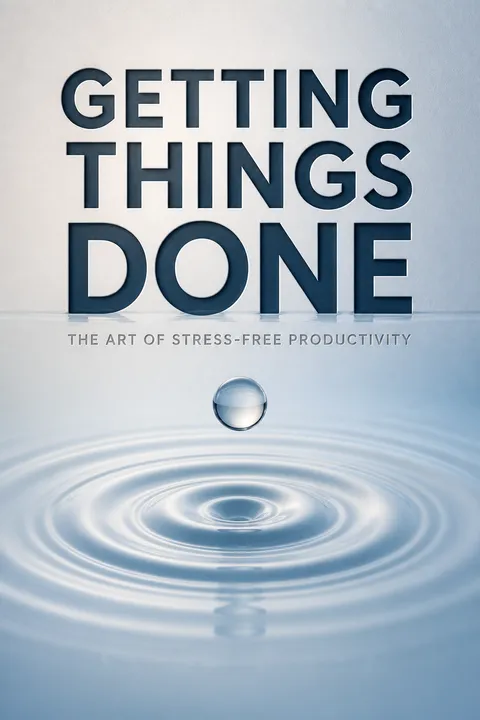


Key Takeaways
Move commitments out of memory so attention can return to the present
Memory is not a system. Allen argues that unfinished commitments keep tugging at attention when they remain vague or stored only in the mind. An open loop is anything you feel should change or be completed but have not yet resolved. It might be a major work project or a small household repair. The pressure comes not simply from having too much to do, but from not knowing what each commitment means or where its reminder lives. Capture those obligations in an external place you trust, then decide what to do with them.
Trust makes the difference. The book cites cognitive research indicating that uncompleted goals can interfere with other thinking, while making a trusted plan can reduce that burden without completing the task itself. A notebook or app helps only if it is reviewed reliably.
What's useful here is the distinction between storing a commitment and managing it. A list is not automatically an external memory; an ignored list can become another source of uncertainty. The idea aligns with cognitive offloading, using tools to preserve information so attention can be spent on reasoning rather than recall. The important qualification is that external systems relieve pressure only when their reminders are timely and credible. A complete-looking dashboard that nobody checks simply relocates the problem.
Treat every incoming item as a decision, not a reminder to worry
Separate the mental moves. Allen's workflow begins by gathering anything that might matter. Each item is then interpreted: Is it actionable, reference, something to revisit, or trash? Any resulting action is placed where it can be found, the whole inventory is reviewed, and a choice is made about what to do now. These activities are often blurred together, which is why people rearrange lists without resolving what the entries mean.
Keep the funnel moving. Processing the top item first, one at a time, and never returning a processed item to the incoming pile helps prevent selective avoidance. Allen distinguishes this from emergency scanning, which checks for urgent threats but does not clear the backlog. A kitchen cleanup offers the same logic: notice what is out of place, decide its fate, put it away, then begin cooking.
This sequence resembles a well-designed intake process in medicine or operations: gather observations first, classify them consistently, then choose an intervention. Its value is not bureaucratic tidiness but fewer hidden decisions. The one-item rule also limits the temptation to jump toward attractive, easy entries while leaving ambiguous ones to accumulate. Still, rigid processing can be impractical during a genuine emergency. The useful distinction is between a deliberate exception and mistaking constant scanning for completed work.
Define what finished means, then identify the next visible action
Turn fog into movement. For any unfinished concern, specify the result that would count as complete and the next physical, observable step toward it. “Sort out the car” hides several decisions; a clearer outcome might be a repaired vehicle, with the first step being to contact a recommended garage for its details. The next action is not a label like “deal with it.” It names something that can actually be done.
Projects need a marker. Allen calls an outcome requiring more than one action a project, generally one intended for completion within a year. A project list is an inventory of finish lines, not a ranked daily schedule. The book estimates that about 80 percent of projects need only a simple outcome and next action, while a smaller share requires written brainstorming or more formal planning.
This is a compact antidote to the planning fallacy: people often underestimate how many decisions sit between intention and execution. Naming a next action makes the hidden prerequisite visible, while a defined outcome gives the action direction. The approach also resembles implementation intentions, where a goal is linked to a concrete behavior in a relevant situation. Yet a crisp action cannot guarantee that a project is worthwhile. Outcome definition should sharpen commitment, not turn every passing idea into a permanent obligation.
Give calendars, action lists, and reference files different jobs
Make categories trustworthy. The calendar holds appointments, actions that must happen on a particular day, and useful date-specific information. It should not be padded with tasks that might be postponed. As-soon-as-possible actions belong on lists, often grouped by context, such as calls, errands, or computer work. A Waiting For list tracks commitments handed to other people. Reference files hold information without an action attached, while Someday/Maybe stores possibilities that are not current commitments.
Keep the edges clear. Active projects need a separate inventory, and supporting notes should not be mistaken for reminders to act. An article about a project may belong in its support materials, but the project itself and its next action still need explicit reminders. The tools can be paper or digital. Allen's test is practical: information should be easy to place, review, and retrieve.
The strength of this design is semantic separation: the location of a reminder tells its user what kind of commitment it represents. That is a form of cognitive ergonomics, reducing the repeated work of interpreting a mixed pile. Digital search makes storage easy, but easy capture can produce an unreviewed archive rather than a usable system. The best categories are therefore not the most elaborate ones. They are the fewest distinctions that reliably guide action and survive ordinary use.
Clear small actions immediately, and track everything larger
Use a short cutoff. When processing new input, Allen recommends doing an action immediately if it will take about two minutes or less. The point is not that two minutes is a magic number; it is that tracking a tiny task can cost more effort than completing it. Longer actions should be delegated when someone else is better placed to do them, or recorded for later. If work is handed off, track what is expected and from whom.
A backlog can shrink quickly. Allen describes coaching a software executive through more than 800 accumulated emails. Many were discarded or filed, and numerous short replies were handled on the spot. A year later, the executive was keeping email near a single screenful, and colleagues received faster responses. The rule is for processing incoming work, not an invitation to spend the whole day on trivial tasks.
The cutoff is best understood as a transaction-cost rule, not a universal law. Immediate closure can prevent a stream of tiny obligations from becoming administrative clutter, and delegation becomes safer when the handoff is tracked. The executive's story also shows how response time can affect an entire team, not just an individual inbox. The danger is overreacting to every small request and sacrificing concentrated work. The rule works when paired with boundaries around when input is processed.
Reserve a weekly reset to restore trust in your system
Review before the backlog grows teeth. The Weekly Review is a recurring session to collect loose material, clear incoming items, update action and project lists, check what is expected from others, and look ahead at the calendar. Allen summarizes the work as getting clear, getting current, and making room for new ideas. It is not a session for completing every task. Its purpose is to confirm that commitments are captured and that every active project has a useful next step.
Use a real ritual. Allen suggests setting aside roughly two hours near the end of the workweek when practical, so the week's events are fresh and follow-up is still possible. The exact time can vary. His comparison is the preparation people often do before vacation: closing loops and renegotiating commitments makes it easier to be present while away. A weekly version makes that clarity available more often.
The review is a maintenance practice, much like checking instruments before a journey: its payoff comes from detecting drift before it becomes a crisis. It also creates a protected moment for reflection that daily urgency tends to crowd out. The ritual should be sized to the user's real life, however. A review that is so comprehensive it becomes impossible to sustain is a fragile system. A modest, repeatable check is more valuable than an idealized routine repeatedly postponed.
Plan from purpose to action instead of demanding good ideas first
Let thought unfold in order. For a project that needs more than a simple next step, Allen describes a natural planning process: establish why the work matters and what standards should guide it, imagine a successful result, generate possibilities, organize the useful ideas, and identify the next action. For a dinner outing, the purpose might be celebrating; the desired result shapes the choice of place, while questions about timing, guests, and reservations supply the practical planning.
Do not start by judging. Asking a team for the “good idea” before it has clarified the purpose or gathered options invites premature criticism. A manager planning an annual conference, for example, can first list the separate parts that could move now, then assign next steps before deadline pressure arrives. Most projects need only informal notes; a small minority need detailed plans.
The sequence protects divergent thinking from being smothered by early evaluation. It also gives criticism a constructive role: concerns can be captured as information and assessed when ideas are organized. This has clear affinities with design practice, where teams explore needs and possibilities before committing to a solution. The process should not be mistaken for a guarantee of creativity. A vivid imagined outcome can anchor a team too narrowly, so the purpose and success criteria should remain open to revision when evidence changes.
Choose from prepared options, not whichever demand shouts loudest
Filter the moment. When choosing an action, Allen proposes considering four factors in sequence: what can be done in the current context, how much time is available, how much energy is available, and then the relative priority. A ten-minute gap and low energy call for different options than an open afternoon and a clear head. Context-based lists make those options easier to see without rereading every commitment.
Recognize the kind of work. A day contains planned actions, unexpected work that arrives, and the work of processing new input into decisions and reminders. None can be ignored entirely. The aim is to choose deliberately among them. A surprise request may deserve immediate attention, but that is different from letting the latest message decide by default. A complete, current system makes it easier to pause one task and resume it later.
This model treats attention as a scarce resource constrained by place, time, and energy before asking what matters most. That ordering is realistic: a high-value call is not an option without a phone or time to make it. It also offers a humane alternative to judging every moment by ideal productivity. The limitation is that urgency and importance are not always obvious, especially when other people set priorities. Prepared lists improve choice, but they do not replace negotiation about whose goals should govern the day.
Start with today's loose ends, then widen your view of work
Use multiple horizons. Allen's Horizons of Focus move from current actions and projects to areas of responsibility, near-term goals, longer-term vision, and ultimate purpose and principles. Each level can shape the one below it: a call may advance a project, which supports a work responsibility, which serves a larger goal. But when immediate commitments are chaotic, starting with grand purpose statements may add pressure rather than clarity.
Build upward from control. Allen recommends first getting current with actions and projects, then reviewing roles and areas of responsibility, and then considering longer-range direction. One executive, after organizing his daily workload, found enough mental room to pursue a technology business he had previously found too intimidating to consider. The point is not that organization dictates a career change, but that a clearer present can make larger choices easier to examine.
The bottom-up sequence is a practical response to a common problem: abstract reflection is difficult when unresolved demands continually interrupt it. The horizons also make priorities relational rather than absolute. A task matters because of the projects, roles, or values it serves. Still, tactical control can become a sophisticated form of avoidance if higher-level questions are perpetually deferred. The method is strongest when operational review creates space for strategic reconsideration, rather than treating efficiency as an end in itself.
Renegotiate commitments before they quietly become broken promises
Protect self-trust. Allen links anxiety and guilt to agreements people make with themselves and then leave unresolved. There are three ways to handle an agreement: do not make it, complete it, or consciously renegotiate it. Capturing an obligation makes renegotiation possible; an unrecorded promise can keep demanding attention without ever receiving a clear decision. This is why saying no can be more responsible than casually accepting another task.
Make ownership explicit. The question “What happens next, and who owns it?” can turn a vague meeting conclusion into an accountable handoff. Teams that capture requests and track responses need less chasing and fewer last-minute surprises. Allen describes adopting this habit as a cultural improvement, not a requirement that everyone use identical software. The system's purpose is to make commitments visible enough to fulfill, decline, or revise them.
This reframes productivity as integrity rather than sheer output. Explicit renegotiation resembles a psychological contract in organizational behavior: trust depends not on fulfilling every original promise, but on making changes visible and timely. The approach is especially valuable where collaboration diffuses responsibility. Its boundary matters, though: better tracking cannot repair impossible workloads or unequal authority. The humane use of a productivity system is to expose conflicts early enough for people to renegotiate them, not to make overcommitment more efficient.
Analysis
Getting Things Done is best understood as an operating protocol for attention, not a theory of ambition. Its central move is to convert a vague internal commitment into an explicit outcome, a next action, and a trusted reminder. That conversion reduces the mental cost of repeatedly reconstructing what a task means. The method's distinctive contribution is the chain linking capture, decision, organization, review, and choice. Each stage depends on the others: a beautifully categorized list cannot compensate for missing commitments, while exhaustive capture without review becomes an archive of anxiety.
The book's bottom-up bias is persuasive because day-to-day disorder consumes the very attention needed for strategic thinking. Its categories also clarify an important distinction between having a priority and having an actionable option. Context, available time, and energy constrain what can be done before abstract importance can guide selection. This makes the system more adaptable than a fixed ranking of tasks.
The largest caveat is that personal organization cannot solve structural overload. A worker can clarify every task and still lack the time, staffing, authority, or safety needed to complete them. In such cases, the system's most valuable output may be evidence for renegotiation, not higher throughput. Likewise, the aspiration to capture everything should be treated as a direction rather than a literal condition. New inputs and shifting responsibilities make completeness temporary. Regular review is what makes temporary clarity useful.
The method also carries a subtle risk: a better system can make a person more capable of accepting more work. Allen recognizes this possibility, and it points to the distinction between operational efficiency and a life well-directed. Capturing commitments creates freedom only when the user can also decline, defer, or reconsider them. Properly used, GTD is less a machine for doing more than a disciplined way to know what is being chosen, what is being postponed, and what needs a conversation.
Review Summary
Getting Things Done has garnered widespread praise for its practical, no-nonsense approach to productivity. Readers appreciate Allen's focus on actionable steps and the system's adaptability to various work styles. Many report significant improvements in their organizational skills and stress levels after implementing GTD. However, some find the book's length and repetitiveness challenging. Despite this, GTD's principles have resonated with countless readers, inspiring a devoted following and influencing productivity methods worldwide.
People Also Read






Glossary
open loop
unresolved commitmentAn open loop is anything a person considers unfinished or wants to change but has not adequately clarified, acted on, or placed in a trusted reminder system. It can be a project, a promise, a decision, or a small task. When left unresolved, it can repeatedly pull attention toward itself.
next action
next visible stepThe next action is the next physical, observable activity that moves a commitment toward completion. It should be specific enough that the person knows what to do, and often where or with which tool to do it. A vague label such as “handle the report” is not yet a next action.
project
multistep desired resultIn GTD, a project is an outcome that requires more than one action and is generally intended to be completed within a year. The term includes small commitments as well as large initiatives. A project list tracks these outcomes as open loops, while separate action reminders identify the steps that can be taken.
Weekly Review
weekly system resetThe Weekly Review is a recurring session for collecting new inputs, clearing and processing them, updating action and project lists, checking delegated work, and reviewing upcoming commitments. Its purpose is to restore a current, trustworthy overview, not to complete every task. Allen frames it as a way to regain operational clarity and generate fresh thinking.
Horizons of Focus
layers of commitmentHorizons of Focus organize commitments at six levels: current actions, current projects, areas of responsibility, goals, longer-term vision, and purpose and principles. The levels connect daily work to broader roles and intentions. Reviewing them helps a person assess whether immediate activity supports the commitments and direction that matter.
natural planning model
outcome-to-action planningThe natural planning model describes five kinds of thinking used to bring a desired result into reality: clarify purpose and guiding standards, envision the result, generate ideas, organize those ideas, and identify next actions. Allen presents this as a familiar mental process that can be made more deliberate when a project is unclear or complex.
Someday/Maybe
future possibility listSomeday/Maybe is a category for ideas and potential projects that a person does not currently intend to act on but wants to reconsider. It keeps possibilities available without treating them as active commitments. The list needs periodic review; otherwise it risks becoming an unattended pile rather than a useful source of options.
tickler file
date-triggered reminder systemA tickler file is a paper or digital system that resurfaces information or physical materials on a chosen future date. It can hold documents, reminders, or prompts that are not actionable now but should be reviewed later. A physical version traditionally uses daily and monthly folders and must be checked consistently to remain trustworthy.
distributed cognition
thinking across mind and toolsDistributed cognition describes thinking that is supported by external objects and systems as well as the brain. In the book's application, notes, lists, calendars, and visible materials preserve information and make it available for review. These tools do not replace judgment; they reduce the need to remember every commitment internally.
FAQ
What's Getting Things Done about?
- Focus on Productivity: Getting Things Done by David Allen is a guide to achieving stress-free productivity through a systematic approach to managing tasks and commitments.
- Five Steps of Workflow: It outlines five key steps for mastering workflow: capturing, clarifying, organizing, reflecting, and engaging, which help reduce mental clutter.
- Practical Techniques: The book provides practical techniques and tools applicable in both personal and professional contexts, making it relevant for a wide audience.
Why should I read Getting Things Done?
- Improve Efficiency: The book offers a clear framework for managing tasks, enhancing productivity and efficiency.
- Reduce Stress: Its methods aim to alleviate stress by helping you gain control over your workload and mental space.
- Universal Applicability: The principles are applicable across various aspects of life, from work projects to personal responsibilities.
What are the key takeaways of Getting Things Done?
- Capture Everything: Emphasizes the importance of capturing all tasks in a trusted system to clear mental clutter.
- Clarify Next Actions: Stresses the need to clarify what each task means and determine the next physical action required.
- Regular Review: Advocates for regular reviews of tasks and projects to maintain clarity and ensure nothing is missed.
What are the five steps of mastering workflow in Getting Things Done?
- Capture: Gather all tasks and commitments into a trusted system to ensure nothing is forgotten.
- Clarify: Determine what each item means and what action is required for clear next steps.
- Organize: Categorize tasks into appropriate lists and systems for easy access and review.
- Reflect: Regularly review your lists to maintain clarity and focus on what needs to be done.
- Engage: Make informed choices about what to work on based on context, time, and energy.
What is the two-minute rule in Getting Things Done?
- Immediate Action: If a task can be completed in two minutes or less, it should be done immediately.
- Efficiency Boost: This rule helps reduce the number of items on your to-do list and keeps your workflow moving smoothly.
- Practical Application: Particularly useful in managing emails and quick tasks, maintaining a clear and organized system.
How does the GTD method help with stress management?
- Clear Mental Space: Capturing all tasks helps clear mental space, reducing anxiety about remembering everything.
- Structured Approach: The structured approach allows focus on tasks without feeling overwhelmed.
- Increased Control: Regularly reviewing and organizing tasks gives a sense of control over your workload.
What is the Natural Planning Model described in Getting Things Done?
- Five Phases: Consists of defining purpose and principles, outcome visioning, brainstorming, organizing, and identifying next actions.
- Intuitive Process: Reflects the natural way our brains plan and execute tasks, making it easier to engage with projects.
- Practical Application: Enhances project management skills and ensures all necessary steps are taken to move projects forward.
How can I implement the GTD method in my daily life?
- Set Aside Time: Allocate specific time blocks to implement the GTD method, ideally two uninterrupted days.
- Create a Workspace: Establish a dedicated workspace with necessary tools to facilitate the capturing and organizing process.
- Follow the Steps: Systematically implement the five steps—capture, clarify, organize, reflect, and engage.
What is the importance of the Weekly Review in Getting Things Done?
- Maintain Clarity: Essential for maintaining clarity and ensuring all tasks and commitments are current and organized.
- Capture New Items: Allows gathering and processing of new items that have come up during the week.
- Reflect on Progress: Provides an opportunity to reflect on progress, reassess priorities, and adjust action plans.
How does Getting Things Done define a project?
- Multistep Outcomes: A project is any outcome requiring more than one action step to complete.
- Weekly Review Importance: Projects need regular review to ensure they remain active and relevant.
- Project Inventory: Keeping a complete inventory of projects is essential for effective management.
How does Getting Things Done suggest managing e-mail?
- Organize Actionable E-mails: Create specific folders for actionable e-mails, such as an "@ACTION" folder.
- Two-Minute Rule Application: Apply the two-minute rule to e-mails to prevent backlog and maintain communication flow.
- Regular Processing: Regularly process e-mails to keep your in-tray empty, involving deleting, filing, and moving actionable items.
How does Getting Things Done address procrastination?
- Next Action Focus: Encourages defining the next action for each task to overcome inertia.
- Breaking Down Tasks: Helps reduce overwhelm by breaking larger projects into smaller, manageable actions.
- Regular Reviews: Keeps you accountable and motivated, preventing tasks from lingering indefinitely.
About the Author
Other books by David Allen



Download PDF
Download EPUB
.epub digital book format is ideal for reading ebooks on phones, tablets, and e-readers.








