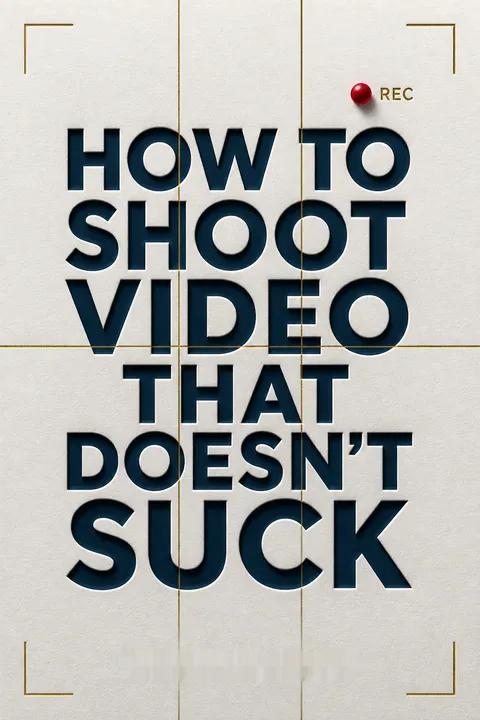


Key Takeaways
Make the viewer's time feel worthwhile, or lose the message.
Attention is earned. A video is an exchange: viewers give it their time, and expect an experience in return. If it bores them, they leave, even when the subject is important or the maker is passionate. A cello recital filmed in one long, wandering take forces viewers to look only where the camera points. Deliberate shots that reveal a performer, a reaction, or an applause-filled moment offer more to notice and remember.
The camera is a tool. Better equipment cannot supply a story or make choices for its operator. The creator must consider what a first-time viewer will see and feel, then shape the footage accordingly. The practical standard is simple: if the maker would not choose to watch the video voluntarily, it is not ready to share.
What's useful here is the shift from creator intention to viewer experience. It resembles good service design: a product is judged by what it enables someone to do, not by how hard its makers worked on it. That principle is especially important when a video teaches or persuades, because a message cannot help an audience that has already clicked away. Still, entertainment need not mean jokes, stunts, or spectacle. A quiet interview can hold attention through intimacy, suspense, or emotional honesty. The challenge is to make the subject itself engaging, rather than decorate it with noise.
Give each video one clear purpose and one audience to serve.
Separate intent from outcome. Intent is what the creator wants the video to do; an outcome, such as becoming famous or increasing sales, depends on forces beyond the shoot. A clear intent gives practical direction. A birthday video meant to show grandparents how a child experiences the party suggests filming at the child's height and emphasizing the child's reactions, rather than recording every adult in the room.
Choose the right medium. Video excels at motion and emotion, but is a poor container for long lists of facts. A guitar shop could display a series of rare instruments and their dates, or follow a teenager saving for the instrument he has dreamed of owning. The second approach gives viewers a person and a reason to care. Define who will watch, what they want, and why video serves them.
A strong purpose works like a design brief: it reduces the number of plausible choices without dictating every detail. Audience definition also prevents the common mistake of treating everyone as the target. In communication research, familiar information is easier to absorb when it connects to a recipient's existing concerns, which helps explain why a human story can make a fact memorable. The caution is that emotional framing can oversimplify evidence. A compelling anecdote should invite viewers into the issue, not masquerade as proof of how common or typical the issue is.
Build every shot around a subject doing something that matters.
Give the viewer a story. A story has a main subject, a beginning, a middle, and an ending. The subject may be a person, an animal, or an object, but the audience needs to see what happens to it. A shot of a cake alone is merely a picture; a hand reaching toward it, then smashing into the frosting, gives the image an action and a payoff.
Think in shots. A shot is the continuous piece of footage between cuts. Each one should have a clear focus and action. A few separate images can also create meaning together: a dog glancing toward a rainy window, then toward its owner by the fire, lets viewers infer that the dog wants out. Cuts do not merely shorten time. They guide attention and let viewers connect images into a story.
The noun-and-action approach is a practical form of visual grammar. It also respects how people process scenes: attention settles more easily when an image makes clear what is changing and why it matters. Editing can then create meaning through juxtaposition, much as a sentence gains meaning from the relation among its words. Yet not every worthwhile video needs a dramatic arc. A portrait, performance, or observational piece may rely on mood or repetition instead. Even then, a precise sequence of images gives viewers something to follow rather than a stream of unchosen footage.
Plan the story before filming, then leave room for useful surprises.
Start with a pitch. Summarize a project in a sentence or two. If it takes ten minutes to explain, the creator may not yet know what the video is about. A pitch clarifies the idea for collaborators and helps keep filming decisions on course.
Make a shot list. A shot list records the images that may be needed, such as a relative greeting an old friend or a cook folding dough. Brainstorm widely without judging ideas, then select the most promising ones and arrange them in the order that makes filming practical. A short list may be enough for a family gathering; a scripted production may need detailed coverage. Planning does not mean forcing reality to obey. The famous cat in the opening of The Godfather was an unplanned discovery that the director chose to use. Preparation made room for a deliberate choice about the accident.
Planning lowers the amount a shooter must hold in working memory while events unfold. A short list can protect essential moments from the distraction of equipment, logistics, and people asking questions. The useful distinction is between preparation and rigidity. An outline gives a project direction, while an unexpected gesture or visual detail can reveal a better one. This balance appears in many forms of creative work: constraints can prompt invention, but constraints become counterproductive when they are mistaken for guarantees. The plan is a guide for judgment, not a substitute for it.
Compose each frame so viewers know exactly where to look.
Make the subject visible. Faces carry emotion, so get close enough to read the eyes when the subject's reaction matters. Wide scenery may impress on a large screen but lose its detail on a phone. For steadier footage, keep the lens wide and physically move nearer instead of relying on heavy zoom. Set the camera before recording, hold it still, and move only when the movement has a reason.
Use the whole frame. Look for distractions behind the subject, but also notice foreground objects that add depth or context. Try a different height or position instead of repeating the familiar eye-level view. The Rule of Thirds is a composition guide that places the important subject away from the center of the frame, often making the image feel less stiff. Check the lighting too: when a bright window sits behind a person, an automatic camera may turn the person into a silhouette.
These techniques are forms of perceptual direction. A viewer has limited visual attention, so framing, contrast, movement, and focus all compete to say, look here. Foreground details can add context, while an uncluttered frame can make an emotion legible. The advice to stay still is particularly valuable for casual shooters, because unstable movement often adds visual demand without adding information. Composition is not a checklist of rules, however. A centered face or a dark silhouette can be powerful when it serves the intended mood. The test is not conformity, but whether the image communicates clearly.
Protect the performance by choosing good subjects, places, and sound.
Help people look natural. Being comfortable on camera is a skill, not an automatic consequence of being knowledgeable. Do not force a hesitant person to read a speech if an interview would show them at their best. Choose people who hold attention, and consider how a location, background, and light shape the impression they make.
Treat sound as part of the picture. A built-in camera microphone records the noise between itself and the speaker. In a crowded or echoing room, the speaker may look close while sounding distant and unclear. Move the microphone close to the voice, using a clip-on mic for an interview when possible. Check what the camera is actually recording. A well-framed image cannot compensate for dialogue buried under room noise, traffic, or crowd chatter.
This advice treats production as care for both subject and audience. A relaxed speaker often communicates more naturally, while a considered setting tells viewers how to interpret that person before a word is spoken. Sound deserves particular attention because audiences may tolerate imperfect images more readily than unintelligible speech. In cognitive terms, listening and watching draw on overlapping but distinct streams of attention; when speech is hard to decode, viewers have less capacity left for the story. There is a practical limit, though: technical polish should support the encounter, not make a simple conversation feel like an interrogation.
Edit until only the essential, watchable story remains.
Cut with purpose. The Rubbermaid Rule says creators tend to overestimate how much time a video needs, much as people choose an oversized food container for leftovers. The suggested remedy is to start with a duration roughly one-third of the first estimate. Short shots, often under ten seconds, keep images changing, though a longer shot can work when it is deliberate and compelling.
Remove what weakens the whole. Cut poor footage, repetition, detours, and travel time that viewers can infer. Begin a scene near its most important moment and leave once it has delivered its information. The Rule of Less asks that every shot, effect, title, and graphic be both good and necessary. Start with clean cuts; use music or effects only when they improve the video. A polished transition cannot rescue footage that has no reason to be there.
Editing is an argument about importance. Every retained image claims a share of the viewer's attention, so removing a merely decent moment can make a stronger moment clearer. This is close to the logic of information design, where reducing clutter makes a signal easier to find. The danger is confusing brevity with speed. A pause, sustained look, or long take can carry meaning that rapid cutting would erase. The useful discipline is not to make everything short, but to make every duration feel chosen. If an image adds neither information nor feeling, its length is difficult to justify.
Create curiosity without making viewers confused.
Offer a question. A video can begin in the middle of an action rather than with a long introduction. A match striking kindling raises immediate questions about the place, the person, and what will happen next. That unanswered question gives the audience a reason to continue. Conflict, risk, embarrassment, or uncertainty can also make an ordinary event more compelling, provided the creator is willing to film what is genuinely happening rather than only the tidy parts.
Keep the action understandable. Mystery is useful when viewers can still follow what the subject is doing. One sequence might show a person looking around a corner, disguising himself, and photographing someone at lunch. The audience may not yet know why he is spying, but can understand that he is. A sequence of unrelated images gives no such foothold. Curiosity opens a question; clarity helps viewers care about its answer.
Curiosity depends on a productive gap between what viewers know and what they want to know. If every detail is explained up front, there is little left to discover. If too little is clear, viewers cannot form a useful prediction and may disengage. This resembles a basic principle of teaching: present a problem that is challenging enough to provoke attention, but not so opaque that learners give up. The same balance applies to documentary work. Tension can reveal real stakes, but manufacturing conflict or withholding context can distort the people being filmed.
Match the format to the event, and stop promising viral hits.
Know what the format promises. A wedding video should anticipate key moments such as the vows and the couple's exit. Vacation footage improves when it favors people doing things over distant scenery. A how-to video should teach one focused task, show the important steps clearly, and give its most visually satisfying moment room to land. A business video should answer a customer's questions rather than simply recite what the company wants to say.
Treat reach as uncertain. A viral video is a hit, not a dependable production outcome. Surprise successes can come from an idea, an audience response, and luck aligning. The practical approach is to make work that excites its creator, publish consistently, and improve through practice. Do not promise that a video will spread widely. Make a useful or entertaining video that has a good reason to be shared.
Genre functions like an informal contract. Familiar structures help viewers understand what kind of experience they are receiving, while an unexpected twist can make that experience distinctive. This is useful in marketing as well as personal video: the audience is more likely to stay when the format answers its actual question. The warning about virality is equally sound because attention is distributed unpredictably, and a single hit does not make outcomes controllable. A narrow focus on views can also crowd out the more durable goal of building trust with a specific audience.
Show finished work to useful critics, then move on and practice.
Ask the right viewers. Feedback is most useful when people understand the kind of video being made and can describe what confused, moved, or bored them. Repeated concerns from several trusted viewers may reveal a real problem. A lone suggestion is an idea to consider, not an instruction to obey. Show the work after making a complete version, so the filmmaker can assess specific changes rather than surrender the project to a group of substitute directors.
Finish and learn. A video can always be adjusted again, but time spent endlessly polishing one project limits opportunities to make another. Review past footage, notice what worked, and try a different approach next time. The book treats video as both craft and personal expression: the creator makes choices, shares them, and gains skill by seeing how those choices land with an audience.
This is a useful model of creative feedback: preserve authorship while testing whether the intended meaning reached other people. Multiple independent reactions are more informative than a confident critic's single preference, especially when the comments describe different symptoms of the same confusion. This resembles iterative product testing, where observed behavior can expose friction that designers do not notice in their own work. There is also a limit to consensus. An unusual work may divide viewers precisely because it is unusual. Feedback should clarify the maker's choices, not automatically smooth away every risk or surprise.
Analysis
This is less a camera manual than a course in treating video as communication. Its central move is ethical as much as technical: the maker is responsible for the viewer's experience. That premise links the book's advice about close framing, clear sound, concise edits, and purposeful stories. Each technique removes friction between what the creator means and what an audience can perceive.
The book's structure follows a useful progression. First it asks why the video exists and who should watch. Then it turns that purpose into a story, a plan, and a set of images. Shooting advice makes those images legible; editing removes what distracts; feedback and practice complete the loop. The recurring insistence on clarity is especially valuable for amateur creators, who often mistake recording an event for telling a story about it.
Several tensions make the advice richer than a technical checklist. Entertainment is necessary for attention, but spectacle is not the only way to entertain. Brevity is usually helpful, but a long take can create intimacy or suspense. Intrigue invites viewers forward, while too little context loses them. The book's strongest practical answer is not a universal rule, but a repeated question: what does this choice do for the person watching?
Some claims are intentionally blunt. The claim that audiences will always leave boring video simplifies the varied reasons people watch, including obligation, documentation, and accessibility needs. Yet the underlying warning remains useful: a creator cannot assume that personal importance automatically transfers to an audience. Similarly, visual storytelling should not displace precision when a video must teach complex facts. Video can carry information effectively when it is organized around demonstration, consequence, or a human example.
The lasting value is a disciplined way to make choices with ordinary equipment. A camera records; a director decides what matters, when to look, and when to stop. Practice turns those decisions from guesswork into craft.
Review Summary
How to Shoot Video That Doesn't Suck receives overwhelmingly positive reviews, with readers praising its practical advice, entertaining writing style, and valuable insights for both beginners and experienced videographers. Many appreciate the book's accessibility, covering essential techniques without getting bogged down in technical jargon. Readers find the tips easy to implement, leading to immediate improvements in their video-making skills. The book is often described as inspiring, encouraging readers to approach video creation with newfound enthusiasm and confidence.
People Also Read







Glossary
Entertainment transaction
Viewer time for experienceThe implicit exchange between a video and its audience: viewers invest time, and the video must offer an experience worth that time. The experience may inform, move, amuse, or intrigue. If it fails to hold attention, the video cannot deliver its intended message.
Intent
Purpose guiding the videoThe creator's purpose for making a video, expressed in a way that can guide choices while planning, shooting, and editing. Intent differs from a hoped-for result, such as fame or increased sales, because it describes what the creator can actively try to accomplish.
Shot list
Planned images to captureA list of images the creator may need to tell the video's story. A useful entry describes a subject performing an action, rather than naming a subject alone. Lists can be brief for informal events or detailed for scripted productions, and can be rearranged into a practical shooting order.
Coverage
Multiple views of actionThe range of footage captured for a scene or performance. Coverage may include repeating an action from different angles, framing, or character perspectives. It gives the editor options for shaping pace, emphasis, and continuity. In a music video, complete performance passes can serve as distinct layers to cut between.
B-roll
Supporting visual detailAdditional footage used alongside a primary scene or interview. It might show a person working, an object being handled, or an audience reacting. B-roll supplies context, visual variety, and details that help explain or enrich the main material rather than leaving the audience with an uninterrupted talking head.
Establishing shot
Scene-setting imageA shot that gives viewers information about where or when a scene takes place. It may show a building, landmark, room, or meaningful detail before the action begins. An establishing shot can also create context economically, without requiring the entire location to appear in the following scene.
Rule of Thirds
Off-center framing guideA composition guideline that divides an image into thirds horizontally and vertically, then places the important subject near a dividing line or intersection rather than directly in the center. The book presents it as a way to make framing feel less static, not as an unbreakable rule.
Rubbermaid Rule
Plan for shorter durationThe book's analogy for the tendency to overestimate how much space a video needs, like choosing an oversized container for leftovers. Its practical recommendation is to reduce the initial estimate substantially, around two-thirds, so the finished video is less likely to be padded and dull.
Rule of Less
Keep only useful elementsAn editing principle that every element in the finished video should be both effective and necessary. It applies to shots, storylines, graphics, and effects. Footage that is weak or distracts from the main story should be removed, even if it was difficult or enjoyable to capture.
Cake-Frosting Principle
Use effects to mask flawsA fallback editing technique for a cut that cannot be made seamless through ordinary trimming. A conspicuous effect, music cue, or visual shift can turn an awkward transition into an intentional stylistic choice. It is presented as a repair strategy, not a substitute for clean basic editing.
FAQ
What's "How to Shoot Video That Doesn't Suck" about?
- Purpose: The book is a guide for amateurs to improve their video shooting skills, making their videos more engaging and professional-looking.
- Content: It covers a wide range of topics, from thinking like a director to editing and special projects, providing practical advice and techniques.
- Audience: It's aimed at anyone interested in video production, whether for personal projects, business, or creative endeavors.
- Approach: The author, Steve Stockman, uses a conversational tone and real-world examples to make the content accessible and actionable.
Why should I read "How to Shoot Video That Doesn't Suck"?
- Improve Skills: It offers practical tips to enhance your video shooting and editing skills, making your videos more watchable.
- Avoid Common Mistakes: The book helps you identify and avoid common pitfalls that lead to boring or unwatchable videos.
- Engage Audience: Learn techniques to keep your audience engaged, ensuring your videos are entertaining and effective.
- Comprehensive Guide: It covers everything from planning and shooting to editing and special projects, making it a one-stop resource for video production.
What are the key takeaways of "How to Shoot Video That Doesn't Suck"?
- Think in Shots: Plan your video in terms of individual shots to keep it dynamic and engaging.
- Keep It Short: Shorter videos and shots are more likely to hold the audience's attention.
- Focus on Story: Every video should tell a story, with a clear beginning, middle, and end.
- Edit Ruthlessly: Cut out anything that doesn't serve the story or engage the audience.
What are the best quotes from "How to Shoot Video That Doesn't Suck" and what do they mean?
- "The opposite of 'Good' is 'Off'": This emphasizes the importance of making videos that are engaging enough to keep viewers from turning them off.
- "Entertain or die": Highlights the necessity of making your video entertaining to ensure it gets watched.
- "Think in shots": Encourages planning your video in terms of individual, purposeful shots to maintain viewer interest.
- "Keep your shots under 10 seconds long": Advises on maintaining a brisk pace to keep the audience engaged.
How does Steve Stockman suggest you "Think Like a Director"?
- Entertain or Die: Your primary job is to entertain your audience, ensuring they stay engaged with your video.
- Know Your Audience: Understand who your audience is and what they want to see, tailoring your video to meet their expectations.
- Know Your Story: Every video should have a clear story, with a hero, a beginning, a middle, and an end.
- Plan with a Shot List: Create a list of shots you want to capture to ensure you cover all necessary elements of your story.
What is the "Quick-Start Guide" in "How to Shoot Video That Doesn't Suck"?
- 12 Tips: The guide provides 12 easy tips to instantly improve your video quality.
- Practical Advice: Tips include keeping shots short, zooming with your feet, and focusing on what interests you.
- Immediate Impact: These tips are designed to be implemented immediately, offering quick improvements to your video skills.
- Foundation for Learning: The guide serves as a foundation for the more detailed advice found throughout the book.
How does "How to Shoot Video That Doesn't Suck" address video equipment?
- Not Equipment-Focused: The book emphasizes that great video comes from the creator, not the equipment.
- Basic Requirements: It assumes you have a camera and know how to record and possibly edit.
- Focus on Storytelling: The emphasis is on storytelling and technique rather than technical specifications of equipment.
- Universal Application: The advice applies regardless of whether you're using a smartphone or a high-end camera.
What does Steve Stockman mean by "Keep It Short: The Rubbermaid Rule"?
- Brevity is Key: Shorter videos are more likely to hold the audience's attention and be more impactful.
- Avoid Padding: Don't expand your video to fill time; only include what's necessary to tell your story.
- Plan for Shorter Videos: Aim for a shorter video from the start to ensure a tight, engaging final product.
- Audience Consideration: Recognize that your audience's time is valuable, and respect it by keeping your video concise.
How does "How to Shoot Video That Doesn't Suck" suggest you handle editing?
- Edit with Your Brain: Think ahead and shoot with editing in mind to make the process smoother.
- Cut Ruthlessly: Remove anything that doesn't serve the story or engage the audience.
- Focus on Flow: Ensure your video flows well, with seamless transitions and a clear narrative.
- Use Music and Effects Wisely: Enhance your video with music and effects, but don't overdo it.
What special projects does "How to Shoot Video That Doesn't Suck" cover?
- Kids and Family Videos: Tips for capturing engaging videos of children and family events.
- Vacation Videos: Advice on making vacation videos interesting and watchable.
- Weddings and Ceremonies: How to anticipate and capture key moments in ceremonies.
- Music Videos and Stunts: Techniques for shooting creative music videos and planned stunts.
How does "How to Shoot Video That Doesn't Suck" suggest you handle feedback?
- Seek Trends: Look for common themes in feedback to identify real issues.
- Value Great Ideas: Be open to ideas that spark something in you, even if they come from a single source.
- Avoid "If/Then" Critics: Focus on feedback from those who understand and support your vision.
- Use Feedback Constructively: Use feedback to improve your video, not to undermine your confidence.
What is the "Rule of Less" in "How to Shoot Video That Doesn't Suck"?
- Simplicity is Key: Keep your video simple and focused, cutting out anything unnecessary.
- Focus on Quality: Ensure everything in your video is good and serves a purpose.
- Avoid Overcomplication: Don't clutter your video with unnecessary effects or information.
- Enhance Storytelling: Use the Rule of Less to strengthen your video's narrative and impact.
Download PDF
Download EPUB
.epub digital book format is ideal for reading ebooks on phones, tablets, and e-readers.