

Key Takeaways
Learn Python by running small programs, not by memorizing syntax
Start with a working setup. The book recommends Python 3 for new learners, then introduces two ways to experiment: use IDLE or open the interpreter from a terminal. The interpreter gives an immediate response to each command; a saved `.py` file runs a sequence of commands as a program.
Make feedback part of learning. The examples build from displaying text to programs that accept input, such as a cat whose speech bubble adjusts to the message. The point is not to understand every feature before starting. Try a small piece of code, observe what happens, and investigate errors when the result differs from what was expected.
The interpreter turns programming into a short feedback loop: propose an instruction, see its effect, and revise. That is a useful way to learn any system with precise rules, because mistakes become observable rather than mysterious. The book also separates experimenting from saving a reusable program, a distinction that helps novices understand the difference between a command and a script. Setup instructions can become a distraction, especially across operating systems, so current installation guidance should be checked rather than treating a 2014 setup chapter as timeless.
Keep text, numbers, and their conversions distinct to prevent type errors
Values have different rules. Text in Python is a string, while whole numbers and decimal numbers are integers and floats. A number surrounded by quotation marks is still text, so adding it directly to a number causes an error. Convert deliberately with `int()`, `float()`, or `str()` when a task requires a different type.
Use the right operation. Strings can be combined, repeated, indexed from zero, and formatted with placeholders. Numbers support arithmetic such as exponentiation and remainder. A practical exercise calculates hosting at $0.51 per hour: one server costs $12.24 per day and $367.20 for a 30-day month. Formatting makes those results readable as currency.
The key lesson is that a value's representation is not the same as its meaning. The characters 3 and the integer 3 look alike to a person, but Python treats them differently because their operations differ. That distinction appears throughout computing, from dates stored as text to measurements stored as numbers. Making conversion explicit is a small habit with large debugging benefits. The hosting exercise also demonstrates a useful programming move: turn a repeated calculation into named intermediate values that can be inspected and changed.
Use Boolean tests to choose branches, and indentation to show exactly where they apply
Make decisions explicit. A Boolean has one of two values, `True` or `False`. Comparisons such as `==`, `<`, and `>=` produce a Boolean, while `and`, `or`, and `not` combine or reverse conditions. Parentheses make complex tests easier to read by showing which parts belong together.
Let conditions guide action. An `if` block runs when its test is true; `elif` checks another possibility, and `else` handles what remains. In the travel exercise, a distance below three miles suggests walking, a distance below 300 miles after that suggests driving, and longer trips suggest flying. Indentation marks which instructions belong to each choice.
Conditionals turn a program from a fixed list of instructions into a simple decision system. The travel example is memorable because its rules resemble everyday advice, yet it also exposes a general design question: have all boundary cases been specified? A useful practice is to test values just below, exactly at, and just above each threshold. Indentation gives Python's structure a visible form, making whitespace carry meaning rather than serving only as decoration. That can feel strict at first, but it makes the program's branches easier to inspect.
Turn repeated work into functions with defined inputs, defaults, and returns
Give a task a name. A function packages instructions for reuse. Define it with `def`, give it parameters for information it needs, and call it when the task is required. Parameters can be required or assigned default values. Named arguments make it possible to specify inputs by name rather than relying only on their order.
Return useful results. A function can send a value back with `return`, which ends that function's execution. A docstring, a short description placed at the start of a function, explains its purpose and can be shown with `help()`. The fill-in-the-blank exercise separates collecting words, inserting them into a story, and displaying the result, illustrating how one larger task can be divided into named jobs.
Functions are an early lesson in abstraction: a caller can use a named operation without needing to reread every step inside it. Good boundaries also make code easier to test, because a function can be checked with specific inputs and outputs. The story exercise shows decomposition in a concrete setting, separating user interaction from text construction. A useful caution is that a function name and docstring are promises to future readers. If they are vague or inaccurate, the abstraction hides confusion instead of reducing it.
Process collections with lists and loops, then plan for missing data
Store sequences together. A list holds an ordered collection whose items can be accessed by position, changed, added, or sliced. `append()` adds one item, `extend()` adds several, and `sort()` rearranges the list. A `for` loop processes each item; a `while` loop continues as long as its condition remains true. `range()` helps repeat an action a chosen number of times or step through positions.
Expect imperfect inputs. Looking up a value that is absent can raise an exception, an error signal that interrupts normal execution. A `try` and `except` block lets a program respond instead. In the to-do exercise, a loop keeps collecting tasks until the user submits a blank entry, then another loop prints the saved list.
Lists and loops express a powerful pattern: keep related things together, then apply the same operation to each. This is the basic shape of many everyday programs, from processing messages to displaying tasks. The book's lookup example also introduces failure as a normal possibility rather than an exotic event. Error handling should be specific, however. Catching every possible exception can conceal unrelated bugs, so professional code generally identifies the particular failure it can handle and lets other problems remain visible.
Use dictionaries for keyed facts and tuples for fixed records
Choose collections by how data is found. A dictionary stores key-value pairs, so a program can retrieve a phone number by a person's name instead of remembering its position in a sequence. Values can themselves be lists or dictionaries, allowing a contact record to hold several phone numbers or nested details. A loop can visit each key and its associated value.
Protect stable groupings. A tuple is an ordered collection that cannot have its items reassigned. That makes it suitable for data intended to stay fixed, such as the days of the week or an airport name paired with its code. Tuple assignment unpacks a group into separate variables, which makes records such as `(airport, code)` convenient to process in a loop.
These structures encode different assumptions about data. A dictionary says that a key is the route to a value; a tuple says that order and membership should remain stable. Choosing well makes later operations clearer and can prevent accidental changes. The examples also hint at data modeling: a contact is not merely a name or a number, but a relationship between fields. For more complex applications, the simple nested structures shown here eventually need clearer validation and organization, but they provide a manageable first model.
Preserve program results in files, and let context managers close them
Files extend a program's memory. Use `open()` to access a file, then read its contents or write new data. Modes distinguish reading, overwriting, creating a new file, and appending; text mode handles characters, while binary mode handles bytes. Reading a whole file moves the file position to its end, and `seek()` can move that position elsewhere.
Close resources reliably. A file should be closed when its work is done. The `with` statement closes it automatically when its block ends, even if an error interrupts the work. A line-by-line loop can process a large or structured text file; `rstrip()` removes a line's trailing newline. The exercises add line numbers to a file and write an alphabetized animal list to another.
File handling introduces a boundary between a program and persistent material outside it. That boundary is useful, but it creates new failure points: paths can be wrong, permissions can prevent access, and a file may not contain what the program expects. Automatic closing is a strong default because resource cleanup should not depend on remembering a final step. The examples also teach a practical distinction between replacing a file and adding to it. When handling errors, reporting what failed is generally more informative than silently substituting an empty result.
Import reusable code without triggering a module's interactive behavior
Build on existing code. A module is a Python file that can provide functions, variables, and other reusable definitions. The book recommends checking Python's Standard Library, its collection of supplied modules, before writing common tools yourself. `dir()` can show what a module contains, while `sys.path` and `PYTHONPATH` affect where Python searches for modules.
Separate reuse from execution. Importing a file runs its top-level statements, so a module that prompts for input immediately is awkward to reuse. Put the program's entry behavior behind `if name == 'main ':`. The cat-speech example becomes a module with a function other programs can call, while its prompt runs only when the file is launched directly.
The distinction between defining a capability and starting an application is central to reusable software. The cat example makes this concrete: one file can provide the speech-bubble function, and another can use it for several messages without being forced into an interactive prompt. This boundary is also a form of interface design, since a module exposes selected operations while hiding the details of how they work. Importing everything with a wildcard weakens that clarity by making names and their origins harder to track.
Type the examples yourself; the cat program shows how tiny skills compose
Practice creates useful friction. The book urges readers to type examples rather than only inspect or copy them. Entering code makes spelling, capitalization, punctuation, and spacing visible, and mistakes provide practice reading Python's error messages. The exercises ask readers to build small programs, including a prompt that repeats input, a changing speech bubble, a to-do list, and file-processing tools.
Watch simple parts combine. The cat program starts with input, string length, repetition, and formatted output. Later, the same behavior becomes a function inside an importable module. Each step reuses earlier ideas while adding one new layer. The author also recommends consistent four-space indentation and readable names, so code remains understandable after the immediate exercise is over.
Typing and modifying an example forces attention onto details that passive reading can blur. More importantly, the cat program offers a visible model of cumulative learning: input becomes a value, string length controls a border, and a function makes the result reusable. This resembles learning by construction, where each finished artifact becomes material for the next one. Repetition alone is not enough, though. The richest practice comes from changing a prompt or behavior and predicting the result before running the program.
Analysis
This is a practical introduction to programming, not a comprehensive account of Python. Its sequence moves from setup and visible output to values, decisions, reusable functions, collections, files, and modules. The organizing principle is gradual composition: each new idea appears in a small example, then returns in an exercise that asks the learner to combine familiar pieces. The cat-speech program provides an informal through-line, beginning as a string-formatting task and ending as code that can be imported and reused.
The book's strongest teaching choice is its insistence on concrete action. Readers do not merely learn that lists exist; they collect and display tasks. They do not merely read about file modes; they create a sorted output file. Those small artifacts connect syntax to purpose and make errors part of the learning process. The coverage is broad enough to give a novice a useful map of foundational Python, while remaining focused on procedural programming rather than advanced language design.
The main limitation is inherent to a compact beginner guide: examples simplify the world around the code. Input is often assumed to be valid, and broad exception handling can hide the difference between expected and unexpected failures. A reader should treat these examples as first models, not final production patterns. The book's setup instructions and discussion of Python 2 versus Python 3 reflect its 2014 publication context, so current installation details should be verified with up-to-date Python documentation. Its durable contribution is the learning sequence: run code, name values clearly, divide work into functions, select data structures by purpose, and make programs reusable.
Review Summary
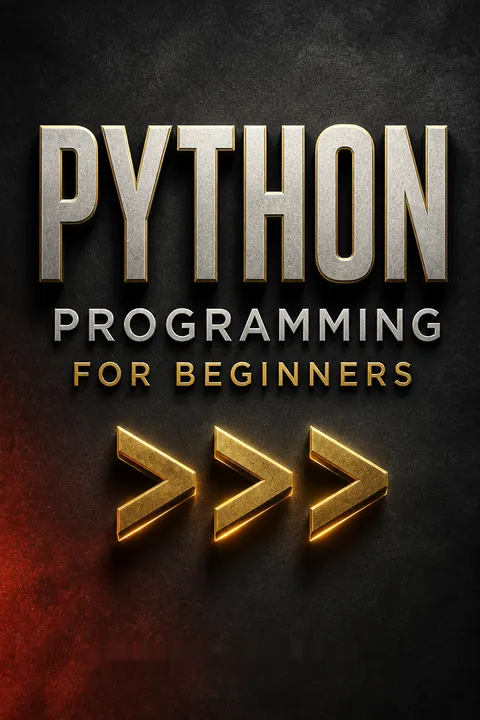
Python Programming for Beginners receives mostly positive reviews, with an average rating of 3.90/5. Readers appreciate its clarity, simplicity, and effectiveness for novice programmers. The book is praised for its easy-to-understand explanations, practical examples, and exercises. Some criticisms include typos, occasional non-working examples, and a lack of advanced content. While some find it overpriced for its content, many consider it a good starting point for learning Python basics. The book is particularly recommended for absolute beginners but may be less useful for experienced programmers.
People Also Read
Glossary
code block
group of indented statementsA code block is a group of statements treated as belonging together, such as the instructions controlled by an if, loop, or function definition. In Python, indentation marks the block's boundaries. Statements at the same indentation level belong to the same block, and reducing indentation ends the block.
docstring
function descriptionA docstring is a descriptive string placed as the first statement inside a function. It briefly explains what the function does or why it exists. Python's help() function can display this description, making docstrings a simple form of documentation available directly alongside the code.
exception
signal of a program problemAn exception is an event indicating that an operation failed or something unexpected occurred. If the program does not handle it, execution stops and Python reports information about the error. A try and except block lets a program respond to a failure instead of stopping immediately.
file mode
how a file is openedA file mode specifies what a program may do when opening a file. Reading, writing, creating a new file, and appending use different modes. Modes can also distinguish text from binary data. Choosing carefully matters because writing can erase existing contents, while exclusive creation can prevent overwriting a file.
module search path
locations checked for modulesThe module search path is the ordered set of locations Python checks when an import statement requests a module. It includes locations determined by the Python installation and can be influenced through sys.path or the PYTHONPATH environment variable. If Python cannot find the requested module in those locations, the import fails.
Python Standard Library
modules included with PythonThe Python Standard Library is the collection of modules distributed with Python for commonly needed tasks. A programmer can import these modules instead of implementing every tool from scratch. The book points to facilities for tasks such as working with time, CSV data, logging, web requests, and JSON.
tuple assignment
unpack grouped valuesTuple assignment assigns several values to several variables in one operation. For example, a pair containing an airport name and code can be unpacked into separate variables in a loop. The same pattern works with tuples and other suitable sequences, including lists.
__name__ == '__main__'
guard for direct executionThis conditional checks whether a Python file is being run as the main program rather than imported as a module. Code inside the condition runs when the file is launched directly. When another program imports the file, the condition prevents its entry-point behavior, such as prompting the user, from running automatically.
FAQ
What's "Python Programming for Beginners" about?
- Introduction to Python: The book is designed to introduce beginners to the Python programming language and computer programming concepts.
- Step-by-step Guidance: It provides a systematic approach to learning Python, assuming no prior knowledge of programming.
- Practical Examples: The book includes numerous examples and exercises to reinforce learning and provide hands-on experience.
- Comprehensive Coverage: Topics range from basic concepts like variables and strings to more advanced topics like file handling and modules.
Why should I read "Python Programming for Beginners"?
- Beginner-Friendly: It's tailored for those new to programming, making it accessible and easy to understand.
- Practical Focus: The book emphasizes practical skills, allowing readers to apply what they learn immediately.
- Comprehensive Resource: It covers a wide range of topics, providing a solid foundation in Python programming.
- Free Resources: Readers can access additional resources and examples online to enhance their learning experience.
What are the key takeaways of "Python Programming for Beginners"?
- Python Environment Setup: Learn how to install and configure Python on different operating systems.
- Core Python Concepts: Understand variables, strings, numbers, conditionals, loops, functions, and data structures like lists, dictionaries, and tuples.
- File Handling: Gain skills in reading from and writing to files, an essential part of many programming tasks.
- Modules and Libraries: Discover how to use Python's standard library and create your own modules for code reuse.
How does Jason Cannon suggest setting up the Python environment?
- Choosing Python Version: The author recommends using Python 3 for new projects, as Python 2 is considered legacy.
- Installation Instructions: Detailed steps are provided for installing Python on Windows, Mac, and Linux systems.
- Using IDLE: The book explains how to use IDLE, Python's Integrated Development Environment, for writing and running Python code.
- Command Line Usage: Instructions are given for running Python programs from the command line on different operating systems.
What are the basic concepts of Python covered in the book?
- Variables and Strings: Learn how to create and manipulate variables and strings, including string methods and formatting.
- Numbers and Math: Understand numeric operations, type conversion, and the use of comments in code.
- Booleans and Conditionals: Explore boolean logic, comparators, and conditional statements like if, elif, and else.
- Functions: Discover how to define and use functions, including parameters, return values, and docstrings.
How does the book explain data structures like lists and dictionaries?
- Lists: Learn how to create, modify, and access lists, including list methods like append, extend, and sort.
- Dictionaries: Understand how to work with key-value pairs, adding, removing, and accessing items in a dictionary.
- Tuples: Explore the concept of immutable lists and how to use tuple assignment for multiple variables.
- Nesting and Looping: The book covers nesting data structures and looping through lists and dictionaries.
What file handling techniques are taught in "Python Programming for Beginners"?
- Reading Files: Learn how to open and read files using Python's built-in functions and methods.
- Writing Files: Understand how to write data to files, including appending and creating new files.
- File Modes: The book explains different file modes like read, write, append, and binary modes.
- Exception Handling: Discover how to handle exceptions when working with files to prevent program crashes.
How does Jason Cannon introduce modules and the Python Standard Library?
- Importing Modules: Learn how to import and use modules in Python, including specific functions and attributes.
- Standard Library: The book highlights useful modules in Python's standard library, such as time and sys.
- Creating Modules: Instructions are provided for creating your own modules to organize and reuse code.
- Module Search Path: Understand how Python searches for modules and how to modify the search path if needed.
What are some practical exercises included in the book?
- To-Do List Program: Create a program that captures and displays a user's to-do list using lists and loops.
- Word Game: Develop a fill-in-the-blank word game that uses user input and string formatting.
- Cost Calculator: Write a program to calculate the cost of cloud hosting, incorporating numeric operations and conditionals.
- Cat Say Program: Build a program that displays a cat "saying" user input, demonstrating string manipulation and functions.
What are the best quotes from "Python Programming for Beginners" and what do they mean?
- "Don't Repeat Yourself (DRY):" This principle emphasizes writing reusable code to avoid redundancy and improve maintainability.
- "Everything in Python is an object:" Highlights Python's object-oriented nature, where even basic data types are treated as objects.
- "Errors should never pass silently:" Encourages handling exceptions explicitly to ensure robust and reliable code.
- "Readability counts:" Stresses the importance of writing clear and understandable code, a core philosophy of Python.
How does the book address common Python errors?
- Troubleshooting Guide: The book offers a guide to common Python errors and how to troubleshoot them effectively.
- Error Examples: Examples of typical coding mistakes are provided, along with explanations and solutions.
- Practice Exercises: Readers are encouraged to practice identifying and fixing errors through exercises and examples.
- Online Resources: Additional resources are available online to help readers further understand and resolve Python errors.
What additional resources does Jason Cannon provide for learning Python?
- Free Gifts: Readers can download a copy of "Common Python Errors" and a Python cheat sheet for quick reference.
- Online Courses: The author offers online video training courses for further learning and skill development.
- Other Books: Jason Cannon has authored other books on related topics, such as Linux and shell scripting, which can complement Python learning.
- Community Support: The book encourages joining online communities and forums for support and collaboration with other learners.
Download PDF
Download EPUB
.epub digital book format is ideal for reading ebooks on phones, tablets, and e-readers.








