

Key Takeaways
Learn programming by making the computer do something visible
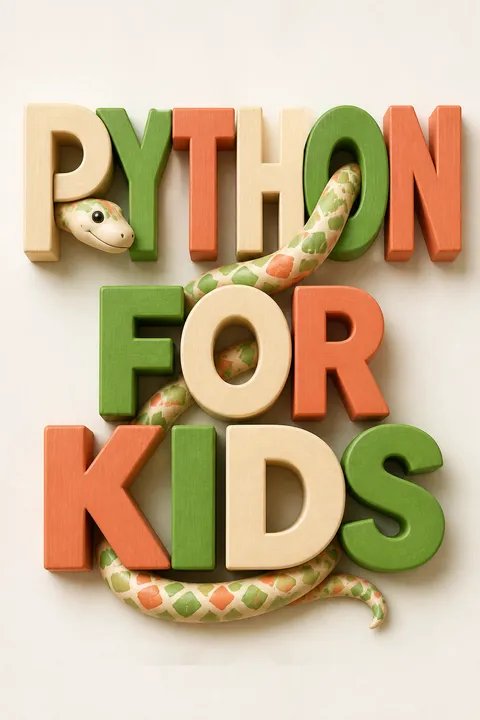
Start with a result. Programming means giving a computer instructions, then checking what happens. Briggs begins with a tiny program that displays a greeting, so a new learner sees a result before facing complicated machinery. Python is chosen for readable code and an interactive shell, where commands can be tried immediately instead of waiting for a large project to run.
Build in stages. The book moves from calculations and variables to decisions, loops, functions, and objects. It then uses those ideas to draw pictures and make two games. Its practical advice is to try examples, solve small puzzles, and break frustrating problems into smaller pieces. If a problem stays stuck, stepping away and returning later can help.
The visible result is more than a motivational trick. It closes the feedback loop between an intention and its consequence, a principle also used in studio teaching and experimental science. A beginner can test a guess, observe the computer’s response, and revise the guess. That makes abstract rules easier to retain. Still, quick success can create an illusion of understanding: copying a working example is not the same as explaining why it works. The book’s puzzles matter because they turn a demonstration into a chance to retrieve and apply the idea independently.
Name changing information, then choose a container that fits it
Give values meaning. A variable is a name attached to information that a program can use or change. The book makes this concrete with a treasure calculation: begin with 20 coins, add 10 each day for 365 days, then subtract 3 stolen each week for 52 weeks. Named values make it easy to change the daily output or theft rate without rewriting the whole equation.
Match the container. A string holds text. A list stores an ordered collection that can be changed, while a tuple holds an ordered collection that cannot. A map, also called a dictionary, connects keys to values, such as a person’s name to a favorite sport. Choosing an appropriate structure makes later operations clearer.
This is an early lesson in data modeling: a program can only work with information as clearly as its representation allows. Meaningful names let a reader inspect the purpose of a calculation, while lists and maps encode different kinds of relationships. The distinction between a number and text that looks like a number is especially useful, since user input arrives as text and must be converted before arithmetic. The examples are intentionally simple. Real programs also need to consider missing, malformed, or unexpectedly large values, but those complications are easier to approach once the basic types are distinct.
Use conditions for decisions, loops for repetition, and indentation to show structure
Make choices explicit. An if statement runs a block only when a condition is true. Else provides an alternative, while elif lets a program test several possibilities. For example, a program can choose a joke according to a person’s age. Comparisons such as equal to, greater than, and less than produce true or false results, and and or combine tests.
Repeat deliberately. A for loop suits a known sequence, such as printing five greetings or visiting every ingredient in a list. A while loop repeats as long as a condition remains true, which is useful when the stopping point depends on events. Indentation marks which statements belong together. A misplaced space can change a block or trigger an error, so consistent spacing is part of the program’s structure.
Conditions and loops are the basic grammar of procedural programming: one selects a path, the other repeats a path. The book’s examples help readers see that a loop is not merely a shortcut for typing, but a way to express a rule such as “do this for every item.” Indentation also makes the visible layout carry meaning, reducing the gap between reading and execution. The main caution is that a while loop can continue indefinitely if its stopping condition never changes. Thinking through the condition before running the loop is a small habit with large practical value.
Turn repeated instructions into functions with clear inputs and outputs
Package useful work. A function is a named chunk of code that can be called again. Parameters supply its inputs, and a return statement can send a result back. Briggs demonstrates this with a savings function that adds two sources of money and subtracts spending. Changing its inputs gives a new answer without rebuilding the calculation.
Build from parts. Variables created inside a function have limited scope, meaning they are available only within that region of code. Modules group reusable functions and other tools. Python’s random module can select a number for a guessing game, while time can report or pause execution. Built-in tools handle common tasks, and files can preserve information. The pickle module, for instance, can save a game’s player position, inventory, and money for loading again.
Functions are a practical answer to cognitive overload. Instead of keeping every line of a large program in mind, a reader can reason about one named operation, its inputs, and its result. This resembles modular design in engineering, where a component is easier to test when its responsibilities are clear. Scope reinforces that separation by limiting where temporary names can be used. The book introduces file saving and modules as extensions of reuse, though learners should not mistake convenience for safety: data read from files can be malformed, and some ways of executing or loading code require particular care.
Model a game as objects that own state and actions
Separate kind from instance. A class describes a kind of object, and an object is one particular instance of that class. The book uses animals to explain the distinction: a giraffe class can describe shared behavior, while individual giraffes can have different numbers of spots. An initialization function sets an object’s starting information, and self lets its functions refer to that object’s own values and actions.
Share behavior carefully. A child class can inherit functions from a parent class. In the example hierarchy, a giraffe can use functions defined for mammals and animals, such as moving or eating, as well as its own specialized behavior. In the game examples, objects such as a ball, paddle, and platform keep their own positions and interact through functions.
Object-oriented design connects code to the entities a programmer is trying to represent. It can be easier to reason about a ball with a position and movement behavior than about a loose collection of unrelated variables. Inheritance also offers a way to share behavior without repeating it. Yet a class hierarchy is a model, not a discovery about nature: different designs may describe the same game equally well. For beginners, the useful test is whether an object boundary clarifies ownership and behavior. If it adds ceremony without improving understanding, a simpler function or data structure may be better.
Make code visible: turtle and tkinter turn instructions into pictures
See geometry happen. The turtle module draws by moving a cursor forward and turning it by degrees. A loop can repeat those instructions to produce a square or a star, and changing the turning angle changes the pattern. Color can be mixed from red, green, and blue values, and shapes can be filled.
Draw by coordinates. With tkinter, a canvas lets a program place lines, rectangles, circles, polygons, text, and images at pixel positions. Unlike a turtle that traces each line, tkinter can draw a rectangle from its corners. The book progresses from static pictures to shapes that move, making the screen a place to test how coordinates, loops, and functions behave.
Graphics give abstract ideas a spatial form. A change in a loop or an angle produces a visible difference, which can make cause and effect easier to inspect than printed numbers alone. The shift from turtle movement to direct canvas coordinates also teaches that there are multiple ways to express the same visual goal. That flexibility is valuable, but the tools differ in what they make easy: turtle emphasizes sequences of movement, while tkinter emphasizes positions and drawable objects. Choosing the representation that fits the task is itself a programming skill.
Treat animation as repeated frames updated by time and events
Create apparent motion. Animation shows images in sequence, changing each one slightly so the viewer perceives movement. In tkinter, a program can move a shape, refresh the canvas, pause briefly, and repeat. Keeping an identifier for a drawn shape lets the program move it or change its color instead of redrawing everything from scratch.
Respond to the player. An event is something that happens while a program runs, such as a key press. An event binding connects that event to a function. The book uses arrow keys to move a triangle and to control a game paddle. In the stick figure game, a sequence of small images creates a running motion, while key presses set the character’s direction or trigger a jump.
Animation introduces two ideas that remain central in interactive software: state changes over time, and external events alter that state. A frame loop makes the first idea visible; a key binding makes the second tangible. The book’s short pauses are a simple way to control speed, but fixed delays are not a precise timing system. Their value here is pedagogical: they expose the cycle of update, redraw, and wait. Once the cycle is understood, a learner can ask more sophisticated questions about timing, responsiveness, and how input should affect motion.
Build Bounce! by layering motion, collision checks, controls, and failure
Give motion rules. In Bounce!, a ball moves across a canvas and reverses direction when its coordinates reach a wall. A paddle moves left or right in response to keyboard events. The program checks whether the ball’s bounding coordinates overlap the paddle, then changes the ball’s vertical direction when they meet.
Make losing possible. A game needs a condition that ends play. If the ball reaches the bottom of the canvas, the program sets a game-over state and stops animating. This project brings together objects, coordinates, event bindings, a main loop, and collision checks. The design grows in small stages: first a canvas, then a moving ball, then walls, paddle control, contact, and finally an ending.
The game works as a compact integration exercise because each new feature depends on an idea already introduced. It also demonstrates an important software practice: build a small working version, then extend it, rather than writing every feature at once and debugging an opaque tangle. The collision test compares rectangles around the ball and paddle, a simple model suited to the lesson. Discrete movement can miss contact if an object travels too far between checks, a limitation the book anticipates by checking a range of positions rather than only one exact point.
Plan a playable world before coding its sprites and rules
Design the pieces first. Mr. Stick Man Races for the Exit begins with a short game plan: a character must run and jump across platforms to reach a door. The graphics are prepared separately as sprites, or game images, including transparent backgrounds so a character does not cover the wallpaper behind it. Several small images show the character running in each direction.
Connect pieces with rules. The game stores each sprite’s screen position as coordinates and checks whether objects overlap horizontally and vertically. The character’s movement rules determine when he jumps, lands, falls off a platform, or reaches the door. The door marks the end of the game. This project combines art assets, classes, animation, keyboard input, collision detection, and a clear goal in one playable system.
Planning the game’s objects and goal before coding is a form of requirements design: it gives each component a reason to exist. Separating sprite images from movement rules also distinguishes appearance from behavior, a useful boundary in many kinds of software. The collision system turns a complex event, “the character landed,” into smaller geometric tests. That decomposition is powerful, though the book’s rectangular coordinate checks are an approximation of shape contact. For a small platform game, the approximation is understandable and lets the learner focus on the logic rather than sophisticated physics.
Analysis
Python for Kids is a practical introduction to programming, organized as a gradual course rather than a collection of isolated tips. Its central teaching move is to alternate explanation with executable examples: a learner first manipulates values in the shell, then uses the same concepts to draw, animate, and build games. The narrative arc matters. A greeting becomes arithmetic, arithmetic becomes variables and control flow, and those abstractions eventually become a ball game and a platform game.
The book’s strongest pedagogical choice is making invisible logic visible. Turtle drawings expose loops and angles; tkinter gives coordinates and events a screen-level consequence. This is close to constructionist learning, the educational idea that people understand systems by making and revising artifacts. The examples also normalize debugging: small changes are tested as the program grows, and puzzles invite independent practice rather than passive reading.
Its limitations follow from its introductory ambition. The explanations favor an intuitive mental model over complete technical precision, and the game code uses simplified collision rules and timing. That tradeoff is appropriate for a first encounter, provided readers understand that toy implementations are starting models, not production standards. The book was published in 2012, and its installation instructions, Python version references, and some tool details belong to that period. A current reader may need updated setup guidance, while the underlying ideas about variables, functions, classes, events, and graphical feedback remain useful.
The result is best treated as a guided first project, not an exhaustive language reference. Its lasting lesson is that programming becomes approachable when each new abstraction solves a problem the learner has already encountered. The two games are not merely entertainment at the end of the course. They demonstrate how small rules combine into a working system, and give beginners a concrete reason to care about the concepts that precede them.
Review Summary
Python for Kids receives overwhelmingly positive reviews, praised for its clear explanations, engaging examples, and practical approach to teaching programming. Readers appreciate the book's progression from basic concepts to game development, making it suitable for both children and adults new to coding. While some find the later chapters challenging, most agree it's an excellent introduction to Python. The book's illustrations and humor enhance the learning experience, though a few suggest supplementing with additional resources for a more comprehensive understanding.
People Also Read



Glossary
block
grouped statementsA block is a group of program statements treated as a unit. In Python, indentation indicates which statements belong to a block, such as the instructions that run when an if condition is true or during each pass through a loop. Consistent indentation is required for Python to interpret the grouping correctly.
scope
where a name is usableScope is the part of a program where a variable can be accessed. A variable created inside a function is generally available only within that function, while a variable created outside it can often be read from inside it. Understanding scope helps explain why a name may work in one section of code but produce an error in another.
class
object descriptionA class describes a kind of object by grouping related functions and information. A class can define what its instances can do and what values they hold. For example, a game might define a Ball class with movement behavior, then create a particular ball object from that description.
object
class instanceAn object is a specific instance of a class. It can have its own values and use functions associated with its class. Two objects created from the same class can behave similarly while retaining different state, such as two giraffes with different spot counts or separate turtle pens moving independently.
inheritance
sharing parent behaviorInheritance lets a child class use functions and characteristics defined by a parent class. The book’s example places Giraffes beneath Mammals and Animals, allowing a giraffe object to use general animal behavior as well as giraffe-specific behavior. It is one way to share code across related classes.
main loop
repeating game controllerA main loop is the central repeating part of a program, especially a game. It repeatedly updates objects, refreshes the display, and continues until play ends or the window closes. In the book’s games, the loop calls sprite movement functions and asks tkinter to redraw the canvas.
sprite
game character or objectA sprite is a character or object shown in a game. It may be drawn by the program or loaded from an image prepared in advance. In Mr. Stick Man Races for the Exit, the character, platforms, and door are represented by sprites with screen positions and behavior.
event
occurrence during executionAn event is something that happens while a program is running, such as a key press, mouse action, or window interaction. In tkinter, a program can bind an event to a function so that the function runs when the event occurs. The book uses key events to move a paddle and control a character.
coordinates
screen position valuesCoordinates describe a position on a drawing surface, usually by giving horizontal and vertical values. In tkinter, the x value measures distance across the canvas and the y value measures distance downward. A program can use coordinates to draw shapes, move objects, and check whether game sprites have collided.
FAQ
1. What’s Python for Kids: A Playful Introduction to Programming by Jason R. Briggs about?
- Beginner-friendly programming guide: The book introduces programming concepts using Python, making it accessible for children and absolute beginners.
- Step-by-step learning: It starts with installing Python and covers basics like variables, calculations, and gradually moves to advanced topics such as functions, classes, and modules.
- Creative projects: Readers learn by building games, animations, and graphical applications, making programming fun and interactive.
- Playful and engaging style: The author uses humor, illustrations, and puzzles to keep learners motivated and engaged throughout the book.
2. Why should I read Python for Kids by Jason R. Briggs?
- Kid-friendly and accessible: The book uses playful language and relatable examples, making complex programming ideas easy to grasp for young learners and beginners.
- Hands-on projects: Readers build real games and graphics, which helps reinforce learning and keeps motivation high.
- Comprehensive foundation: It covers not just Python syntax, but also programming logic, problem-solving, and software design principles.
- Encourages creativity: Programming is presented as a creative, rewarding activity that develops problem-solving and reasoning skills.
3. What are the key takeaways from Python for Kids by Jason R. Briggs?
- Programming is for everyone: The book shows that anyone can learn to program, regardless of age or background.
- Learning by doing: Emphasis is placed on experimenting with code, solving puzzles, and building projects to solidify understanding.
- Understanding core concepts: Readers gain a strong grasp of variables, control flow, functions, classes, and modules.
- Foundation for further learning: The skills and concepts taught prepare readers for more advanced programming and game development.
4. How does Python for Kids by Jason R. Briggs recommend starting to learn programming?
- Begin with the basics: The book advises starting from the first chapters and not skipping ahead, as foundational concepts are essential.
- Practice with examples: Readers are encouraged to type out and experiment with code examples and solve end-of-chapter puzzles.
- Incremental skill-building: Concepts are introduced gradually, allowing learners to build confidence and understanding step by step.
- Problem-solving strategies: The author suggests breaking down problems and taking breaks when stuck, fostering resilience in learning.
5. What fundamental programming concepts does Python for Kids by Jason R. Briggs cover in the early chapters?
- Basic calculations and variables: The book introduces arithmetic operations, variables, and the order of operations in Python.
- Data types and structures: Readers learn about strings, lists, tuples, and dictionaries (maps), including how to manipulate and access them.
- Control flow: Conditional statements (if, elif, else) and loops (for, while) are explained to control the flow of programs.
- Hands-on practice: Each concept is reinforced with practical examples and puzzles.
6. How does Python for Kids by Jason R. Briggs explain functions and modules?
- Functions for code reuse: Functions are introduced as reusable blocks of code that can take parameters and return values.
- Variable scope: The book explains local and global variables, clarifying where variables can be accessed.
- Modules for organization: Readers learn to group related functions and classes into modules, and how to import and use built-in modules like time and sys.
- Practical examples: The book provides clear examples of defining, calling, and organizing functions and modules.
7. What are classes and objects in Python for Kids by Jason R. Briggs, and why are they important?
- Classes as blueprints: Classes are described as templates for creating objects with shared properties and behaviors.
- Objects as instances: Objects are individual examples of classes, each with their own data and abilities.
- Inheritance and self: The book explains how child classes inherit from parent classes, and how the self parameter is used within class methods.
- Organizing code: Object-oriented programming helps structure larger programs, especially games, for better organization and reuse.
8. How does Python for Kids by Jason R. Briggs teach graphics programming with the turtle module?
- Turtle basics: The book introduces the turtle module for drawing by moving a turtle (arrow) around the screen with commands like forward, backward, left, and right.
- Drawing shapes with loops: Readers learn to use loops to draw shapes such as squares and stars efficiently.
- Colors and filling: The book explains how to set pen colors and fill shapes using RGB values and fill functions.
- Interactive graphics: Turtle graphics make programming visual and engaging for beginners.
9. How does Python for Kids by Jason R. Briggs introduce advanced graphics and animation with tkinter?
- Creating GUIs: The book teaches how to create windows, buttons, and canvases using the tkinter module.
- Drawing and animating shapes: Readers learn to draw lines, rectangles, polygons, and display text and images on a canvas.
- Animation techniques: The book covers moving shapes with the move function, updating the display, and using loops with time delays for smooth animation.
- Event-driven programming: It introduces event bindings to make objects respond to keyboard input, enabling interactive animations.
10. How does Python for Kids by Jason R. Briggs guide readers through building games like Bounce! and Mr. Stick Man Races for the Exit?
- Step-by-step game development: The book walks readers through creating game components such as balls, paddles, and sprites using object-oriented programming.
- Handling movement and collisions: It explains how to animate objects, detect collisions, and implement game logic like bouncing and scoring.
- User interaction: Readers learn to bind keyboard events for controlling game elements and managing game flow.
- Game structure: The book demonstrates organizing code with classes and managing game states for more complex projects.
11. What programming puzzles and challenges does Python for Kids by Jason R. Briggs offer to reinforce learning?
- Graphics and animation puzzles: Challenges include filling the screen with shapes, animating images, and creating complex movement patterns.
- Game enhancements: Readers are encouraged to add features like delayed starts, score tracking, and new animations to their games.
- Problem-solving focus: Puzzles are designed to encourage experimentation, creativity, and deeper understanding of programming concepts.
- Solutions and support: The companion website provides solutions and additional resources for learners.
12. What additional resources and programming languages does Python for Kids by Jason R. Briggs recommend for further learning?
- Companion website: The book’s website offers downloadable code, solutions, and extra materials to support continued learning.
- Other programming tools: It introduces alternatives like BlitzBasic, Alice, Scratch, and Unity3D for exploring different game development environments.
- PyGame and beyond: Readers are encouraged to try PyGame for more advanced Python game development.
- Overview of popular languages: The book provides simple introductions to languages like Java, C/C++, C#, PHP, Ruby, and JavaScript, inspiring readers to explore beyond Python.
Download PDF
Download EPUB
.epub digital book format is ideal for reading ebooks on phones, tablets, and e-readers.








