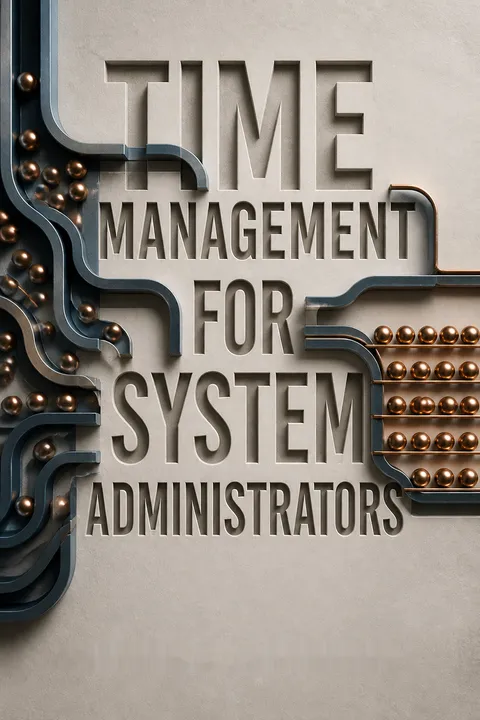


Key Takeaways
Give every request one trusted home outside your brain
External memory beats recall. The book argues that a system administrator’s mind is better used to solve the current problem than to remember future tasks, appointments, and promises. It cites short-term memory as holding roughly seven items, plus or minus two, a poor match for a job with many competing requests. Record commitments as they arrive, including small requests that cannot be handled immediately. A written request can be shared, assigned, and checked; a remembered one cannot reliably be managed by anyone else.
Keep the system together. The Cycle System brings daily tasks, appointments, and longer-term goals into one portable organizer, whether paper or digital. One trusted place reduces the risk of scattered notes and conflicting calendars. Trust takes practice, and digital records need sensible backup, but the principle is simple: capture first, then return attention to the work at hand.
What's striking is that this is not merely a memory aid. It changes a private intention into shared operational information, making delegation and follow-up possible. That is especially important in technical work, where an unrecorded task can quietly become a service failure. The system also has a real condition for success: capture must be quick and the organizer must be available. A theoretically perfect tool that is rarely at hand simply recreates the memory problem in a more expensive form.
Treat interruptions as costly context switches, not harmless one-minute detours
The hidden cost compounds. An interruption costs more than the time spent answering it. The author describes the total as the interruption itself, the time required to recover the task’s place, and any mistakes caused by restarting incorrectly. Even a one-minute request followed by two minutes of recovery moves the project backward before errors are counted. For system administrators, a missed verification step after an interruption can turn a small distraction into a larger technical problem.
Acknowledge, then choose. The book’s “delegate, record, or do” technique gives each interruption a destination: assign it to someone appropriate, record it for later, or handle it immediately if it is urgent. A mutual interruption shield lets colleagues take turns catching requests so the others can focus. Making the request visible in a task tracker reassures customers without surrendering the entire day to whoever asks first.
This treats attention as a limited operational resource, not a personality trait. The useful distinction is between being responsive and being continuously interruptible: a prompt acknowledgment can preserve trust while work is scheduled according to urgency. The approach also recognizes that some interruptions are essential, particularly in support roles. A shield needs clear emergency exceptions and fair rotation, or the interrupt catcher becomes a permanent bottleneck rather than a temporary buffer.
Turn recurring decisions into routines before they consume another workday
Decide once, reuse often. A routine removes repeated deliberation from tasks that happen predictably. The author’s examples range from filling the car with gas on Sundays to meeting a manager at the same time each week. System administrators can use the same logic for maintenance, recurring checks, and communication during outages. One backup-tape process once required daily calculations about which tapes had enough room. A fixed schedule for changing the important tapes daily and the smaller ones weekly traded a little tape capacity for less analysis and worry.
Use rules of thumb. A mantra can prompt a decision before procrastination takes hold. The author uses “sooner is better than later” for small tasks that grow harder when postponed, and “trust the process” to keep the brief daily planning session from being skipped on busy days. Routines should be reviewed when circumstances change, rather than obeyed after their purpose has disappeared.
Routines are a form of decision design. They shift effort from repeatedly choosing what to do toward noticing when a known condition has occurred, a useful fit for operational work where inconsistency itself can create risk. The tape example also makes the tradeoff concrete: optimizing materials is not always the same as optimizing the system. Still, a routine can become brittle when equipment, staffing, or risk changes, so periodic review matters as much as repetition.
Close each day by completing, moving, or renegotiating every task
Plan in ten minutes. The Cycle is a daily loop built around a schedule, a prioritized task list, and a reliable handoff of unfinished work to the next day. Begin by blocking meetings and lunch on the day’s schedule. Then list tasks, estimate their duration, and compare the total with the hours actually available. Mark urgent tasks A, soon-due tasks B, and everything else C. When the list exceeds the day, move work deliberately instead of pretending everything will fit.
Finish with closure. Work the plan, mark completed tasks, and carry unfinished ones forward. If a deadline is at risk, tell the person expecting the work and agree on a new plan. The author calls a task “managed” when it has been completed, rescheduled, or otherwise given appropriate attention. That distinction lets a worker leave with a clear account of what happened, rather than an unexamined pile of guilt.
The system’s strongest move is replacing the fantasy of finishing everything with a concrete definition of control. A task list is a queue, and queues need admission rules, capacity limits, and visible status. Estimating time makes overload legible enough to discuss with a manager or customer. Estimates are inevitably imperfect, however, and technical work contains surprises. The method is most useful when treated as a planning model that is updated during the day, not a promise that the day will obey the plan.
Prioritize customer blockers and high-impact projects before convenient tasks
Order work by consequences. Doing tasks in arrival order can leave a customer waiting all day for a two-minute password reset that blocks a larger job. The book recommends handling quick blockers promptly and starting “hurry up and wait” work, such as purchasing equipment, early enough to begin the unavoidable delay. Outages take precedence, while work everyone agrees is low priority can wait. These choices improve the customer’s experience without necessarily increasing total effort.
Choose impact over comfort. For projects, the author favors work with substantial organizational benefit, even when it is difficult, over a parade of easy but minor wins. Managers can help resolve conflicting priorities, remove low-value tasks, and clarify which projects matter. Upward delegation makes sense when a manager’s authority is needed to settle a business or political issue, not simply to hand back an assigned technical task.
This combines two useful views of priority: the value of the outcome and the cost of waiting. Queueing systems distinguish urgent items from high-value work, and a support team needs both views to avoid letting either customer service or long-term improvement vanish. The advice to involve a manager also surfaces capacity as an organizational choice, not an individual failing. Customer expectations should be checked rather than assumed, since a supposedly quick fix may conceal risk or dependencies.
Use one calendar for work, home, and your best hours
Make commitments visible. The calendar records meetings, appointments, deadlines, birthdays, vacations, and social plans. Check it before accepting a commitment, then use it to build the day’s schedule. Combining work and personal events helps prevent work from quietly occupying time already promised to family or friends. The author recounts missing and double-booking appointments because a date seemed familiar but was not checked. Asking someone to wait while checking the calendar proved less costly than rescheduling later.
Schedule with real rhythms. The book recommends identifying the hours when concentration comes most easily and protecting them for demanding project work. It also points to the first hour of the office day as a potentially quiet window, and to recurring business cycles that shape when maintenance or vacations are practical. Personal energy patterns differ, so a short log of focus and energy can reveal when difficult work fits best.
A calendar is more than a memory tool: it makes tradeoffs visible before they become conflicts. Including nonwork commitments gives them the same practical standing as meetings, which can counter the default tendency for work to expand. Attention rhythms add another useful layer, though they are not universal or fixed. A quiet early hour helps only if sleep, caregiving, transport, and workplace expectations make it sustainable. The goal is alignment with real constraints, not an idealized productivity schedule.
Convert long-term ambitions into dated goals and scheduled next steps
Make the destination concrete. The author describes becoming more efficient yet remaining in much the same place a year later. Daily productivity had improved, but it was not aimed at a chosen destination. Write down goals for different horizons, such as one month, one year, and five years. Each goal should state what success looks like and when it should happen. “Learn more” is difficult to verify; completing a project that demonstrates the learning gives the goal a clearer finish line.
Schedule the next move. Break each goal into steps, then put the next one or two actions into the daily list or calendar. A career goal might start with a conversation with a manager; a technical learning goal might begin with choosing a book and setting regular study time. Review goals monthly, update priorities, and add the next actions. Written goals can also help others understand where support or a reality check would be useful.
The key distinction is between efficiency and direction. A full task list can reward activity while leaving important ambitions untouched; translating a goal into a scheduled action gives it a place in the same system as immediate requests. Measurable outcomes help reveal progress, but not every worthwhile aim can be reduced to a metric. The framework works best when deadlines guide attention rather than turn uncertain life choices into false precision.
Treat sleep, relaxation, and vacation as operational requirements
Stress needs active management. The book identifies overload and conflicting instructions as common sources of strain. When overwhelmed, the author recommends pausing to organize the workload and asking a manager to help set priorities. Explaining a problem aloud can also clarify it, even when the listener has no solution. Sleep matters too: the author notices that an extra hour helps during stressful weeks, though making it happen requires a deliberate wind-down.
Take time away for real recovery. A day spent running errands is not the same as a restorative vacation. The author argues that checking work email during time off keeps the mind attached to work, and recommends arranging coverage before leaving. A longer absence can also reveal which procedures depend too heavily on one person. The point is not to prove indispensability by never leaving, but to return with energy and expose coverage gaps while they can still be fixed.
The operational framing is persuasive: a tired, overloaded administrator is not a sustainable reliability strategy. Rest and coverage are part of resilience, much like redundancy in a technical system. The argument also challenges the status attached to being indispensable. Yet time off cannot be made effective by individual resolve alone; staffing, on-call rules, and organizational culture shape whether disconnection is possible. Leaders share responsibility for creating coverage instead of treating recovery as a private luxury.
Process each email once, and stop treating your inbox as a task list
Give every message an outcome. The inbox mixes requests, announcements, and information, so it is a poor place to manage work. Filter recurring messages into folders, delete irrelevant mail, and act on messages that need a response. If a request requires later work, put it in the task system or ticket tracker, then remove it from the inbox. The author aims to avoid rereading messages by deciding what to do with each one when it is opened.
Release the old backlog. For thousands of accumulated messages, the proposed reset is to move old mail into a dated archive and begin managing new mail consistently. The author found that trying to process a fixed number of old messages each day could take many hours and fail to keep pace with new arrivals. Archiving is not the same as deleting, and company retention rules still apply. The aim is a useful current inbox, not a performance ritual.
This is fundamentally a separation-of-functions argument: email conveys requests, while a task system tracks commitments. Confusing the two creates duplicate reading and makes priority hard to see. The backlog reset is pragmatic because sunk time cannot be recovered by heroic sorting. Still, a clean inbox is a means, not a measure of competence. Legal retention, security needs, and searchable archives can outweigh a blanket preference for deletion or minimal storage.
Eliminate low-value habits before trying to make them more efficient
Measure benefit against time. The author defines a time waster as an activity with little benefit for the time it consumes. The memorable example is abandoning Usenet reading after years spent finding faster ways to read it, recovering several hours a day. Other candidates include unproductive mailing lists, long office conversations, distracting notifications, and meetings that drift from their purpose. A timer or a shared work session can help contain activities that are enjoyable but prone to expanding.
Fix recurring sources of busywork. For system administrators, some tactical work exists only because a strategic improvement has not been made. Repeatedly assigning addresses, repairing inconsistent machines, or handling preventable outages may point to infrastructure that needs attention. The author recommends keeping one strategic project active and choosing it for organizational impact, rather than starting many improvements that never finish.
The “eliminate before optimizing” principle is powerful because efficiency can preserve a bad process indefinitely. It also directs attention from individual discipline to system design: recurring manual labor may be evidence of a missing tool, policy, or shared process. At the same time, social conversation, reading, and entertainment are not automatically waste; their value depends on the person and context. The useful question is not whether an activity looks productive, but whether its benefit justifies its place.
Document recurring work, then automate it so someone else can own it
Start with useful notes. The book replaces the idea of writing a perfect manual with small, living repositories: customer-facing instructions and internal technical references. A checklist, a simple network diagram, vendor contact details, or notes on a tricky procedure can save future work. A Wiki, a website that makes pages easy to create and update, lowers the barrier to keeping information current. Documentation also makes delegation safer because a colleague has something concrete to follow.
Automate only after understanding the task. First perform the procedure manually and write down its steps. Then automate and test each step, combining them incrementally. The book favors repetitive tasks and difficult tasks likely to recur; a hard process performed often may justify a larger tool or product. Automation improves consistency and reduces typing errors, but privileged operations require careful limits and explicit approval. The test of sufficient automation is whether a less-specialized colleague can take over routine work.
Documentation and automation form a knowledge-transfer chain: capture how the work is done, make the process repeatable, then reduce dependence on one expert. This is a practical route from individual efficiency to team resilience. Checklists are especially useful when tasks are infrequent or error-sensitive, since memory is least dependable under pressure. Automation also concentrates risk, however. Clear permissions, review, and recovery procedures matter because a script can reproduce a mistake just as consistently as it reproduces a good process.
Analysis
The book’s central problem is a collision between two jobs hidden inside system administration. One is reactive service: people expect help when something breaks. The other is planned change: projects, maintenance, and infrastructure improvements require sustained attention. If the reactive role consumes every hour, the organization keeps paying for the same avoidable problems. If planned work dominates without a credible intake process, customers feel ignored. The book’s solution is not to choose one role, but to create boundaries and handoffs that let both function.
The Cycle translates that argument into an everyday operating model. Capture requests externally, estimate available capacity, rank work, schedule what fits, and carry unfinished items forward deliberately. Its most consequential promise is psychological as well as logistical: unfinished work can be managed without pretending it is finished. That can reduce the shame and mental churn produced by endless lists. The model is strongest when teams use it to make workload visible and negotiate priorities, rather than treating an individual’s schedule as a private productivity problem.
The book also connects personal habits to technical operations. Routines reduce repeated decisions; documentation transfers knowledge; automation makes procedures consistent; strategic infrastructure removes recurring tactical work. Together these ideas form a coherent improvement loop: stabilize the individual workflow, identify repeated friction, and repair the system that generates it. That is more ambitious than ordinary calendar advice because it treats time management as a property of both people and organizations.
Some recommendations depend on conditions not every administrator controls. A worker may not be able to close a door, refuse after-hours email, take two weeks off, or redirect customer requests without managerial support. The author recognizes the value of bosses and team arrangements, but the best application is collective: leaders must set urgency definitions, staffing coverage, and clear intake paths. Without those structures, asking individuals to become more organized risks making them better at absorbing an unsustainable workload. The book’s durable insight is therefore not simply to do more in less time, but to make commitments visible, capacity honest, and recurring work less dependent on heroics.
Review Summary
Time Management for System Administrators receives high praise from readers, with an average rating of 4.20 out of 5. Reviewers appreciate its practical advice for managing time and tasks in IT environments. Many find it more applicable than general productivity books, noting its relevance for various tech roles beyond system administration. The book's "Cycle" system is particularly well-received. While some content is outdated, readers still find the core principles valuable. Critics mention occasional crude humor and dated references, but most recommend it as an essential read for IT professionals seeking to improve their time management skills.
People Also Read








Glossary
The Cycle System
Daily task-management loopA time-management method built around one portable organizer containing daily task lists, a daily schedule, a calendar, and long-term goals. Each day, the user plans available work time, prioritizes tasks, works the plan, and moves unfinished items forward. The repeating process is intended to ensure that requests are managed rather than forgotten.
mutual interruption shield
Shared interruption coverageAn arrangement in which coworkers take turns handling incoming requests so others can focus on project work. A designated colleague deflects routine interruptions during an agreed period, while urgent problems or requests only that worker can handle still reach them. The schedule can be divided by half-days or shorter time blocks.
delegate, record, or do
Three interruption responsesA decision process for handling a request that arrives while someone is focused on other work. Delegate it when another qualified person can take it, record it when it can wait, or do it immediately when it is truly urgent. Recording the request in view of the requester confirms receipt without letting every interruption dictate the work schedule.
A/B/C priorities
Three urgency levelsA simple task-ranking method used in the daily plan. A tasks have a deadline that makes them important today, B tasks are due soon, and C tasks are lower priority or can wait. When the estimated workload exceeds available hours, lower-ranked items can be rescheduled instead of forcing an unrealistic plan.
first-hour rule
Protect the quiet morning hourThe author's observation that the first hour of a workday is often quieter than the hours that follow, making it a useful time for concentrated project work. Rather than spending the period clearing routine email, a worker can check essential system status and use the uninterrupted window for demanding tasks.
PAA
Paper-based personal organizerThe author’s abbreviation for a Personal Analog Assistant, meaning a paper organizer such as a planner, binder, or datebook. It serves the same role as a digital organizer by keeping task lists, schedules, calendars, and notes together. The book emphasizes that the method matters more than whether the tool is paper or electronic.
FAQ
What's Time Management for System Administrators about?
- Focus on System Administrators: The book addresses the unique time management challenges faced by system administrators, who often deal with multiple tasks and frequent interruptions.
- The Cycle System: It introduces The Cycle, a method emphasizing daily planning, prioritization, and the use of a combined to-do list and calendar to maintain focus and manage workload efficiently.
- Practical Techniques: Offers practical advice on handling interruptions, creating routines, and using tools like calendars and to-do lists to enhance productivity and achieve a better work-life balance.
Why should I read Time Management for System Administrators?
- Tailored for IT Professionals: Specifically designed for system administrators and IT professionals, addressing their unique pressures and interruptions.
- Improved Productivity: Implementing the techniques can lead to significant improvements in productivity and time management skills, reducing stress and organizing work life.
- Real-World Examples: The author shares personal anecdotes and practical examples, making the advice relatable and easier to implement.
What are the key takeaways of Time Management for System Administrators?
- The Cycle System: Emphasizes daily planning with a to-do list, scheduling tasks, and prioritizing effectively to manage workload and stay organized.
- Managing Interruptions: Focuses on strategies like setting up a mutual interruption shield with coworkers to dedicate time to project work without constant disruptions.
- Developing Routines: Encourages establishing routines to streamline daily tasks, reduce chaos, and free up mental energy for more critical work.
What is The Cycle System in Time Management for System Administrators?
- Daily Planning Method: A structured approach involving a to-do list, scheduling tasks, and prioritizing them based on urgency to manage time effectively.
- Components of The Cycle: Includes a combined to-do list and schedule, a calendar for future appointments, and a list of long-term life goals, enhancing organization.
- Continuous Improvement: Designed to be repeated daily, allowing for review and adjustment of plans to maintain focus and ensure efficient task management.
How do I handle interruptions according to Time Management for System Administrators?
- Mutual Interruption Shield: Establish a system with coworkers where each person takes turns fielding interruptions, allowing for dedicated project time.
- Acknowledge Requests: Respectfully acknowledge interruptions and record them for later action, maintaining focus on current tasks while ensuring requesters feel heard.
- Delegate, Record, or Do: Use a framework to manage interruptions by delegating, recording for later, or addressing immediately if urgent, helping prioritize effectively.
How can I improve my email management as suggested in Time Management for System Administrators?
- Set Specific Times: Check email at designated times rather than constantly monitoring it, maintaining focus on other tasks and reducing distractions.
- Use Filters and Folders: Implement email filters to automatically sort messages into folders based on priority or project for easier management.
- Limit Responses: Keep email replies concise and to the point, saving time and maintaining clarity in communication.
What are some common time wasters identified in Time Management for System Administrators?
- Unnecessary Meetings: Many meetings can be unproductive; evaluate their necessity and consider alternatives like email updates.
- Multitasking: Often leads to decreased productivity and increased errors; focus on one task at a time to improve efficiency.
- Procrastination: Hinders productivity; develop habits and mantras to combat procrastination and encourage timely action on tasks.
How does Time Management for System Administrators address stress management?
- Recognizing Stress Triggers: Identify stress triggers like overwhelming workloads or constant interruptions to manage stress effectively.
- Implementing Routines: Use The Cycle System to reduce chaos and create a predictable work environment, alleviating stress and improving focus.
- Taking Breaks: Emphasizes the importance of regular breaks to recharge and maintain productivity, helping clear the mind and reduce overwhelm.
How can I apply the concepts from Time Management for System Administrators to my personal life?
- Use One System: Apply the same time management system for both work and personal tasks to streamline organization and ensure commitments are not overlooked.
- Set Personal Goals: Incorporate long-term personal goals into planning to maintain focus on what matters outside of work and encourage a balanced lifestyle.
- Schedule Downtime: Schedule time for relaxation and personal activities to prevent burnout and promote overall well-being.
What are some effective routines to develop from Time Management for System Administrators?
- Daily Review: Review your to-do list and calendar at the start of each day to set priorities and ensure important tasks are not overlooked.
- Consistent Task Management: Create routines for repetitive tasks to reduce mental load and improve efficiency.
- Regular Check-Ins: Schedule regular check-ins with your boss and team members to maintain communication and address issues promptly.
What are some effective prioritization techniques from Time Management for System Administrators?
- A, B, C Prioritization: Categorize tasks into three levels of priority to manage daily workloads effectively.
- Customer Expectations: Prioritize tasks based on customer needs to improve satisfaction and ensure critical issues are addressed promptly.
- Regular Review of Priorities: Reassess priorities regularly to adapt to changing circumstances and maintain focus on what matters most.
What are the best quotes from Time Management for System Administrators and what do they mean?
- "Write down every request, every time.": Emphasizes recording tasks and requests to avoid forgetting them, highlighting the need for external systems to manage workload.
- "If it has to be done every day, do it early in the day.": Suggests tackling routine tasks early when energy levels are higher, preventing last-minute rushes and reducing stress.
- "Trust the process.": Encourages faith in the time management techniques outlined, reinforcing that consistent application leads to improved organization and productivity.
Download PDF
Download EPUB
.epub digital book format is ideal for reading ebooks on phones, tablets, and e-readers.








