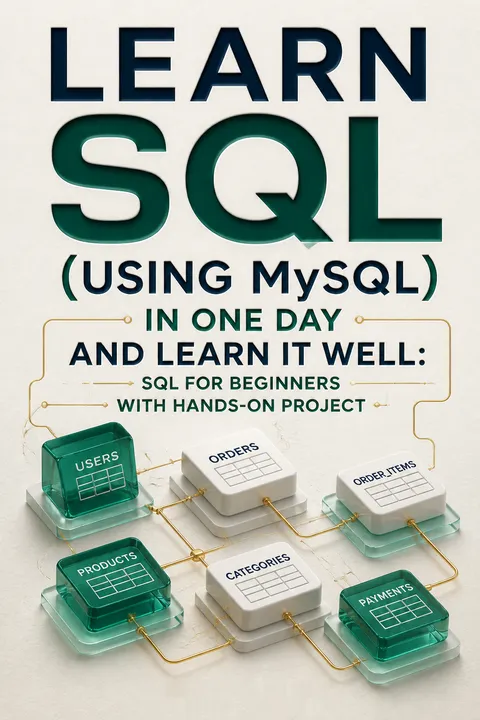


Key Takeaways
Learn SQL by building a database, not memorizing isolated commands
Start with a working system. SQL, or Structured Query Language, is used to create, change, and retrieve data in a relational database. A database holds organized data; a database management system, or DBMS, is the software that manages it. The book uses MySQL and Workbench, with exercises that ask readers to run real statements rather than only study syntax.
Follow the data's journey. Early exercises build a small employee database, then practice inserting and querying information. The final sports-complex project combines tables, searches, procedures, a view, a trigger, and a function. This turns separate commands into parts of one system. Core SQL operations carry across database products, although each product has its own dialect details.
The project-first approach gives beginners something syntax drills often lack: a reason to care whether a query works. Each command changes or reveals persistent data, so errors have visible consequences. That concrete feedback supports learning by doing and makes abstract ideas such as keys and joins easier to retain. The book's promise of learning quickly is best understood as a fast introduction, not mastery in a day. Fluency still depends on writing queries independently, testing edge cases, and working with unfamiliar data.
Treat column types and constraints as rules that reject bad data
Choose a fitting container. A table organizes information into rows and columns, and each column needs a data type. The book contrasts fixed-length CHAR with flexible VARCHAR, and integers with decimal numbers. FLOAT and DOUBLE are approximate, while DECIMAL stores exact values and is recommended for money. DATE, TIME, DATETIME, and TIMESTAMP represent different forms of time; TIMESTAMP also converts between a session's time zone and UTC.
Set rules at the source. Constraints define what entries are permitted. NOT NULL requires a value, DEFAULT supplies one when an insert omits it, and UNIQUE rejects duplicates. A primary key identifies each row, often using an auto-incrementing integer. These rules catch mistakes at the point of entry instead of relying on every later query to compensate.
A schema is more than a storage layout. It is an executable agreement about what the data means and which states are allowed. This resembles type systems in programming languages: a well-chosen type can prevent entire classes of errors. Exact decimal storage is especially important when rounding changes financial balances. Constraints are not a substitute for thoughtful design, however. A database can consistently enforce a rule that encodes the wrong business assumption, so the rules themselves need review.
Use keys to make relationships explicit and protect data integrity
Give rows reliable identities. A primary key uniquely identifies a row. When no single column can do that, a composite key combines columns. The book's mentorship table uses mentor, mentee, and project together, preventing duplicate records for that exact combination. A separate UNIQUE constraint can forbid a mentor from being paired with the same mentee more than once, even across projects.
Connect related tables. A foreign key points from a column in one table to a key in another. In the example, mentor and mentee IDs must match existing employee IDs. The book demonstrates different responses to changes in a parent row: RESTRICT can block an update while child rows refer to it, whereas CASCADE can propagate an update or delete. These choices determine how related records behave.
Keys turn relationships from an informal convention into something the database can check. That matters because application code is not the only possible source of a change; imports, scripts, and other tools may also write to the same tables. Cascading rules are powerful, but they deserve particular care: a deletion can remove dependent records automatically. The right choice depends on whether those records should disappear, remain as history, or make deletion impossible. Integrity rules should express the intended life cycle of the data.
Always narrow UPDATE and DELETE with a deliberate WHERE condition
Target the intended rows. INSERT adds records, UPDATE changes selected values, and DELETE removes records. The employee examples show how a WHERE condition can target one person by ID. A condition based on a non-unique value, such as years at the company, could affect several people instead. Leaving WHERE out of an UPDATE changes every row; leaving it out of a DELETE removes every row.
Name insert columns explicitly. Listing columns beside the values makes the mapping clear and allows columns with defaults, such as an automatic ID or creation timestamp, to be omitted. Omitting the column list works only when every column receives a value in the correct order. The mentorship example shows how swapping two values can put a project name into the status column.
This is one of the book's most consequential operational lessons: a syntactically valid statement can still do far more than intended. Explicit column lists make inserts easier to inspect, while a carefully checked predicate limits destructive changes. In real work, teams often add safeguards such as previewing affected rows or using transactions that can be rolled back before committing. Those practices extend the same principle: treat broad data changes as high-consequence operations, not routine typing.
Build queries in layers, from precise filters to grouped summaries
Narrow before calculating. SELECT can choose particular columns, rename headings with aliases, limit output, or remove duplicates. WHERE filters rows using comparisons, BETWEEN, IN, and LIKE. In a LIKE pattern, percent represents any length of text and underscore represents one character. Parentheses make combined AND and OR conditions unambiguous. A subquery can supply values to an outer query, such as finding employee names from mentor IDs associated with a project.
Summarize deliberately. COUNT, AVG, MIN, MAX, and SUM calculate across values. GROUP BY performs those calculations separately for each category, while HAVING filters the grouped results. For instance, the employee data can be grouped by gender to compare maximum salaries. ORDER BY controls the displayed order; without it, the output should not be treated as a meaningful ranking.
The progression from row filters to grouped calculations offers a useful mental model: first define the population, then decide what to measure. The book also highlights a subtle source of misleading results: COUNT of a column ignores NULL values, while COUNT of all rows does not. That difference is not a technical footnote; it changes what a reported total means. Readers should ask whether missing data belongs in the question and whether an average or count represents the population they actually intend to describe.
Join tables for context, then package recurring queries as views
Combine matching records. A JOIN connects tables through related columns. An inner join returns matches from both tables; a left join keeps every row from the left table and fills unmatched right-side values with NULL; a right join does the reverse. The book uses joins to connect employees with mentorship records. UNION combines results from separate SELECT statements with the same number of columns. UNION removes duplicates by default, while UNION ALL preserves them.
Reuse a useful shape. A view is a virtual table defined by a SELECT statement, not a separate copy of the underlying data. The sports project creates a view that combines booking information with room names and prices. Other queries can then use that view as if it were a table. Views can also present only selected columns to users who have been given access to the view.
Joins and views address two different kinds of complexity. A join resolves relational complexity by bringing linked facts together; a view packages a recurring shape so each user or query need not rebuild it. This is a practical form of abstraction, much like a reusable function in application code. The abstraction can also conceal important details, though. A view's name and columns should make clear what it includes, especially when unmatched rows or duplicate handling affect the result.
Put repeatable database rules in procedures, functions, and triggers
Give routines distinct jobs. A stored routine is a named group of SQL statements kept in the database. A stored procedure runs with CALL and can accept inputs or return values through parameters. A stored function returns a value and can be used inside a SELECT statement; the book's bonus function multiplies salary by a chosen amount. IF, CASE, and loop statements add branching or repetition inside routines.
Automate reactions. A trigger runs when a specified table event, such as an insert, update, or delete, occurs. The employee example copies a departing employee's details into an archive table before deletion. Triggers use OLD and NEW to refer to values before and after relevant changes. Since routines contain internal semicolons, the examples temporarily change the statement delimiter while defining them.
Database-side routines put recurring rules close to the data they govern. That can reduce duplicated logic across applications and ensure that a trigger responds even when a change comes from a different client. It also concentrates responsibility in the database, where hidden side effects can surprise maintainers. Clear names, documentation, and tests are essential. A trigger that quietly changes another table may protect an invariant, but it can also make a simple-looking delete harder to reason about.
Use cursors when a database routine must inspect rows sequentially
Move through a result one row at a time. A cursor is a mechanism for stepping through rows returned by a query. The routine declares a cursor for a SELECT statement, opens it, fetches each row into variables, and closes it when finished. A NOT FOUND handler marks the end of the results so a loop can stop safely. The book's example reads employee names and genders and assembles them into one text result.
Apply the same mechanics to a rule. In the sports project, a cursor scans one member's bookings from newest to oldest. It counts consecutive cancellations and stops when it finds a different payment status or reaches the end. That count supports the rule imposing a fine on the third consecutive cancellation.
Cursors make procedural reasoning possible inside SQL, particularly when a rule depends on the ordered history of individual rows. They also invite a useful design question: can the same result be expressed as a set-based query instead? Databases are generally designed to operate efficiently on sets, while row-by-row processing can add overhead. The tutorial's cursor example is valuable for learning control flow, but readers should treat it as a tool for cases where sequential state matters, not as the default way to process tables.
Make availability, payment, and cancellation rules agree across the booking system
Model the whole transaction. The sports-complex database represents members, facilities, and bookings. Its booking table uses a unique combination of room, date, and time to stop two bookings from claiming the same slot. A search procedure returns rooms of the requested type that have no non-cancelled booking at that time. Other procedures create bookings, update balances, record payments, and process cancellations.
Encode the policy. Members may cancel only before the booked date, and cannot cancel bookings already paid or cancelled. The cancellation routine subtracts the room price from the member's balance and adds a ten-dollar fine when the cancellation is the third consecutive one. A trigger transfers a terminating member with an outstanding balance to a pending-termination table.
The project is strongest as a systems-thinking exercise: a booking is not one INSERT, but a chain of availability, payment, and cancellation decisions. It also contains instructive inconsistencies to catch. Search treats cancelled slots as available, yet the unique constraint still covers their old booking rows, which can block a replacement booking. The appendix's view_bookings procedure filters by booking ID despite being described as a member lookup. The sample also stores passwords directly. These are reminders to test business meaning, not just successful execution.
Analysis
This book teaches SQL through a practical progression. It begins with the relational model and basic data operations, moves into increasingly expressive queries, and then introduces procedural tools that let the database automate rules. Its strongest organizing idea is continuity: the same concepts first practiced on a small employee dataset return in a sports-booking application. A primary key is no longer an isolated definition when it identifies a member; a foreign key matters when a booking must reference a real room; a trigger becomes tangible when it preserves a termination record.
The instructional strength is its concrete, incremental style. Syntax is paired with output, and the project asks the learner to assemble components rather than merely recognize them. That makes it a useful first map of MySQL. Its breadth is also a limit. The quick tour of types, queries, routines, and cursors can create familiarity without supplying the depth needed to design a robust production database. Readers need further study of normalization, indexes and query performance, transactions, permissions, and secure handling of credentials.
The project should be read as a teaching artifact, not a production blueprint. Its own examples expose why validation matters: the availability search treats cancelled bookings as free, but the unique constraint still reserves the room and time combination; the stated member-booking lookup appears to filter on a booking ID; and passwords are stored as ordinary text. These issues do not erase the value of the exercise. They sharpen its most durable lesson: database code is only correct when the enforced behavior matches the real-world rule. A query that runs successfully can still answer the wrong question or permit the wrong state.
Review Summary
Learn SQL (using MySQL) in One Day and Learn It Well receives positive reviews, with an overall rating of 4.07 out of 5 on Goodreads. Readers appreciate its quick, concise approach to teaching SQL basics. The book is praised for its clear writing style and well-explained exercises, making it particularly suitable for beginners. Some reviewers note it's a good refresher for concepts like procedures and triggers. While one reader mentions it may not be ideal for experienced SQL users, the book's effectiveness in illustrating key points through exercises is highlighted.
People Also Read





Glossary
SQL
Language for relational dataStructured Query Language is used to create database structures, insert or change records, and retrieve information. This book teaches its MySQL form, covering statements such as SELECT, INSERT, UPDATE, and DELETE, along with routines and triggers. The core ideas transfer across database systems, although syntax and features can vary between products.
Database management system (DBMS)
Software that manages databasesA DBMS is the software used to create, store, manage, and interact with databases. MySQL is the DBMS used in the book, with MySQL Workbench serving as a graphical interface for entering and executing SQL. Other DBMS products include Oracle and Microsoft SQL Server, each with its own implementation details.
Primary key
Unique row identifierA primary key is a column, or combination of columns, whose values identify each row in a table uniquely. A table has one primary key, and its values cannot be NULL or duplicated. The book uses an employee ID as a simple key and a combination of mentorship columns when no single column is unique.
Foreign key
Link to another tableA foreign key is a column or group of columns in one table that refers to a key in another table. It helps ensure that a related record exists, such as requiring a booking's member ID to identify a real member. Rules such as CASCADE or RESTRICT determine what happens when referenced data changes.
Constraint
Rule imposed on dataA constraint is a database rule that limits which values or combinations of values can be stored. Examples include NOT NULL, UNIQUE, primary keys, and foreign keys. Constraints can apply to a single column or to a table relationship, helping prevent invalid or duplicate records from entering the database.
Subquery
Query nested inside anotherA subquery is a SELECT statement used inside another SQL statement. Its result can supply values for the outer query to filter or otherwise process. The book uses one to find employee names by first retrieving mentor IDs associated with a particular project, avoiding the need to know those IDs in advance.
Aggregate function
Calculation across multiple valuesAn aggregate function calculates a single result from multiple rows or values. MySQL examples in the book include COUNT, AVG, MIN, MAX, and SUM. Aggregates can summarize a whole table or, with GROUP BY, produce separate results for categories. HAVING can then filter those grouped results.
View
Virtual table from a queryA view is a named SELECT statement that can be queried like a table. It does not hold a separate copy of the underlying data; the rows are retrieved through its query. Views can simplify access to joined information and can present a restricted set of columns to users granted access.
Trigger
Automatic response to table eventA trigger is a set of SQL actions attached to a table and activated by an INSERT, UPDATE, or DELETE event. It can run before or after the event and can act on each affected row. In the book, a trigger copies employee details to an archive table before the employee record is deleted.
Stored routine
Named SQL code saved on serverA stored routine is a named collection of SQL statements saved in the database server. The book groups stored procedures and stored functions under this term. Procedures are called with CALL and can use parameters to receive or return information; functions return a value and can be used within expressions such as SELECT statements.
Cursor
Row-by-row result traversalA cursor lets a stored routine process the rows returned by a SELECT statement one at a time. The routine declares and opens the cursor, fetches values into variables, and closes it after processing. A handler can detect when no more rows are available, allowing a loop to stop at the end of the results.
FAQ
What’s "Learn SQL (using MySQL) in One Day and Learn It Well" by Jamie Chan about?
- Beginner-Friendly SQL Guide: The book is a concise, hands-on introduction to SQL, focusing on MySQL, designed for absolute beginners and those seeking a practical, project-based approach.
- Step-by-Step Learning: It covers everything from installing MySQL to writing and executing SQL commands, building up to advanced topics like triggers, stored routines, and cursors.
- Project-Based Approach: Readers build real databases and complete a comprehensive project (a sports complex booking system) to reinforce learning.
- Comprehensive Coverage: The book spans basic database concepts, table creation, data manipulation, complex queries, and advanced SQL features.
Why should I read "Learn SQL (using MySQL) in One Day and Learn It Well" by Jamie Chan?
- Fast, Practical Learning: The book promises to teach SQL quickly and effectively, making it ideal for those who want to start coding in SQL immediately.
- Hands-On Exercises: Each chapter includes practical exercises and encourages readers to code along, ensuring active learning.
- Real-World Application: The final project simulates a real business scenario, helping readers understand how SQL is used in practice.
- Clear Explanations: Complex concepts are broken down into simple, digestible explanations, making it accessible even for those with no prior programming experience.
What are the key takeaways from "Learn SQL (using MySQL) in One Day and Learn It Well"?
- SQL Fundamentals Mastery: Readers will understand core SQL concepts, including databases, tables, data types, and constraints.
- Data Manipulation Skills: The book teaches how to insert, update, delete, and select data using various SQL commands and clauses.
- Advanced SQL Features: It covers advanced topics such as joins, views, triggers, stored procedures, functions, and control flow tools.
- Project Implementation: By the end, readers will have built a fully functional database project, reinforcing their understanding and skills.
What are the best quotes from "Learn SQL (using MySQL) in One Day and Learn It Well" and what do they mean?
- "The best way of learning about anything is by doing." – Quoted from Richard Branson, this highlights the book’s hands-on, practical approach to learning SQL.
- "SQL stands for Structured Query Language and is a language used to manage data stored in a relational database." – This succinctly defines the core subject of the book.
- "A database is a collection of data organized in some format so that the data can be easily accessed, managed and updated." – Emphasizes the importance of structure and organization in databases.
- "If you know one version of SQL, it is very easy to pick up other versions." – Encourages readers that learning MySQL SQL will make it easier to adapt to other database systems.
How does Jamie Chan explain the basics of SQL and database concepts in "Learn SQL (using MySQL) in One Day and Learn It Well"?
- Clear Definitions: The book starts by defining key terms: SQL, database, and DBMS, ensuring readers understand foundational concepts.
- Relational Model Focus: It explains how relational databases organize data in tables, and introduces the idea of queries, views, and other database objects.
- DBMS Overview: The book compares popular DBMS options (MySQL, Oracle, SQL Server, IBM DB2) and explains why MySQL is used for learning.
- Step-by-Step Setup: Detailed instructions are provided for installing MySQL and MySQL Workbench on both Windows and Mac.
What is Jamie Chan’s method for teaching table creation, data types, and constraints in "Learn SQL (using MySQL) in One Day and Learn It Well"?
- Syntax Walkthroughs: The book provides clear syntax for creating tables, specifying columns, and adding constraints, with explanations for each part.
- Data Types Explained: It covers common MySQL data types (CHAR, VARCHAR, INT, FLOAT, DOUBLE, DECIMAL, DATE, TIME, TIMESTAMP) and when to use each.
- Column and Table Constraints: Readers learn about NOT NULL, UNIQUE, PRIMARY KEY, AUTO_INCREMENT, and FOREIGN KEY constraints, including how and why to use them.
- Practical Examples: Each concept is reinforced with hands-on coding exercises, encouraging readers to try creating and modifying tables themselves.
How does "Learn SQL (using MySQL) in One Day and Learn It Well" by Jamie Chan teach data manipulation (inserting, updating, deleting) and constraints?
- Insert, Update, Delete Syntax: The book provides clear examples and explanations for inserting, updating, and deleting data in tables.
- Handling NULLs and Defaults: It discusses how to handle missing data using NULL and set default values for columns.
- Constraint Enforcement: Readers see how constraints like foreign keys and unique keys affect data integrity and what errors occur when constraints are violated.
- Realistic Scenarios: Exercises include practical situations, such as updating contact information or handling cascading deletes and updates.
What are the main SQL querying techniques and functions covered in "Learn SQL (using MySQL) in One Day and Learn It Well"?
- SELECT Statement Mastery: The book covers selecting all or specific columns, filtering rows with WHERE, and using LIMIT and DISTINCT.
- Advanced Filtering: It introduces operators (>, <, =, !=), BETWEEN, LIKE, IN, NOT IN, AND, OR, and subqueries for complex filtering.
- Sorting and Grouping: Readers learn to sort results with ORDER BY, group data with GROUP BY, and filter groups with HAVING.
- Built-In Functions: The book explains string functions (CONCAT, SUBSTRING), date/time functions (NOW, CURDATE, CURTIME), and aggregate functions (COUNT, AVG, MAX, MIN, SUM).
How does Jamie Chan explain joins, unions, and views in "Learn SQL (using MySQL) in One Day and Learn It Well"?
- Joins Demystified: The book explains inner, left, and right joins with Venn diagrams and practical examples, showing how to combine data from multiple tables.
- Union Operations: It covers the UNION and UNION ALL operators for combining results from multiple SELECT statements, highlighting differences in handling duplicates.
- Views as Virtual Tables: Readers learn how to create, use, alter, and delete views, and understand their benefits for simplifying queries and restricting data access.
- Hands-On Practice: Each concept is accompanied by exercises that reinforce understanding through real SQL code.
What advanced SQL features (triggers, stored routines, control flow, cursors) are taught in "Learn SQL (using MySQL) in One Day and Learn It Well"?
- Triggers: The book explains what triggers are, how to create them for events like INSERT, UPDATE, DELETE, and how to use OLD and NEW keywords.
- Stored Procedures and Functions: It covers creating, calling, and deleting stored procedures and functions, including parameter types (IN, OUT, INOUT) and return values.
- Control Flow Tools: Readers learn to use IF, CASE, WHILE, REPEAT, and LOOP statements to add logic and repetition to their SQL routines.
- Cursors: The book introduces cursors for row-by-row processing, including declaration, opening, fetching, looping, and closing, with practical examples.
How does the hands-on project in "Learn SQL (using MySQL) in One Day and Learn It Well" by Jamie Chan reinforce learning?
- Real-World Scenario: The project involves building a sports complex booking system, simulating a real business use case.
- Comprehensive Application: Readers create multiple tables, views, stored procedures, triggers, and functions, applying all concepts learned in the book.
- Step-by-Step Guidance: Each part of the project is broken down into manageable tasks, with hints and references to earlier chapters.
- Testing and Debugging: The book provides test scripts and encourages readers to troubleshoot and compare their solutions with the provided answers.
What resources and support does Jamie Chan provide for readers of "Learn SQL (using MySQL) in One Day and Learn It Well"?
- Downloadable Code: All example and project source code is available for download at the author’s website.
- Errata and Updates: The book provides a link to errata for corrections and updates.
- Direct Contact: Readers can contact the author via email for feedback or queries.
- Further Learning: The book lists other titles by Jamie Chan for learning Python, Java, C#, PHP, CSS, and machine learning, supporting continued growth in programming.
About the Author
Other books by Jamie Chan



Download PDF
Download EPUB
.epub digital book format is ideal for reading ebooks on phones, tablets, and e-readers.








