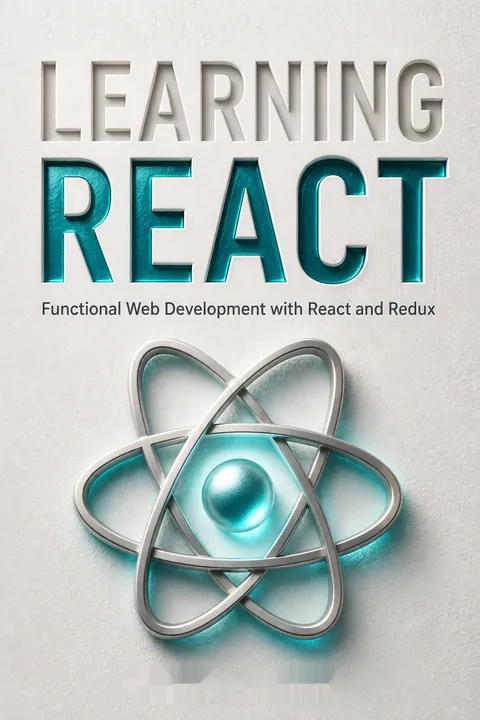


Key Takeaways
Describe the interface from data, and let React reconcile the DOM
Treat UI as a description. React’s central promise is that developers describe what the interface should look like for the current data, while React handles creating and updating browser elements. A React element is an instruction, not the DOM node itself. ReactDOM turns those descriptions into visible output and updates only what has changed.
Start with a tree. The book builds a recipe interface from a menu, individual recipes, ingredients, and instructions. Each component describes one part of the screen, and together they form a component tree. When the recipe data changes, the tree can be rendered again to reflect the new content. This approach avoids manually creating, appending, and replacing DOM nodes throughout application code.
What's useful here is the separation between the desired result and the work required to produce it. That boundary makes interface changes easier to reason about: a recipe component can focus on the recipe, rather than DOM bookkeeping. The model does not eliminate imperative work altogether. Network calls, browser APIs, and event subscriptions still need careful handling. React's value is that these effects can be kept at the edges while most interface logic remains a description of data.
Split the interface into reusable components, then compose the pieces
Use JSX for readable structure. JSX lets developers write tag-like syntax inside JavaScript to describe React elements. It resembles HTML, but browsers do not understand it directly, so a build step transforms it into JavaScript calls. In the book’s recipe app, a Menu renders multiple Recipe components, and each Recipe delegates ingredient lists and cooking steps to smaller components.
Prepare code for delivery. Babel transforms JSX and newer JavaScript syntax. Webpack follows imports to build a dependency graph, then bundles the project for the browser. Breaking code into modules helps people work on and test focused pieces, even though the production build may combine them. Create React App is introduced as a way to automate much of this setup.
Component boundaries are most valuable when they clarify responsibility, not merely when they make files smaller. An ingredient display can be reused because its inputs and job are clear; a fragment of markup with no independent purpose may not deserve its own component. The book’s build-tool tour also makes an important distinction: modular source code is organized for developers, while bundling is organized for delivery. Those are complementary goals, not contradictory ones.
Keep transformations pure so updates stay predictable, reusable, and testable
Avoid changing shared data. Functional JavaScript treats functions as values and favors small operations that transform inputs into outputs. A pure function returns a result based on its arguments without changing those arguments or causing unrelated effects. To update a color rating, for example, create a new color object rather than editing the existing one. To add an item, create a new array rather than pushing into the original.
Transform, then compose. The book emphasizes `map` for producing a transformed array, `filter` for selecting items, and `reduce` for combining many values into one result. Small functions can then be composed into a larger process. Its clock example breaks formatting and time conversion into separate steps, rather than hiding everything in one long procedure.
This style reduces the number of places where a change can hide. If an input remains intact, a test can supply that input again and expect the same result, making failures easier to isolate. The approach is especially helpful when several components share data. Its practical limit is that copying data has a cost, and shallow copies do not protect nested objects from mutation. The principle is not to copy everything blindly, but to make state changes explicit and observable.
Keep changing data in state, pass it down, and send events upward
Give state a clear home. Props carry data from a parent to its children; state holds values that can change and trigger a new render. In the Color Organizer, the app stores the color list, then passes each color to components that display it. A star click or remove button sends an event back through a callback so the state-owning component can make the update.
Reduce unnecessary handoffs. Passing data through many components that do not use it can make a large tree cumbersome. React Context lets a provider make values available to descendants that need them. The book’s color provider supplies colors and focused operations such as adding, rating, and removing them. Consumers access those operations through a custom Hook rather than manipulating the whole state array directly.
This architecture makes ownership legible: the component that owns a value decides how it changes, while display components report user intent. That resembles a useful separation in larger systems between data ownership and presentation. Context reduces repetitive prop passing, but it can also make a component’s dependencies less visible at its call site. A focused context API, with named actions rather than a raw state setter, preserves convenience while limiting accidental coupling.
Use Hooks to attach state and effects without burying UI in mechanics
Connect reusable logic. Hooks let function components use React features such as state, context, and references. `useState` supplies a current value and a setter; changing the value causes a render. A custom Hook can package repeated behavior, as `useInput` does for controlled form fields, returning the input’s value, change handler, and reset function.
Keep effects disciplined. `useEffect` runs work after rendering, such as saving data, subscribing to updates, or requesting information. Its dependency array specifies which values should trigger the effect, and a returned cleanup function can undo subscriptions when a component is removed. Hooks must be called at the top level and in a consistent order. The book also advises using memoization tools selectively, after measuring a real performance problem.
Hooks make stateful behavior easier to share without forcing components into class-based structures. Their flexibility comes with a need for discipline: dependency arrays are declarations of what an effect relies on, not merely knobs for silencing repeated work. A missing dependency can leave an effect using stale data, while unnecessary dependencies can repeat work. Treating effects as synchronization with the outside world, rather than as a general place for logic, keeps this model understandable.
Model every request as pending, successful, or failed before rendering its result
Make waiting visible. A network request takes time and can fail, so a data-driven component needs more than a success view. The book represents requests with three states: pending, successful, and failed. Its `useFetch` Hook gathers loading status, returned data, and errors; a Fetch component can then choose a loading message, an error display, or the successful result.
Mind request order. In the GitHub example, user details, repositories, and a repository README require multiple requests. Nested components can create a waterfall, where each request waits for the previous result. When requests do not depend on one another, rendering their components side by side can start them in parallel. Testing under a throttled network helps expose slow-loading and unmounting problems.
Representing latency as part of the interface is a product decision as much as a programming decision. A clear loading state prevents users from mistaking delay for a broken page, while an explicit error state gives the application a chance to recover. The waterfall example also provides a useful dependency test: if one request truly needs another response, sequence is necessary; otherwise, waiting in series adds avoidable delay. Parallelism should follow data dependencies, not be applied mechanically.
Window long lists so React renders visible rows instead of thousands
Render a moving window. A virtualized list keeps the full dataset available but mounts only the rows near the visible part of the screen. As the user scrolls, rows leaving the window are removed and upcoming rows are rendered. This avoids asking the browser to create and maintain an enormous DOM tree when the user can see only a small portion at once.
Measure the difference. The book creates 5,000 fake users. Rendering every row took 52 milliseconds in its example, while using `react-window` to render a limited set took 2.6 milliseconds for the initial render. The exact figures depend on the setup, but the lesson is concrete: for large lists, reducing the amount of rendered interface can matter more than optimizing each row.
Virtualization is a good example of optimizing the shape of the work rather than micro-optimizing its implementation. A user cannot inspect thousands of rows simultaneously, so rendering all of them upfront spends resources on invisible content. The tradeoff is added complexity around row sizing, scrolling, and accessibility. For short lists, ordinary rendering is often simpler and sufficient; the technique earns its place when data volume or measured responsiveness makes the cost visible.
Give every screen a URL so links, bookmarks, and back buttons work
Make navigation addressable. In a single-page application, JavaScript changes the interface without loading a separate document for every view. A router connects URLs to the components that should appear, restoring familiar browser behavior. The book demonstrates routes for home, about, events, products, contact, and a not-found screen, with links for navigation.
Let URLs carry context. Nested routes can share a parent layout while displaying different child content. Route parameters can identify data, such as a color ID, so a specific color can be opened, bookmarked, or shared. The examples use React Router’s route components and Hooks to read location details and navigate. Routing is therefore not just a menu mechanism; it makes interface state addressable outside the current render.
A URL is a compact contract between an application and the people using it. It makes a view portable across reloads, browser history, and sharing, rather than trapping it inside a sequence of clicks. Not every temporary interface state belongs in the address bar, however. A selected color or search result may deserve a route because it identifies meaningful content; a fleeting hover state usually does not. The design question is whether someone might reasonably want to return to or share that state.
Test what users can see, and let static tools catch mistakes early
Check behavior, not just syntax. Jest runs tests, while JSDOM provides a simulated document for component checks. React Testing Library helps query rendered elements by their text or labels and fire events. The book tests a checkbox by finding its label, clicking it, and checking that its value changes. This verifies the behavior through the interface rather than inspecting internal implementation details.
Use a feedback loop. Test-driven development begins with a failing test, adds the smallest change that makes it pass, then refactors. ESLint catches code-quality problems, Prettier handles formatting, and PropTypes, Flow, or TypeScript can catch mismatched data types. Coverage reports show which code ran during tests, but a high percentage alone does not prove that important behavior is well tested.
A test that follows the user’s route through the interface is less brittle than one coupled to private implementation details. It also makes tests useful descriptions of expected behavior. Static checks complement those tests by catching different classes of problems before execution. Neither tool substitutes for judgment: a passing test suite can still omit a vital failure path, and coverage can reward exercising code without checking meaningful outcomes. The strongest workflow combines automated signals with deliberate choices about risk.
Match rendering and data tools to the actual bottleneck, not the hype
Choose when work happens. Client-side rendering builds the interface in the browser. Server-side rendering sends initial HTML from a server, which the client can then hydrate with JavaScript. Prerendering creates HTML ahead of a user’s request. The book also introduces code splitting, which delays loading a component’s code until needed, and Suspense with a fallback while that code loads.
Contain failure and complexity. Error boundaries can replace a failing part of the interface with a fallback instead of letting one error blank the whole application. Next.js and Gatsby are presented as tools that package routing, rendering, or static-site workflows. The authors caution that Suspense data patterns in this edition are experimental and may change. Each technique solves particular problems, not every application’s problems.
Rendering strategy is a choice about where computation, waiting, and complexity land. Server-rendered HTML can make initial content available sooner, while client-side rendering may be simpler for highly interactive views. Code splitting can reduce initial downloads, but introduces loading and failure states that must be designed. The book’s caution around experimental Suspense is particularly durable: architectural ideas can outlast a specific API, so learning the problem being solved is safer than treating a sample implementation as permanent.
Analysis
Learning React is both a programming primer and a guided tour of an evolving ecosystem. Its strongest through-line is not JSX or any individual Hook. It is the shift from manually commanding the browser to describing an interface as data-shaped components, then making change explicit through state and predictable transformations. That single idea connects the book’s functional JavaScript chapter to its treatment of component trees, forms, network requests, routing, and tests.
The teaching sequence is a strength because it gives readers a mental model before adding infrastructure. JavaScript syntax and functional concepts prepare the reader to understand components; the Color Organizer then makes state ownership and event flow concrete. The later GitHub example expands the same ideas to asynchronous data, while list virtualization, testing, and rendering strategies show that an interface is also a performance and reliability problem.
The book is most persuasive when it describes tradeoffs rather than selling a universal recipe. Context can reduce tedious prop passing but obscure dependencies. Memoization can prevent work but add complexity. Server rendering can improve initial presentation but requires more infrastructure. These are architectural choices whose value depends on the application’s scale, users, and bottlenecks.
Its main limitation is time sensitivity. This edition dates from 2020 and includes evolving tools and APIs, especially experimental Suspense examples and a then-current React Router setup. Readers should treat code samples as lessons in concepts, not as guaranteed current setup instructions. The durable payoff is the reasoning beneath them: make data flow visible, isolate side effects, test observable behavior, and measure before optimizing. The book gives newcomers a coherent map, while its examples also teach experienced developers how React’s design favors composable descriptions over scattered DOM commands.
Review Summary
Learning React receives mostly positive reviews, with an average rating of 4.06 out of 5. Readers appreciate its comprehensive coverage of React concepts, including functional programming, hooks, and Redux. The book is praised for its clear explanations and practical examples. Some criticisms include outdated information, code errors, and difficulty following examples. Several reviewers recommend it for beginners, while others suggest it's better suited for those with some React experience. Overall, it's considered a solid introduction to React, though some prefer official documentation for up-to-date information.
People Also Read








Glossary
JSX
Tag syntax for ReactA JavaScript extension that lets developers describe React elements using syntax resembling XML or HTML. JSX is not directly understood by browsers, so a build tool such as Babel transforms it into JavaScript calls that create React elements. JavaScript expressions can be embedded in JSX to supply dynamic values.
React element
Description of a UI nodeA JavaScript description of what React should render, including an element type, properties, and children. A React element is distinct from the browser DOM node it describes. React uses these descriptions to construct and update the visible interface.
component tree
Nested interface structureA hierarchy of React components and elements, beginning with a root and branching into child components. Data can flow through this structure using props, while component rendering turns its descriptions into a user interface. The tree also provides a way to divide an interface into reusable parts.
Hooks
Reusable React functionalityFunctions that let React components use capabilities such as state, effects, references, and context. Built-in Hooks include useState, useEffect, and useContext; developers can combine Hooks into custom Hooks to share stateful logic. Hooks must be called at the top level of components or other Hooks, in a consistent order.
controlled component
React-managed form inputA form element whose displayed value is supplied by React state. An input’s change handler updates that state, and the next render supplies the updated value back to the element. This makes form values explicit in the component and can simplify validation, though frequent typing causes repeated renders.
Context
Shared values across descendantsA React mechanism for making values available to components beneath a provider without passing those values through every intermediate component as props. A provider supplies the values, and descendants can consume them. The book recommends exposing focused operations through context rather than giving every consumer unrestricted access to state setters.
render props
Rendering behavior passed as propsA component pattern in which a prop supplies an element or a function that returns an element. A function render prop can receive data, allowing the component to delegate decisions about what to display while retaining reusable mechanics, such as mapping over a list or showing an empty-state message.
virtualization
Render only nearby list itemsA list-rendering technique that keeps a large dataset available but mounts only the items visible or near the visible screen area. As the user scrolls, the rendered window moves. Libraries such as react-window provide this behavior, reducing the amount of interface the browser must render at once.
Fiber
Units of rendering workReact’s rewritten reconciliation architecture, introduced to divide rendering updates into smaller units of work. Each unit tracks what React is processing and where it is in an update. This structure allows React to pause between units and give the main thread time for other important work.
Suspense
Fallback while work is pendingA React component pattern that displays fallback content while a supported operation, such as loading a lazily imported component, is pending. In the book’s edition, data-fetching uses are presented as experimental and subject to change. Suspense addresses waiting states, while error boundaries handle rendering failures.
rehydration
Attach client behavior to HTMLThe process of loading JavaScript in the browser so a client-side React application can take over server-rendered HTML. The browser can display the initial markup before the interactive code is ready, then React connects behavior to the existing rendered interface.
isomorphic application
Application rendered on multiple platformsAn application that can render on more than one platform, such as a server and a browser. The book distinguishes this from universal code, which means the exact same code can run in multiple environments. An isomorphic application may use environment-specific code while presenting the same interface across platforms.
Download PDF
Download EPUB
.epub digital book format is ideal for reading ebooks on phones, tablets, and e-readers.








