

Key Takeaways
Capture every unfinished commitment before it hijacks your attention
Move reminders outside your head. Getting Things Done, or GTD, is a work-management method built around recording commitments in a trusted system rather than trying to remember them all. The guide calls unresolved tasks and decisions open loops: anything that still needs attention can keep tugging at the mind, even when no action is being taken. Its proposed remedy is an external place to collect tasks, ideas, promises, and useful information as they arise.
Use capture before classification. The first setup may take hours because it asks you to gather everything you can think of, from unfinished work to personal errands. That inventory is not a demand to do everything. It is a way to see what exists, then decide what deserves action, deferral, or deletion.
What's valuable here is the separation of remembering from deciding. A written inventory does not solve competing priorities, but it can reduce the mental effort spent rehearsing reminders and make those priorities visible enough to judge. This resembles cognitive offloading: using an external aid to preserve information so attention can be spent on interpretation. The benefit depends on trust. A capture system that is incomplete, hard to access, or never checked may create another source of anxiety rather than relief.
Turn vague obligations into a visible next action
Define the very next move. An item such as planning an event is too broad to start doing. The guide recommends translating it into a specific, observable action, such as contacting a venue or asking someone for a needed detail. A clear action closes the gap between wanting an outcome and knowing what to do next.
Choose what happens to each item. First ask whether it is actionable. If not, delete it, save it as reference, or place it among possible future plans. If it is actionable, identify the next move, then apply the guide's two-minute rule: do a quick task immediately; otherwise delegate it or defer it to an action list or calendar. The time limit is adjustable to the situation.
The practical strength is that vague intentions often disguise a missing decision. Naming the next physical move makes the work smaller and exposes dependencies, such as needing information or another person's help. This also resembles implementation intentions, which connect a goal to a concrete behavior. The two-minute cutoff is best understood as a sorting heuristic, not a universal law. A stream of tiny tasks can consume attention, so immediate completion should not interrupt important work without good reason.
Reserve your calendar for genuine deadlines, not hopeful intentions
Protect the meaning of a date. The guide says to put an action on the calendar only when it must happen on a particular day or at a particular time. Work that would be useful to finish by Friday, but does not truly have to be finished then, belongs on an action list instead. This keeps fixed commitments from being buried among aspirational tasks.
Filter actions by context. A context is a condition or tool needed to do an action, such as a phone, a computer, or a particular place. When choosing what to do, consider the available time, energy, and context. A list filtered for what can actually be done now is more useful than scanning every task and repeatedly discovering that the necessary equipment or person is unavailable.
This distinction guards against calendar inflation, where every preference is dressed up as a deadline until the schedule stops communicating urgency. Context filters add a second kind of realism: a task is actionable only when its practical conditions are present. Together, these ideas turn planning into a choice among feasible options rather than a contest between abstract priorities. The limitation is that some work has soft deadlines that still matter; those may need explicit review dates even when they do not belong on a must-do calendar.
Give every commitment a home beyond one giant task list
Separate different kinds of unfinished business. The guide treats a project as an outcome requiring more than one action, such as filing taxes or publishing a book. A Projects list is an index of those outcomes, not a place to do the work. Each active project should have at least one next action so it does not become a name with no movement attached.
Keep distinct lists for distinct needs. Waiting For tracks work or information expected from others, ideally with the date requested and expected completion. Someday/Maybe holds possibilities not yet chosen for action. Reference stores useful material that needs no action. A Trigger list uses prompts about areas of life or work to jog memory during review. Keeping these categories apart makes it easier to find and maintain each kind of commitment.
This structure recognizes that unfinished work is not one uniform problem. A delegated request needs follow-up, an idea needs incubation, and a reference document needs retrieval. Treating them identically creates noise. The project index also prevents a common planning error: mistaking an outcome label for a plan. Still, categories should remain few enough to maintain. A highly elaborate taxonomy can become its own project, especially when the distinctions do not change what the user does next.
Review weekly, or your trusted system quietly becomes stale
Rebuild confidence in the lists. The Weekly Review is a regular check of commitments, calendars, and stored material. The guide suggests setting aside at least 30 minutes and reviewing every active project to confirm that it has a next action. Completed actions should be removed or archived, and vague action items should be clarified or discarded.
Check what has changed. Look over waiting items and follow up where needed. Reconsider Someday/Maybe items to see whether they still matter or are ready to become active. Scan the Trigger list for anything missing from the capture list, then make sure new inputs have been processed. The point is to leave the review with a current, credible picture of what is open, not simply to tidy notes.
A review is the maintenance cycle that makes delegation to a system rational. Without it, a list is just stored information, not a dependable map. The routine also creates a useful moment to notice whether projects are stalled or whether old commitments no longer deserve attention. There is a tradeoff: reviews can become ritualized administration. Their value should be measured by whether they restore clarity and prompt decisions, not by how perfectly every page or category is arranged.
Choose OneNote when flexible pages and Office links fit your work
Use the tool for its particular strengths. The 2015 guide presents OneNote as a digital notebook organized into notebooks, sections, and pages. Its freeform pages can combine typed notes, images, drawings, and lists, while its search can find text in images through optical character recognition. The guide favors OneNote for flexible note-making and integration with Microsoft Office, Outlook, and shared workbooks.
Choose by actual workflow. Its comparison describes Evernote as more oriented toward quick capture and retrieval, with a stronger mobile experience at the time. OneNote is recommended when people spend much of their workday on a computer and benefit from Microsoft integration. These product comparisons reflect the book's 2015 context; software features change, so the enduring advice is to choose the tool that suits the work, not to adopt a brand on principle.
The comparison is most useful as a design question: does the tool support capture, retrieval, and collaboration in the places work actually happens? A flexible canvas can help people think visually or combine source material with notes, while deep integration can reduce copying between applications. But feature abundance is not the same as productivity. Every extra formatting option or organizational layer can invite tinkering. The best tool is often the one whose structure makes the next decision easier without demanding constant attention.
Set OneNote up to move notes, not merely collect them
Build a simple working loop. The guide's OneNote setup creates sections for capture, next actions, waiting items, projects, possible future work, reference, and memory prompts. It recommends a separate page for each captured item, making it easier to move that item into the right place after deciding what it means. Tags can mark contexts, and checked boxes can show completed actions.
Make capture easy to repeat. Use a phone, keyboard shortcut, image, audio recording, or screen clipping when that is the quickest way to preserve an input. The guide also explains sending emails into OneNote and turning notes into Outlook messages for delegation. Because notes synchronize through OneDrive, it warns users to confirm that offline edits have synced before editing the same material on another device.
The important design principle is low-friction capture followed by deliberate processing. A notebook that collects everything but offers no reliable path from raw input to action is an archive, not a management system. Separate pages and tags can support that path, but synchronization deserves special care: convenience across devices introduces the possibility of conflicting versions. Technology can make a workflow portable, yet it cannot supply consistent habits. The system succeeds when its routine is easier to follow than the alternative of keeping reminders in memory.
Measure productivity by consequential value, not the number of boxes checked
Look past raw volume. In the bonus material, the guide frames productivity as value produced in relation to time spent. It argues that value has several dimensions: impact, or who benefits; endurance, or how long the benefit lasts; essence, or what makes the work worthwhile; and volume, or how much is produced. A blogger, for instance, could publish frequently, but the work's value also depends on whether it helps readers and remains useful.
Choose work with purpose. The guide warns that speed and output alone can reward busywork. It recommends identifying high-leverage tasks and considering health, relationships, and other parts of life rather than treating career output as the whole measure. It also stresses sleep, nutrition, movement, energy, and attention as conditions that affect the ability to work.
This wider lens counters the seductive simplicity of counting completed tasks. A short piece of work can matter more than a long list of low-impact activity, and the dimensions of value force a person to ask who benefits and for how long. The framework is strongest as a prompt for reflection, not a literal equation: impact, endurance, and worth are difficult to compare on a common scale. Its practical use is to make productivity answer to chosen priorities rather than letting output metrics choose them.
Analysis
This is both a how-to manual and a compact introduction to a productivity philosophy. Its central story is a conversion: scattered obligations first become captured information, then clarified decisions, and finally actions that can be selected in the moment. OneNote is the implementation environment, but the more durable subject is the discipline of maintaining a trusted external system. That distinction matters because the software changes, while the cycle of capture, clarification, organization, and review applies across tools.
The book's strongest insight is that task management is not primarily about working faster. It is about removing ambiguity from commitments. A project name does not tell someone what to do; a date does not make an intention mandatory; and a reminder entrusted to memory is not yet a plan. By separating outcomes, next actions, delegated work, future possibilities, and reference information, the method makes different kinds of attention visible.
The system also contains a productive tension. It promises mental relief through completeness, but complete capture and regular review require effort. The lists create value only if the maintenance burden stays proportionate to the work they support. A neglected system becomes stale, while an overbuilt one can turn organization into procrastination. OneNote's searchable, flexible pages help store varied material, but search cannot substitute for decisions about what deserves action.
The bonus discussion of value usefully resists equating productivity with volume. Its dimensions of impact, duration, purpose, and output widen the question from how much was done to what the work accomplished. They are better treated as lenses than as measurable variables, since value is often contested and context-dependent. Overall, the book is most useful to readers whose stress comes from many small and large commitments competing for memory. Its promise is not a frictionless life, but a clearer choice about what to do next.
Review Summary
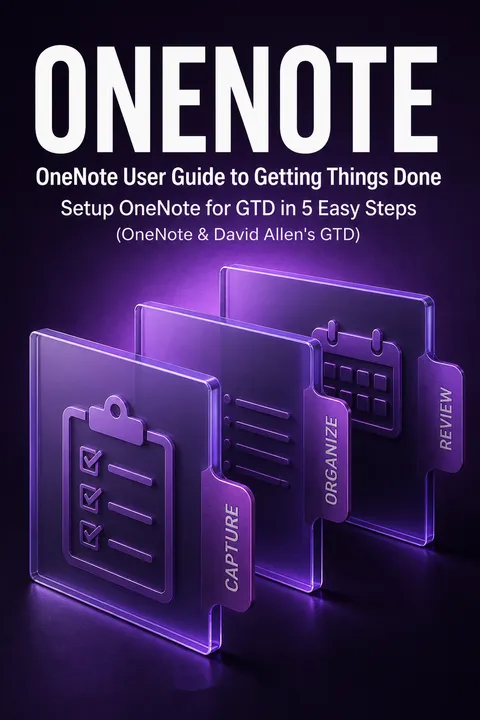
OneNote receives mixed reviews, with an average rating of 3.44/5. Some readers find it an excellent primer on using OneNote for productivity, praising its straightforward approach and practical tips. Others criticize it for being too basic, with limited content on OneNote itself and too much focus on GTD principles. Positive reviews highlight its usefulness in setting up OneNote for GTD, while negative reviews express disappointment with the depth of content and value for money. Overall, opinions vary widely on the book's effectiveness and worth.
People Also Read

Glossary
Getting Things Done (GTD)
External commitment managementA work-life management method associated in the book with David Allen. It asks users to capture commitments outside memory, decide what each item means, organize actions and reminders into appropriate categories, and review the system regularly. Its purpose is to make the next action clear and reduce the mental burden of keeping unfinished matters in mind.
open loops
Unresolved commitmentsTasks, decisions, or outcomes that remain incomplete or otherwise not settled. The book uses the term for matters that can continue to demand attention when they are not clearly recorded and managed. Capturing an open loop is only the first step; it still needs to be clarified, assigned a next action, deferred, delegated, stored for reference, or removed.
Next Actions
Specific doable stepsA list of concrete actions that can be performed to move work forward. An entry should describe a visible, physical step rather than a broad goal or vague intention. The list is consulted after scheduled must-do commitments, with choices filtered by available time, energy, and context. Active projects should have at least one related next action.
contexts
Conditions for actingLabels that identify what is needed or where a task can be done. Examples in the guide include a phone, a computer, or a particular location. Contexts let a person filter action lists to show work that is feasible in the present situation, rather than scanning every task and discovering that required tools, people, or circumstances are unavailable.
Two-minute rule
Do quick tasks immediatelyA processing guideline that recommends completing an actionable task immediately if it can be done in about two minutes. If it takes longer, the task can be delegated or deferred to an appropriate list or calendar. The guide treats the time limit as adjustable to the user's available time and circumstances, not as an absolute threshold.
Weekly Review
Regular system maintenanceA recurring review of projects, actions, calendar commitments, delegated work, future possibilities, and newly captured information. The purpose is to confirm that projects have next actions, update or remove stale items, follow up on waiting tasks, and restore confidence that the system represents current commitments. The guide recommends reserving at least 30 minutes.
Someday/Maybe
Possible future commitmentsA holding category for experiences, projects, or actions that a person may want to pursue but has not chosen to make active now. Items may be postponed because time, knowledge, or circumstances are not yet suitable. They should be revisited during review so that viable ideas can be activated and irrelevant ones removed.
Trigger list
Prompts for overlooked itemsA set of cue words or categories used during review to prompt recall of commitments that may have been missed. The guide suggests prompts drawn from professional, financial, and personal life, such as unfinished projects or promises to others. Any newly remembered task is added to the capture list for processing rather than managed only in memory.
Project
Outcome needing multiple actionsIn the book's GTD usage, a project is an intended outcome that requires more than one action step, generally within a year's time. A project list acts as an index of unfinished outcomes rather than a detailed work plan. Since the outcome itself is not a single action, each active project needs at least one associated next action to keep progress possible.
Download PDF
Download EPUB
.epub digital book format is ideal for reading ebooks on phones, tablets, and e-readers.








