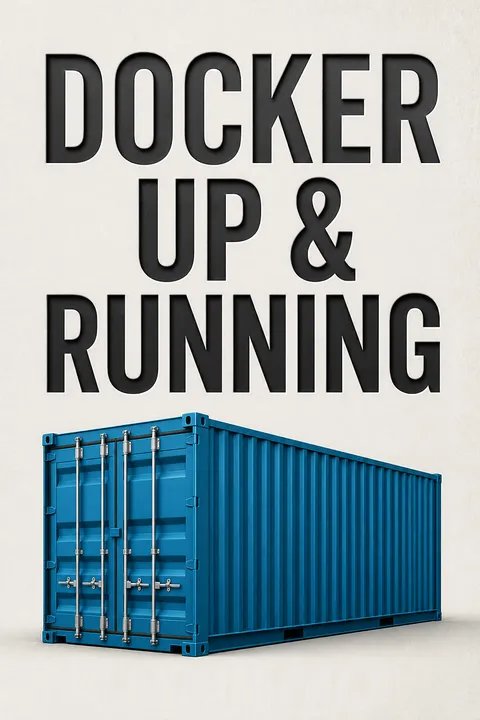


Key Takeaways
Docker's breakthrough was standardizing software delivery, not inventing containers.
An old idea, newly usable. Linux containers existed long before Docker, but building and operating them required specialized effort. Docker, introduced publicly in 2013, brought containers within reach by pairing them with a consistent image format and simple tools. The result is less a replacement for one existing product than a common package that can simplify several handoffs across development and operations. In the older workflow described by the authors, a complex new application could take nearly a week to prepare for production as teams repeatedly discovered dependencies and coordinated changes. With Docker, developers build and test a bundle, then hand it off through an image registry for operations to deploy.
A boundary between teams. The image standardizes what is shipped, while operations retains responsibility for hosts, security, and deployment infrastructure. Docker can complement existing virtualization, configuration management, and deployment systems rather than replacing them wholesale.
What's striking is that the product's organizational value comes from making a technical interface legible to different teams. A standardized artifact reduces the number of facts that must be repeatedly translated between developers and operators. That resembles a well-designed API: it narrows the coordination surface without requiring either side to know every internal detail. The tradeoff is that standards do not remove coordination; they move it into decisions about image ownership, policy, and release boundaries. Docker works best when teams agree on those responsibilities instead of treating the container format itself as a cure for organizational friction.
Promote one tested image to production without rebuilding it.
Test the actual release. A Docker image packages an application with its required files and dependencies. The workflow described is to build the image, run tests against it, and deploy that same image, identified by a stable tag or image hash. This avoids a familiar risk: rebuilding or repackaging during release can silently change the software that was tested. Configuration that varies by environment, such as service addresses, can be supplied when the container starts through environment variables rather than baked into separate images.
Use the registry as handoff. The image registry stores the built artifact so test and production hosts can retrieve the same version. The image does not guarantee that the application is correct, or that its external database behaves as expected. It does make the application environment more consistent across the stages that teams control.
This is software delivery's version of reproducible experimentation: if the tested object and deployed object are identical, one major source of uncertainty disappears. The idea also anticipates modern supply-chain practices, where an artifact's identity and provenance matter as much as its source code. But artifact sameness is not equivalent to system sameness. Hosts, secrets, network policies, and backing services can still differ, so the image should be treated as a stable experimental specimen, not proof that production will behave exactly like a test environment.
Treat containers as disposable processes, and keep durable state outside them.
Replace rather than repair. A container is an isolated execution environment sharing the host's Linux kernel, not a full virtual machine. Docker's intended pattern is to stop an old application container and start a fresh one from an image, rather than preserve undocumented changes made inside a running instance. That reduces dependence on leftover files and makes instances easier to move between hosts.
Separate code from state. Stateless services, such as web frontends whose durable data lives in a database, are natural starting points. Configuration can be injected at runtime, while persistent data belongs in an external service or carefully designed storage system. Writing important files into a container's own filesystem risks losing them when the container is replaced. Mounting host storage can preserve data, but ties the application to that host and complicates rescheduling.
Disposability changes the unit of recovery: instead of nursing a damaged machine back to health, the operator can replace a process environment from a known image. That aligns with the broader reliability principle of reducing dependence on unique, hand-maintained instances. Yet externalizing state does not make it vanish. It concentrates importance in databases, caches, and storage services, which then need their own backup, availability, and migration plans. The useful question is not simply whether an application is stateless, but which component owns each piece of state and what happens when that component is unavailable.
Pin image versions and order builds to preserve repeatable releases.
Let layers save work. Docker images consist of filesystem layers created by build steps. When a build changes, Docker can reuse unchanged earlier layers, reducing repeated work and image transfers. This makes Dockerfile order important: relatively stable setup steps should come before frequently changing application code. Once an early layer changes, the later layers generally need to be rebuilt.
Avoid moving targets. Tags help identify releases, but a tag such as `latest` can point to different image contents over time. A deployment that uses it may receive a newer dependency without an intentional change, and the old contents may no longer be easy to retrieve by that tag. Use a specific version or image digest for testing and deployment, and preserve release identities so a prior image can be selected for rollback. Build caching is useful, but should be disabled when investigating suspicious results.
Layering is more than a storage trick: it makes the build's dependency structure visible and gives teams a practical incentive to separate stable foundations from volatile code. This resembles incremental compilation, where careful dependency graphs avoid repeating work. The tension is between efficient reuse and timely updates. A pinned base image improves repeatability, but can preserve vulnerable or obsolete components if nobody deliberately refreshes it. Reliable release practice therefore needs both immutable deployment identities and a scheduled process for rebuilding against updated dependencies.
Design services to start, stop, and scale without preserving a particular instance.
Build for replacement. The book connects Docker with the Twelve-Factor App, a set of practices for services designed to run reliably across changing environments. Its most relevant guidance here is to keep configuration outside the code, make dependencies explicit, treat backing services as attached resources, stream logs, and run application processes that can be replaced without losing essential data. Containers should also handle shutdown signals gracefully and start quickly enough for rolling deployments or recovery.
Expect changing load. The Reactive Manifesto describes systems as responsive, resilient, elastic, and message-driven. In Docker's context, elasticity means adding or removing service instances as demand changes; resilience means continuing useful work despite failures. These are design goals, not properties granted automatically by packaging. A stateful monolith can run in a container, but its dependencies and recovery behavior still determine whether replacing it is safe.
The important connection is between deployment mechanics and application architecture. A fast replacement process is only valuable when the software can tolerate replacement, and external services can fail independently. These ideas echo fault-tolerant systems design, where components communicate across explicit boundaries and avoid relying on hidden shared state. They should not be mistaken for an argument that every application must become a swarm of tiny services. More components create more network calls, deployment decisions, and failure modes. The right scale of decomposition depends on whether independent deployment and scaling repay that added operational complexity.
Treat container isolation as a boundary, not a security guarantee.
One kernel, shared risk. Containers use namespaces to give processes separate views of resources, and control groups to constrain and measure resource use. They still share the host kernel, so their isolation is weaker than that of virtual machines. A particularly important default is that container processes often run as root. A misconfiguration, exposed host filesystem, or kernel vulnerability can turn that privilege into a risk to the host.
Grant less power. Run applications as non-privileged users, avoid unnecessary host mounts, and use security controls such as SELinux or AppArmor where supported. Avoid `--privileged` unless broad access is genuinely necessary; when a task needs a specific kernel capability, grant that capability rather than every privilege. The Docker daemon also deserves protection: remote access should use encrypted, authenticated connections and should not be exposed casually to the public Internet.
The useful security model is layered rather than binary. Namespaces and resource controls reduce exposure, but shared-kernel systems retain a common failure domain. This is why least privilege matters: it limits the consequences of a compromised application even when isolation fails. The same principle applies to the daemon, whose authority over containers makes its access channel especially sensitive. Container convenience can encourage teams to treat images as trusted simply because they are packaged. Packaging improves consistency, but provenance, vulnerability review, runtime permissions, and host hardening remain separate responsibilities.
Move from host-by-host deployment to scheduling when the cluster becomes the unit.
Start with repeatable deployment. A basic production process must apply the same configuration each time and manage containers across multiple hosts. Orchestration tools can coordinate deployments, health checks, and rolling replacement. The book's Centurion example pulls an image to two hosts, replaces one instance at a time, and checks that the new service responds before cleaning up the old one. This offers a relatively direct path from manual deployment to a repeatable process.
Schedule across a pool. Distributed schedulers treat many machines as a shared resource pool. An operator specifies what should run, while the scheduler places or restarts workloads according to available resources and health. Swarm, Kubernetes, and Mesos represent different approaches in the book's 2015 landscape. The authors recommend beginning with the lightest tool that meets the need, since larger systems bring their own infrastructure and operational demands.
This is a shift in abstraction: the question moves from which server should receive a release to what capacity and placement policy the service needs. That can improve utilization and make failures less dependent on a specific machine. It also transfers decisions to a scheduler, which must have accurate resource information, health signals, and networking. A cluster manager cannot repair a misleading health check or a badly chosen service boundary. The most sophisticated platform is not automatically the most reliable one; its value depends on whether its coordination costs are lower than the manual complexity it replaces.
Make containers observable through process visibility, logs, and resource measurements.
Debug the shared host. Container processes are still processes on the Docker server. Tools such as `docker top`, host process inspection, and `docker exec` can reveal what is running; `docker inspect` exposes configuration, and filesystem comparisons can show changes made since launch. Docker's event stream helps reconstruct container starts and failures. These tools are useful precisely because a container is not a separate operating system with an independent kernel.
Measure and retain output. Docker can capture standard output and error as logs, and report basic CPU, memory, and network statistics. The book warns that default log files are not automatically rotated, so production systems need a deliberate logging plan. CPU shares are relative priorities under contention, not guaranteed ceilings; memory limits are hard constraints and can trigger process termination when exceeded. Monitoring should therefore connect metrics to deployment and capacity decisions.
Observability is strongest when signals answer operational questions: what changed, what is running, which resource is constrained, and when did failure begin? The container model helps because host-level process tools remain applicable, while Docker adds metadata and lifecycle events. No single metric tells the whole story. CPU use can look harmless until contention appears, and captured logs can quietly consume disk if rotation is neglected. Effective operations combine time-series measurements, event history, application-level meaning, and tested procedures for responding to what those signals reveal.
Analysis
The book's enduring argument is that Docker is best understood as a delivery contract, not a smaller virtual machine. A standardized image lets development teams own a reproducible application bundle while operations teams own the platform that runs it. This is a technical design that changes the shape of organizational coordination: instead of repeatedly negotiating libraries and release steps, teams exchange a versioned artifact and explicit runtime configuration.
That contract has a condition. The application must be designed so instances can be replaced, configuration can vary without rebuilding, and important state survives outside the container. These are not incidental implementation preferences. They determine whether container portability is real or merely cosmetic. A container that depends on a host directory, undocumented startup procedure, or mutable runtime changes is still bound to a unique machine, despite its standardized package.
The strongest practical guidance is therefore a sequence: make dependencies explicit, test the exact image intended for release, give it a stable identity, externalize persistent state, and only then automate deployment across hosts. The book's security warnings are equally central. Shared-kernel efficiency comes with a weaker isolation boundary than a virtual machine, so privilege reduction, host protection, and daemon access control are essential rather than optional refinements.
The text is from 2015, when Docker tooling and the surrounding ecosystem were changing rapidly. Its command examples, products, and descriptions of current platform support are historically situated and should not be treated as current installation instructions. The deeper principles remain useful: immutable artifacts improve reproducibility, schedulers change infrastructure into a resource pool, and operational visibility must be designed alongside deployment. The caution is against assuming that containers automatically produce microservices, security, or resilience. They make certain architectures easier to implement, but architecture and operational discipline still determine the result.
Review Summary
Docker: Up and Running receives mixed reviews, with an average rating of 3.77/5. Readers appreciate its clear explanations of Docker basics and advanced topics, particularly security and debugging. Many find it a good introduction for beginners, though some criticize its outdated content and lack of coverage on the broader Docker ecosystem. The book is praised for its concise writing and practical examples but criticized for not addressing topics like Docker Compose. Some readers consider it too basic, while others find it a valuable resource for understanding Docker's core concepts.
People Also Read








Glossary
Docker image
Packaged application filesystemA Docker image is a reusable template containing the files and metadata needed to run an application. It is assembled from filesystem layers, often using a base image plus application dependencies and code. Containers are created from images, and a particular image can be distributed to many Docker hosts.
Dockerfile
Image build instructionsA Dockerfile is a text file that describes how to assemble a Docker image. Its instructions can select a base image, install dependencies, copy application files, set environment defaults, choose a working directory, and specify the command to run. Build-step order affects caching and the amount of work repeated after changes.
Docker container
Running image instanceA Docker container is an instance created from an image, with its own configuration and isolated views of selected system resources. Unlike a virtual machine, it shares the host's Linux kernel. Containers can be started, stopped, and replaced, and multiple instances can be created from the same image.
Docker registry
Image storage and exchangeA Docker registry stores images so that Docker hosts can retrieve them for testing or deployment. It serves as a handoff point between image creation and runtime operations. Registries may be public or private, and teams can use local mirrors to reduce repeated downloads from remote services.
cgroups
Process resource controlsControl groups, or cgroups, are Linux kernel mechanisms for grouping processes and their descendants so resource use can be measured or constrained. Docker uses them for controls such as memory limits and CPU shares. CPU shares express relative scheduling priority under contention, while memory limits impose a hard ceiling.
namespaces
Isolated resource viewsLinux namespaces make shared system resources appear separate to groups of processes. Docker uses namespaces for views of resources such as process IDs, mounts, hostnames, interprocess communication, and networking. They help a container appear self-contained, but do not create a separate kernel or provide the same isolation as a virtual machine.
Twelve-Factor App
Cloud service design practicesThe Twelve-Factor App is a set of practices for building services that can be deployed and operated consistently. The book emphasizes explicit dependencies, environment-based configuration, external backing services, separation of build and release, disposable processes, streamed logs, and similarity between development and production environments.
Reactive Manifesto
Resilient system design principlesThe Reactive Manifesto presents four qualities for systems intended to handle varying demand and failure: responsiveness, resilience, elasticity, and message-driven communication. In the book's Docker context, these qualities support services that can scale, degrade gracefully, communicate asynchronously where appropriate, and remain useful when individual components fail.
immutable infrastructure
Replace rather than patchImmutable infrastructure is an operating model in which deployed systems are replaced with newly built versions instead of being repeatedly modified in place. Applied to containers, teams deploy a fresh image rather than preserving undocumented changes inside a running instance. The approach aims to reduce configuration drift and make rollback more predictable.
FAQ
What’s "Docker: Up & Running" by Karl Matthias about?
- Comprehensive Docker introduction: The book offers a thorough overview of Docker and Linux containers, explaining what Docker is, how it works, and its role in modern software delivery.
- Production-focused guidance: It walks readers from installation to deploying and managing containers at scale, emphasizing production readiness, orchestration, and security.
- Practical experience shared: The authors draw on real-world experience running Docker in production at New Relic, providing actionable advice and lessons learned.
- Audience and approach: Targeted at developers, operations engineers, and architects, the book balances technical depth with practical workflow improvements and organizational benefits.
Why should I read "Docker: Up & Running" by Karl Matthias?
- Real-world expertise: The authors share insights from building and operating Docker platforms in production, going beyond official documentation to address practical challenges.
- Covers full Docker lifecycle: Readers learn about installation, image building, container management, deployment, scaling, and advanced topics, gaining a holistic understanding of Docker.
- Actionable best practices: The book helps readers avoid common pitfalls, improve workflows, and leverage Docker’s strengths for faster, more reliable software delivery.
- Advanced topics included: It explores orchestration, security, and platform design, making it valuable for both beginners and experienced users.
What are the key takeaways from "Docker: Up & Running" by Karl Matthias?
- Docker’s transformative impact: Docker standardizes application packaging and deployment, reducing complexity and improving collaboration between development and operations.
- Production readiness is essential: The book emphasizes best practices for deploying, securing, and managing containers in real-world environments.
- Workflow improvements: Readers learn how Docker streamlines development, testing, and deployment pipelines, supporting modern DevOps practices.
- Scalability and resilience: The book covers orchestration tools and design principles for building scalable, maintainable, and secure container platforms.
What are the main concepts and benefits of Docker explained in "Docker: Up & Running"?
- Containers vs. virtual machines: Docker containers are lightweight, sharing the host OS kernel, which makes them faster and more resource-efficient than traditional VMs.
- Immutable infrastructure: Docker encourages stateless, throwaway containers, reducing configuration drift and deployment errors.
- Portability and consistency: Docker images bundle applications and dependencies, ensuring consistent environments across development, testing, and production.
- Simplified workflows: Standardized containers reduce “works on my machine” issues and streamline deployment pipelines.
How does "Docker: Up & Running" by Karl Matthias explain Docker’s architecture and core components?
- Client-server model: Docker consists of a client and a server (daemon), with the client sending commands to the daemon to manage containers.
- Docker registry: Registries (public or private) store Docker images and metadata, enabling image distribution and sharing.
- Networking and storage: Docker uses Linux kernel features like namespaces, cgroups, and virtual networking to isolate containers and manage resources.
- Layered filesystems: Storage backends like AUFS and overlayfs enable efficient image layering and management.
How are Docker images built and managed according to "Docker: Up & Running"?
- Layered image construction: Docker images are built from stacked filesystem layers, each representing a build step, enabling efficient reuse and caching.
- Dockerfile usage: Images are defined using Dockerfiles, specifying base images, commands, file additions, environment variables, and default commands.
- Building and tagging: The
docker buildcommand creates images, which are tagged for versioning and stored in registries for sharing and deployment. - Efficient updates: Only changed layers need to be rebuilt or transferred, optimizing build and deployment times.
How do Docker containers work and what are their key features in "Docker: Up & Running"?
- Isolated processes: Containers are lightweight wrappers around processes, isolated via namespaces and cgroups but sharing the host kernel.
- Ephemeral by design: Containers can be quickly created, started, stopped, paused, and destroyed, supporting rapid scaling and updates.
- Configurable resources: Containers can be assigned names, labels, resource limits, and mounted volumes for persistent storage.
- Stateless best practice: The book recommends designing containers to be stateless, with persistent data externalized for scalability and reliability.
What is the recommended Docker workflow in "Docker: Up & Running" by Karl Matthias?
- Revision control and image building: Start with a single codebase in version control and build Docker images that encapsulate all dependencies.
- Testing and packaging: Test the exact image that will run in production, using tools like Docker Compose for external dependencies.
- Deployment and scaling: Deploy images consistently across servers, progressing from manual commands to orchestration tools as scale increases.
- Automation integration: The workflow integrates with CI systems, automating builds, tests, and deployments for efficiency and reliability.
How does "Docker: Up & Running" by Karl Matthias address deploying and orchestrating containers in production?
- Shipping container metaphor: Docker containers provide a standardized interface, simplifying deployment and reducing errors.
- Deployment progression: Teams evolve from local builds to orchestrated, multi-server deployments, improving process fluidity and reliability.
- Orchestration tools: The book covers tools like Swarm, Centurion, Helios, Kubernetes, and Mesos for managing container fleets and scaling applications.
- Start simple, scale up: It advises beginning with basic tools and moving to more complex orchestration as organizational needs grow.
What are the best practices for testing and debugging Docker containers in "Docker: Up & Running"?
- Test production images: Always test the exact image intended for production, using environment variables or arguments to switch behavior for testing.
- Automate testing: Integrate builds and tests with CI systems, running test suites inside containers and tagging successful builds for deployment.
- Debugging tools: Use
docker top,ps,strace, andlsofto inspect container processes, anddocker difffor filesystem changes. - Network and log inspection: Understand Docker’s network namespaces and proxy, and use logging drivers and external aggregation tools for monitoring.
How does "Docker: Up & Running" by Karl Matthias address Docker security and isolation?
- Kernel sharing risks: Containers share the host kernel, so isolation is weaker than with VMs; root inside a container is root on the host.
- Least privilege principle: Run containers as non-root users and avoid using
--privilegedunless absolutely necessary. - Selective capabilities: Add only required kernel capabilities to containers, minimizing potential attack surfaces.
- Mandatory Access Control: Use SELinux or AppArmor profiles to enforce security policies and restrict container access to sensitive host resources.
What application and platform design principles does "Docker: Up & Running" by Karl Matthias recommend?
- Twelve-Factor App alignment: Emphasizes single codebase, explicit dependencies, environment-based configuration, stateless processes, and attached backing services for portability and scalability.
- Reactive Manifesto principles: Encourages building applications that are responsive, resilient, elastic, and message-driven, leveraging Docker’s dynamic container model.
- Production platform design: Recommends fast startup/shutdown, concurrency, logging to stdout, and one-off admin tasks for robust container platforms.
- Development/production parity: Stresses minimizing environment divergence to reduce risk and ensure reliable deployments.
Download PDF
Download EPUB
.epub digital book format is ideal for reading ebooks on phones, tablets, and e-readers.








