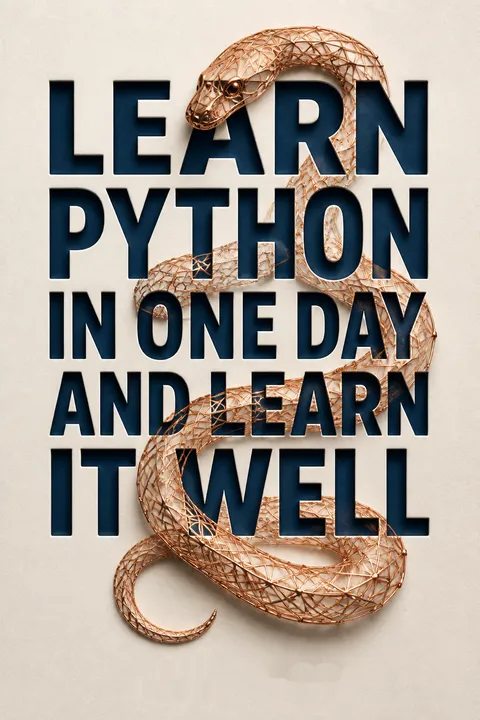


Key Takeaways
Choose Python for readable code, then learn by building
Readable by design. Python is presented as a high-level language: people write instructions in a comparatively readable form, and an interpreter translates and runs them. Its concise syntax can mean fewer lines than C for the same task. Libraries extend its uses from desktop applications to networking and games. The book teaches Python 3, in a 2014 context when Python 2 was still widely used.
Learn through use. The case for Python is not that it removes programming’s difficulty, but that it reduces the syntax between an idea and a test. The book encourages hands-on learning and ends with a working program instead of stopping at definitions. Python also runs on multiple operating systems, although differences in versions, installed packages, and system details can still affect a project.
What's valuable is the connection between readability and feedback: beginners can spend more attention on what a program should do, rather than on punctuation and boilerplate. That is a genuine advantage, not a promise that logic will come effortlessly. A short program can still contain a subtle bug. Cross-platform support likewise means the language is available across systems, not that every dependency behaves identically everywhere. Python is a useful entry point because it makes experimentation accessible, while the lasting skill is learning to state a problem precisely.
Use the shell to test ideas, and scripts to preserve them
Try commands immediately. The Python Shell accepts one instruction at a time, runs it, and displays the result. It can quickly answer small questions, such as whether a comparison evaluates to True or what a calculation returns. In the book, IDLE provides both this interactive shell and a text editor.
Save what works. Shell history is not a durable program: closing it loses the commands. For reusable work, put instructions in a text file with a .py extension, save it, and run the script. A first display program introduces the basic cycle: write, save, and execute. Comments, marked with a hash sign, help explain code to people and are ignored by the interpreter.
The shell and script serve different learning purposes. The shell offers a tight experiment loop, which helps beginners form hypotheses and see immediate consequences. A script adds persistence and structure, making it possible to rerun an idea and build on it. This resembles the distinction between a laboratory note and a repeatable procedure. The shell is not a substitute for organizing a program, however. As a script grows, clear names and small pieces of logic matter more than the speed of its first successful run.
Treat = as storing a value, not asking a math question
Assignment changes state. In Python, the equals sign assigns the value on its right to the name on its left. If x contains 5 and y contains 10, then x = y makes x contain 10; it does not declare a mathematical equality or change y. This distinction is foundational because programs repeatedly update stored values.
Know what the value is. The book introduces integers, decimal numbers called floats, and strings for text. A value such as 30 is numeric, while “30” is text. Type casting converts between compatible types: int("4") produces an integer, while int(5.7) drops the fractional part. Converting user input or combining text and numbers therefore requires attention to type.
Assignment is best understood as an instruction that changes the program’s state, a useful mental model for debugging: inspect what each name contains at each step. The distinction between a number and its written representation also appears in databases, forms, and data analysis. A common beginner surprise is that input arrives as text even when a person types digits, so conversion must be deliberate. The book’s examples make this visible. In larger programs, checking whether conversion is valid matters as much as knowing which conversion function to call.
Choose lists, tuples, and dictionaries by how their data behaves
Group related values. A list stores multiple items in sequence and can be changed: a program can add an age, replace an entry, or delete one. Positions start at zero, so the first item is at index 0. A slice such as [2:4] includes index 2 but excludes index 4, a convention that makes adjoining slices fit neatly together.
Match structure to purpose. A tuple resembles a list but is intended for values that should remain fixed, such as month names. A dictionary stores key-value pairs, such as a person’s name mapped to an age; keys must be unique. These choices turn scattered variables into meaningful collections and let a program access data by position or by label.
These structures are not merely containers; each encodes a different expectation about information. A list says that order and modification matter. A tuple signals a stable grouping. A dictionary makes lookup by identity more natural than lookup by position. Choosing the right structure can clarify a program before any function is written. The beginner examples also reveal a broader design question: which facts belong together, and what should identify each one? Real applications may need richer structures, but these three cover a substantial share of basic data organization.
Separate input, computation, and output to make programs interactive
Ask, then store. The input() function displays a prompt and saves the response as a string. A name and an age can be collected in separate variables, but a typed age remains text until the program converts it. This is why interactive programs often combine input with type casting.
Show results clearly. The print() function displays text and values. It can receive several items separated by commas, or a program can insert values into a formatted string. Triple quotes let a message span multiple lines. Escape sequences such as \n and \t represent a new line and a tab inside text. Together, these tools create a simple exchange: request information, process it, and return an intelligible response.
Separating input, computation, and output is a small step toward a powerful design habit: distinguish the interface from the work behind it. A clear prompt reduces mistakes before they happen, while readable output helps people judge whether the result makes sense. This pattern appears in command-line tools, web forms, and scientific software. The book’s simple examples keep the interaction visible, but they also expose an important boundary: human-friendly input is not automatically valid data. Robust programs must decide how to respond when people enter unexpected values.
Make decisions explicit, and ensure every loop can finish
Branch on conditions. Comparisons such as ==, <, and != produce True or False. The logical operators and, or, and not combine or reverse those results. An if statement selects which indented block runs; elif adds alternatives, and else handles the remaining cases.
Repeat with a stopping rule. A for loop visits items in a list or characters in a string. The range() function generates numbers, but excludes its ending value, so range(5) produces 0 through 4. A while loop repeats as long as its condition remains true. Its counter must change toward a stopping condition, or the loop may run indefinitely. Use break to leave a loop and continue to skip the rest of one pass.
Control flow makes a program’s reasoning inspectable: conditions state what the program checks, and indentation shows which actions depend on each check. The warning about infinite loops is especially useful because a loop’s stopping condition is part of its logic, not an optional cleanup detail. A practical debugging question is, “What changes that could make this condition false?” For loops are generally clearer when processing a known collection; while loops fit situations governed by a condition. Those distinctions are more durable than memorizing syntax alone.
Catch expected errors precisely instead of masking every failure
Plan for ordinary mistakes. A try block contains code that may fail, and an except block specifies what happens when it does. The book demonstrates a user entering text where a number is required, division by zero, and a missing file. These raise different errors, so named handlers can give more relevant responses than one generic message.
Keep the program understandable. A broad final handler can catch unanticipated exceptions, but it should not erase useful information about what went wrong. In the math game, invalid answers trigger another prompt rather than ending the session. This makes error handling part of the user experience: the program can explain a problem and offer a safe next step.
Error handling distinguishes an expected failure from a broken assumption. A mistyped number is a routine interaction problem; a missing file may mean the program cannot proceed; an unknown exception could signal a defect worth investigating. Treating all three identically can keep an application running while making it harder to repair. The book’s named exception examples teach useful diagnosis as well as recovery. Good handling aims for both: a helpful message for the user and enough specificity for the programmer to understand the failure.
Package repeated logic into functions, then modules you can reuse
Give a task a name. A function groups instructions under a name, accepts parameters, and can return a result. The book’s prime-checking example takes a number, tests whether smaller divisors divide it evenly, and returns True or False. Once defined, that logic can be called without rewriting the steps.
Separate and reuse code. Variables created inside a function are local to it; variables outside are global and can be accessed more broadly. A module is a Python file containing reusable code. Importing a module lets another script call its functions. The project uses this approach to keep game functions in one file and the main program in another.
Functions compress complexity by letting a reader focus on a task’s purpose before inspecting its implementation. Modules extend that idea across files, supporting reuse and clearer boundaries between components. The scope examples are equally important: names are not universally visible, and accidental dependence on global state can make behavior difficult to trace. A strong next step is to keep each function’s inputs and outputs clear. That design makes code easier to test, share, and change without requiring every part of a project to be understood at once.
Choose file modes carefully because writing can erase existing work
Open deliberately. The open() function takes a file path and a mode. Read mode retrieves existing content; append mode adds new content; write mode creates a file but erases its previous contents if it already exists. Read-and-write mode permits both. After use, the book explicitly closes files to release system resources.
Process large or non-text files. A for loop can read a text file one line at a time, while read() can take a specified number of bytes per pass. Binary modes are used for files such as images. To update a text file, the project writes revised contents to a temporary file, then replaces the original. That workaround illustrates that file operations can involve data-loss risks.
A file mode is a declaration of intent with real consequences. The difference between append and write is not cosmetic: one preserves existing content, while the other may destroy it. The temporary-file method makes replacement explicit and gives beginners a concrete way to think about updating stored data. In contemporary Python, context managers are commonly used to close files reliably, even when an error occurs. The underlying lesson remains the same: treat persistent data as something to protect, not as a disposable variable.
Build a small arithmetic game to turn isolated syntax into software
Connect the pieces. The capstone creates a math quiz that generates arithmetic questions, checks answers, tracks scores, and saves them by username. Random numbers supply the operands; a dictionary maps random selections to operators. The program avoids adjacent exponent operators because their evaluation order can surprise a learner. It also displays the exponent symbol in a form more familiar to players.
Design beyond the calculation. Separate functions retrieve and update scores, while a main script handles the game loop. Invalid numeric input prompts another attempt. A temporary file supports score updates, and a special response ends play. The challenges extend the project with division, limits on answer size, and parentheses. The result is a compact demonstration of how basic syntax combines into a complete task.
The project is the book’s strongest teaching device because it makes concepts depend on one another: a useful game needs data structures, control flow, functions, input validation, randomness, and persistent storage. That is closer to real programming than a sequence of disconnected syntax drills. It also creates a chance to question implementation choices. The project uses eval() to calculate an expression assembled by the program; that is convenient in a controlled demonstration, but evaluating arbitrary strings is unsafe in general software. A good project teaches both how a technique works and where its boundaries lie.
Analysis
This is a compact, beginner-oriented programming course organized as a steady climb: install an interpreter, test tiny commands, learn the language’s basic building blocks, and combine them in a score-keeping arithmetic game. Its central teaching strategy is procedural rather than theoretical. Each concept is introduced through a concrete action, such as changing a variable, iterating through pets, or reading a file. The capstone then gives those separate skills a common purpose. That progression is the book’s greatest strength: a learner sees programming as a sequence of decisions and transformations, not as a vocabulary list. The project also exposes the difference between knowing syntax and designing software. A working quiz must generate questions, represent operators, interpret user responses, recover from invalid input, and preserve scores between sessions. Breaking the work into functions and files models decomposition, while the exercises invite learners to solve small problems themselves. The book is therefore most valuable when used actively, with code typed, altered, and tested, rather than read straight through as reference prose.
Its limits follow from its date and scope. The text uses Python 3.4-era tools and introduces fundamentals rather than contemporary development practices. IDLE remains useful for experimentation, but modern projects also rely on other editors, libraries, and testing tools. Manual file closing, older formatting styles, and especially eval() should not be mistaken for universal best practice. The supplied game evaluates expressions it constructs itself, yet eval() becomes dangerous when given untrusted text. The durable lesson is broader than any particular syntax: make data, decisions, and program boundaries explicit, then test how each behaves when conditions differ from the happy path.
Review Summary
Learn Python in One Day and Learn it Well receives mixed reviews. Many find it helpful for beginners, praising its clear explanations and concise approach. Some experienced programmers appreciate it as a quick reference. However, critics argue it oversimplifies, lacks depth in object-oriented programming, and doesn't fulfill its promise of mastery in one day. The included project receives both praise and criticism. Overall, it's seen as a good starting point for Python basics, but not comprehensive enough for advanced learning or experienced programmers seeking in-depth knowledge.
People Also Read
Glossary
Python interpreter
Runs Python codeSoftware that reads and executes Python instructions. The book explains that Python source code must be run by an interpreter before a computer can carry out its instructions. Installing an interpreter makes it possible to test commands interactively and run saved Python scripts.
Python Shell
Interactive command promptAn interactive environment where a person enters one Python command at a time and immediately sees its result. It is useful for trying calculations and testing small expressions. Unlike a saved script, commands entered in the shell are not preserved as a reusable program when the session closes.
IDLE
Python editor and shellThe beginner-oriented environment bundled with Python in the book’s setup. It provides an interactive Python Shell and a text editor for creating scripts. A learner can write a program, save it with a .py extension, and run it from the editor.
type casting
Converts between data typesChanging a value from one data type to another using conversion functions. The book introduces int(), float(), and str(). For example, int("4") converts a numeric string to an integer, while int(5.7) removes the decimal portion. A conversion fails when the input cannot represent the requested type.
iterable
Can be looped throughAn object whose members or characters can be visited one at a time in a loop. The book’s examples include lists, tuples, and strings. A for loop assigns each successive item to a variable, allowing the same block of instructions to process an entire collection.
variable scope
Where a name is accessibleThe region of a program in which a variable can be used. A variable created inside a function is local to that function, while a variable created outside is global and can be accessed more broadly. A local variable can share a name with a global variable, but each context refers to its own value.
module
Reusable Python fileA Python file that contains code, such as functions, that can be imported into another program. Modules help organize related tasks and reuse code across scripts. The book demonstrates importing both built-in modules and a programmer-created file stored alongside the program that uses it.
BODMAS
Arithmetic operation orderA rule for deciding the order in which parts of an arithmetic expression are evaluated. The book’s project uses arithmetic questions to test whether players apply that order correctly. Its generated expressions include addition, subtraction, multiplication, and exponentiation, with parentheses introduced as an additional challenge.
FAQ
What's "Learn Python in One Day and Learn It Well" about?
- Beginner-friendly guide: The book is designed to help absolute beginners learn Python programming quickly and effectively.
- Hands-on approach: It includes a hands-on project to reinforce learning by applying concepts in a practical way.
- Comprehensive coverage: The book covers essential Python topics, from basic syntax to more advanced concepts like functions and modules.
- Convenient reference: Appendices provide a quick reference for commonly used Python functions and data types.
Why should I read "Learn Python in One Day and Learn It Well"?
- Fast learning curve: The book is structured to help you grasp Python programming concepts rapidly.
- Clear explanations: Complex topics are broken down into easy-to-understand sections, making it accessible for beginners.
- Practical application: The hands-on project allows you to apply what you've learned, solidifying your understanding.
- Cross-platform language: Python's versatility is highlighted, showing its applicability across different operating systems and tasks.
What are the key takeaways of "Learn Python in One Day and Learn It Well"?
- Python's simplicity: Python is an ideal language for beginners due to its straightforward syntax and readability.
- Versatility of Python: The language can be used for various applications, including web development, data analysis, and automation.
- Importance of practice: The book emphasizes learning by doing, encouraging readers to engage with the hands-on project.
- Foundation for further learning: It provides a solid base for exploring more advanced Python topics and other programming languages.
How does "Learn Python in One Day and Learn It Well" explain Python's basic syntax?
- Variables and operators: The book introduces variables, naming conventions, and basic operators for arithmetic operations.
- Data types: It covers fundamental data types like integers, floats, and strings, along with type casting.
- Control flow tools: Readers learn about condition statements, loops, and how to control the flow of a program.
- Interactive programming: The book explains how to make programs interactive using input and print functions.
What are the best quotes from "Learn Python in One Day and Learn It Well" and what do they mean?
- "The best way of learning about anything is by doing." This quote emphasizes the importance of practical application in mastering programming skills.
- "Python 3.x is the present and future of the language." It highlights the significance of learning Python 3, as it is the current standard.
- "Python code resembles the English language." This underscores Python's readability, making it easier for beginners to learn.
- "If you learn one language well, you can easily learn a new language in a fraction of the time." This suggests that mastering Python can facilitate learning other programming languages.
How does "Learn Python in One Day and Learn It Well" cover data types in Python?
- Basic data types: The book explains integers, floats, and strings, including how to declare and manipulate them.
- Advanced data types: It introduces lists, tuples, and dictionaries, detailing their uses and how to work with them.
- Type casting: Readers learn how to convert between different data types using built-in functions like int(), float(), and str().
- Practical examples: The book provides examples and exercises to help readers understand and apply these data types.
What is the hands-on project in "Learn Python in One Day and Learn It Well"?
- Math and BODMAS project: The project involves creating a program that tests the user's understanding of arithmetic operations following the BODMAS rule.
- Step-by-step guidance: The book breaks down the project into smaller exercises, guiding readers through each step.
- Application of concepts: It requires the use of variables, loops, functions, and file handling, reinforcing the concepts covered in the book.
- Challenge exercises: Additional exercises are provided to further test and expand the reader's programming skills.
How does "Learn Python in One Day and Learn It Well" explain functions and modules?
- Function definition: The book teaches how to define and use functions, including the use of parameters and return statements.
- Variable scope: It explains the difference between local and global variables and how they affect function behavior.
- Importing modules: Readers learn how to import and use built-in Python modules, as well as create their own.
- Practical examples: The book provides examples to illustrate how functions and modules can simplify and organize code.
What are the control flow tools discussed in "Learn Python in One Day and Learn It Well"?
- If statements: The book covers how to use if, elif, and else statements to make decisions in a program.
- Loops: It explains for and while loops, including how to iterate over sequences and control loop execution.
- Break and continue: Readers learn how to exit loops prematurely or skip iterations using these keywords.
- Error handling: The try and except statements are introduced to manage errors and exceptions in a program.
How does "Learn Python in One Day and Learn It Well" address file handling in Python?
- Opening and reading files: The book explains how to open, read, and close text files using Python.
- Writing to files: It covers how to write and append data to files, including handling binary files.
- File operations: Readers learn how to delete and rename files using functions from the os module.
- Practical application: Examples and exercises demonstrate how to use file handling in real-world scenarios.
What is the significance of the appendices in "Learn Python in One Day and Learn It Well"?
- Quick reference: The appendices provide a convenient reference for string, list, tuple, and dictionary operations.
- Built-in functions: They list and explain various built-in functions and methods available in Python.
- Sample codes: Examples are provided to illustrate how to use these functions in practical situations.
- Supplementary material: The appendices complement the main content, offering additional resources for learning and practice.
What are the challenges and exercises in "Learn Python in One Day and Learn It Well"?
- Hands-on exercises: Each chapter includes exercises to reinforce the concepts covered and encourage active learning.
- Project challenges: The book presents additional challenges related to the hands-on project to test and expand the reader's skills.
- Problem-solving focus: The exercises emphasize problem-solving, helping readers develop critical thinking and coding skills.
- Encouragement to explore: Readers are encouraged to experiment with the code and explore beyond the exercises to deepen their understanding.
About the Author
Other books by Jamie Chan
Download PDF
Download EPUB
.epub digital book format is ideal for reading ebooks on phones, tablets, and e-readers.








