

Key Takeaways
Design the whole experience, not just the screen users touch
UX reaches beyond interfaces. User experience design coordinates the things that shape how people perceive and interact with a company. That includes digital pages and apps, but also physical products, packaging, customer service, and the settings where people use technology. A smooth website cannot erase a reputation for poor support, just as a well-designed classroom experience may combine screens with face-to-face teaching.
Balance usefulness and feeling. Good design must serve business objectives, user needs, and practical constraints such as time, budget, and technology. It also needs both a workable structure and an emotional tone suited to the product. A hospital records tool and a toy campaign should not feel identical. Curiosity helps uncover problems, empathy keeps people in view, and logic turns insight into a viable design.
The book’s broad definition makes UX an organizational concern, not a styling service. This matters because people experience companies through connected encounters, even when different departments own each one. The practical implication is to look for mismatches between the promise made by an interface and the service that follows it. At the same time, the scope can become impossibly large if every brand touchpoint is treated as a UX designer’s responsibility. The useful boundary is influence: designers should account for surrounding experiences and involve their owners, without pretending to control the entire company.
Map the project ecosystem before volunteering for every UX hat
Context changes the work. A project ecosystem is the combination of its site or application type, the people involved, and the company culture surrounding the work. A content-heavy intranet needs strong organization and search; a task-based application needs clear workflows; a marketing campaign may be judged by a specific action within a limited period. These differences affect which research, skills, and deliverables matter.
Name responsibilities, not just titles. UX practitioners may cover information architecture, interaction design, and user research, while overlapping with content, visual design, analytics, or business analysis. Find out who owns each responsibility, where decisions happen, how past projects went, and what constraints shape the team. Understanding hierarchy, work habits, and project history helps reveal risks before they become schedule surprises.
This ecosystem lens usefully treats design as situated work. The same method can succeed on one project and fail on another because authority, technical support, and access to users differ. Role labels are especially unreliable across organizations, so a responsibility map is often more actionable than a polished org chart. The caution is that flexibility can quietly become role overload. A designer who notices every gap may inherit all of them. Clarifying ownership and limits is not bureaucratic fussiness; it protects the quality of the work and the team’s ability to deliver.
Put scope, ownership, and payment terms in writing before work starts
A handshake leaves gaps. For consultants and freelancers, a proposal records the intended work and the terms of the client relationship. It should explain the project, approach, scope, assumptions, deliverables, rights, extra costs, pricing, payment schedule, and approval process. A clear division of labor matters: if the client must supply content or arrange access to staff, say so explicitly and explain how delays affect delivery.
Protect both sides. A signed proposal or statement of work creates a shared reference when expectations change. Version changes should be documented, and the agreement should address what happens if the project pauses. Work-for-hire terms transfer ownership to the client, while licensed work can preserve the creator’s copyright under agreed conditions. Pricing should account for effort, revision limits, and project management, rather than relying on a vague promise to settle up later.
The proposal is presented as a design tool for the working relationship: it makes hidden dependencies visible before they turn into conflict. That is a useful extension of UX thinking, since a project itself is an experience shaped by expectations and handoffs. The strongest agreements do more than protect a vendor; they help clients understand what they must contribute for the work to succeed. Still, templates cannot settle every legal or commercial question. Ownership, liability, and payment terms may require professional advice, especially when a project’s stakes or jurisdiction make the details consequential.
Turn fuzzy ambitions into measurable objectives before choosing methods
Objectives focus decisions. A project objective is a measurable goal that connects the work to the company’s larger strategy. “Generate excitement” is too vague to guide design; increasing online sales by a defined amount is easier to evaluate. More traffic may be a useful indicator, but it is not necessarily the outcome the business needs. Objectives help shape research, requirements, feature priorities, and judgments about whether the finished product worked.
Match process to reality. Waterfall separates project phases and often requires approval before the next begins. Agile approaches favor short cycles, close collaboration, and repeated releases. Many teams use a hybrid, with enough documentation for coordination and enough iteration to learn from feedback. The designer should understand when stakeholders need to approve work, how teams collaborate, and what level of documentation each stage requires.
The distinction between an outcome and a proxy is central here. More visits matter only if they contribute to a real objective, such as sales, sign-ups, or useful engagement. Making objectives explicit also gives a team a principled way to resolve competing requests. Yet a metric can narrow attention if it becomes the sole definition of success. A sound project objective should be measurable without implying that every important quality, such as trust or comprehension, is reducible to one number. The method should likewise fit the team’s actual working conditions, not its preferred label.
Ask what each feature request is really trying to solve
Ideas are not requirements. A stakeholder may request online order tracking, but that phrase could mean a basic tracking number or a real-time map. A requirement states what the product needs to do and the need it addresses, without prematurely prescribing the solution. Asking why the feature matters reveals whether the goal is fewer support calls, greater confidence, or a competitive advantage. Those are different problems, with different costs and design implications.
Inspect before redesigning. A heuristic analysis is an expert review of a product against usability principles. For example, if a download starts without feedback, users may click repeatedly and create confusion. Record the problem, its context, its likely impact, and a possible remedy. This quick review can surface obvious issues and useful questions, but it does not replace research with actual users. The findings are hypotheses to investigate, not proof of what everyone experiences.
Separating the requested feature from the underlying need is a defense against solution lock-in. It gives teams room to find simpler ways to satisfy the business aim and makes trade-offs easier to explain. The order-tracking example also shows why ambiguity has a real price: the same phrase can conceal radically different scope. Expert reviews are valuable as an early filter, especially when time is short, but confidence should remain proportional to evidence. A designer’s familiarity with usability principles cannot reveal every domain-specific expectation or workaround.
Study users in context, then make personas accountable to evidence
Research answers different questions. User interviews reveal experiences and attitudes. Surveys can show patterns across many responses. Focus groups bring out shared stories and disagreements, while card sorting shows how people group information. Contextual inquiry combines observation and conversation in a person’s ordinary setting, revealing tools, interruptions, workarounds, and collaboration that a meeting-room interview may miss. Choose techniques according to what the project needs to learn, the users available, and the time and budget.
Personas are research summaries. A persona is a representation of a typical target user, built from evidence and made specific enough to guide decisions. A name, photo, role, location, age, and biography can make the profile memorable, but these details are not the evidence itself. Personas help teams recall user goals and habits at decision points. They should focus attention, not substitute for observation or testing with real people.
The range of methods is a reminder that no single research format captures the whole user. What people say they do, what they do under observation, and how they classify information can reveal different parts of a problem. The book’s insistence on context is particularly useful for work systems, where interruptions and improvised procedures are part of the real interface. Personas can make findings portable across a team, but vivid storytelling carries a risk: invented details may feel more certain than the underlying sample warrants. Their credibility depends on traceable evidence and clear limits.
Build search discoverability into content and site structure from the start
SEO begins in architecture. Search engine optimization means shaping a site so that search engines can find, interpret, and rank its content. The book emphasizes choices UX designers influence: navigable structure, crawlable links, stable URLs, useful page titles, clear headings, and content organized around the language people actually search. A site that hides its navigation inside scripts or relies on inaccessible dynamic content may frustrate both search engines and some users.
Useful content earns attention. Clear naming beats internal jargon, and distinct pages can help users reach specific topics. Site maps, descriptive links, and fresh content support discovery and orientation. Avoid manipulative tactics such as keyword stuffing, doorway pages, or link spamming; they can undermine the site’s credibility and search performance. SEO is not a decorative layer added at launch. It is part of decisions about content, technology, and information architecture.
The strongest point is the shared interest between findability and comprehensibility. A structure that makes content legible to a crawler often also helps people understand what a site contains and how its pages relate. That does not mean search optimization and user needs always align, especially when ranking incentives encourage repetitive or over-targeted content. The chapter also dates from 2009, and specific search-engine capabilities and tactics described there should not be treated as current technical guidance. Its durable lesson is to involve search expertise early and design content for people first.
Sketch the journey, then prioritize with business, users, and developers in view
Visualize before polishing. A storyboard sketches a user’s situation and the sequence of actions around a task. It can expose missing features that a list of requirements hides. For example, a human-resources manager posting a job may need to start from an existing description, coordinate with a hiring manager, and then publish the opening. Drawing the scenario makes those dependencies easier to discuss before detailed design.
Balance three perspectives. The business advocate protects strategic goals, the user advocate represents user needs, and the development advocate raises technical and delivery constraints. Prioritization weighs each requirement’s business value, user value, technical feasibility, and resource demands. The goal is not to let one voice dominate. If stakeholders disagree, revisit the objectives, clarify the need behind each feature, and use research or structured discussion to make trade-offs visible.
Storyboarding is powerful because it turns abstract requirements into a sequence with a person, context, and consequence. It can help teams notice the work around a task, rather than designing only the screen where the task happens. The three-advocate model similarly makes disagreement productive by giving each perspective a legitimate place. Its weakness is that a team may mistake representation for authority: a user advocate cannot speak for every user, and a developer’s estimate is shaped by current knowledge. The model works best when its claims remain open to evidence and revision.
Choose artifacts that make structure, behavior, and intent legible
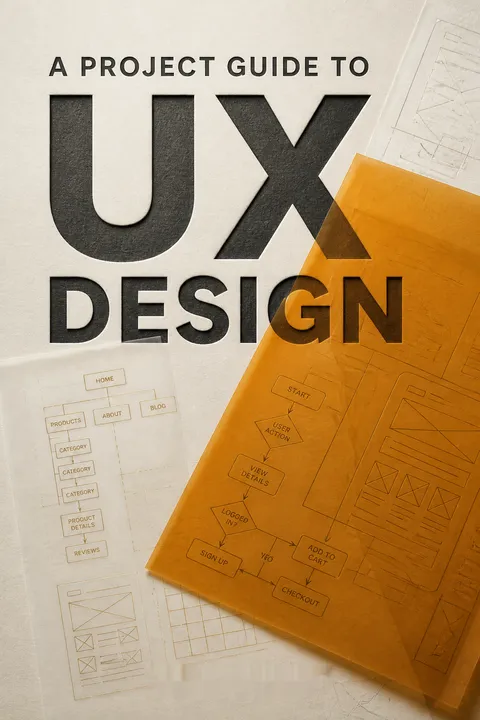
Use the right map. A site map shows the hierarchy and organization of pages or views. A task flow shows the route through a process, including decisions, alternate paths, and errors. Numbering pages consistently links these diagrams to wireframes, content plans, visual designs, and quality checks. Clear labels, aligned shapes, and unambiguous connections make the documents usable by people beyond the designer.
Specify without pretending the design is finished. A wireframe lays out page elements such as navigation, content, forms, and calls to action. Annotations explain what elements contain and how they behave. A prototype makes selected parts of a proposed experience testable, using paper or digital tools. It need not represent the entire product: build enough to answer the question at hand, then revise based on feedback. These artifacts are communication tools, not trophies.
The book treats diagrams and prototypes as shared working language. Their value comes less from visual polish than from reducing uncertainty across roles: a developer can see behavior, a content writer can see needs, and a stakeholder can react to structure. That is a practical answer to a common failure mode in collaborative work, where each person imagines a different product from the same verbal brief. Still, documentation can become expensive ceremony. Each artifact should earn its place by enabling a decision, test, handoff, or coordination task that would otherwise be harder.
Stay involved after handoff, because launch is a design checkpoint
Test before implementation hardens. Usability testing asks representative users to attempt realistic tasks while a facilitator observes where they succeed, hesitate, or fail. Small qualitative rounds can uncover concrete problems, and repeated rounds can check whether revisions help. Avoid leading participants toward the intended answer. Record task outcomes, frustration, and user comments, then rank issues by consequence, recoverability, frequency, and plausible cause.
Keep learning after launch. Stay connected to visual design, development, and quality assurance so that the delivered product does not drift far from the intended experience. After release, analytics and customer feedback can reveal trouble spots, while further user testing can check how people actually use the live product. Adoption also depends on whether users see a personal benefit, can get support, and hear credible opinions from their networks. The next improvement cycle begins with what the first one taught.
This ending reframes launch as a transition from prediction to observation. Before release, a team tests representations and assumptions; afterward, it can examine real use and support issues. That feedback loop prevents design from being treated as a one-time contribution handed off at a milestone. The book also correctly distinguishes usability testing from late-stage acceptance checks, which may verify requirements without exposing users’ struggles early enough to fix them cheaply. Analytics add reach, but numbers alone rarely explain why behavior occurs. Pairing them with observation preserves both scale and meaning.
Analysis
This is a field guide to making UX work inside organizations, not a grand theory of interface design. Its central argument is procedural and social: successful experiences depend on a designer’s ability to connect user evidence, business aims, technical realities, and team coordination. The book moves from defining UX and reading the project environment, through requirements and research, into design artifacts, testing, development, and postlaunch learning. The recurring story is less about a single product than about the designer learning to ask better questions at each handoff.
Its most practical contribution is the treatment of ambiguity as a design risk. A request such as online tracking can conceal vastly different expectations; a proposal can prevent disagreement about labor and payment; a storyboard can uncover steps that a requirements list misses. Across these cases, the same discipline appears: make assumptions visible before they become expensive. The book’s discussion of advocates also offers a compact model of project governance. Business, users, and development are not obstacles to reconcile after design. They are legitimate perspectives whose tension can improve the solution.
The methods are deliberately broad, because the authors reject a universal process and recognize differences among projects and organizations. That flexibility is useful for practitioners, though it can leave readers wanting firmer criteria for selecting methods or resolving conflicts. Some technical guidance, especially the SEO material, reflects its 2009 publication context and should be separated from its lasting principle: structure and content decisions affect both discovery and usability. The deeper value remains current as a way of thinking about practice. UX is not a sequence of deliverables. It is an ongoing discipline of shared understanding, evidence-based choices, and continued responsibility for what users actually encounter.
Review Summary
A Project Guide to UX Design receives mixed reviews, with an average rating of 3.87 out of 5. Readers appreciate its comprehensive overview of UX design processes and project management, particularly for beginners. The book covers various topics, including user research, wireframing, and prototyping. However, some critics find it too basic for experienced professionals and lacking in-depth information on specific UX techniques. The book's practical approach and real-world examples are praised, but some readers note its web-centric focus and dated content.
People Also Read



Glossary
Project ecosystem
Project context and relationshipsThe combination of conditions that shape a UX project: the kind of site or application, the roles and responsibilities of people involved, and the company culture in which the work happens. Understanding this context helps a designer choose appropriate methods, identify missing skills, and anticipate organizational constraints.
Heuristic analysis
Expert review against usability principlesA review of an existing site or application against a chosen set of usability principles, often performed by a UX designer. The reviewer records strengths and problems, describes the context and likely impact of issues, and may suggest improvements. It is a quick way to identify hypotheses, not a replacement for research with users.
Contextual inquiry
Observation in users’ environmentsA research method that combines observation and interviewing in the setting where people normally perform relevant tasks. The researcher studies the tools, interruptions, workarounds, physical conditions, and collaboration surrounding the task, then asks questions to understand what was observed.
Affinity diagramming
Grouping observations into patternsA collaborative method for organizing separate observations, statements, or research notes into meaningful groups. Participants write individual findings on notes, place them together, and identify patterns and themes. The resulting clusters help a team interpret research without reducing it to a loose collection of anecdotes.
Personas
Research-based user representationsDescriptions of representative target users, built from research and other relevant evidence. A persona typically gives a user a recognizable identity and explains goals, behaviors, context, and needs. Teams use personas to keep user perspectives present during decisions, but they should not be treated as substitutes for testing with actual users.
Business requirements
Product needs from business stakeholdersStatements describing what a site or application needs to do to address business needs. Strong requirements consolidate stakeholder input, explain the need behind a proposed feature, guide design without dictating every detail, and provide units that can be prioritized and tracked.
Site map
Visual organization of site pagesA diagram showing representative pages or views of a site and how they are organized or connected. A site map communicates hierarchy and navigation, helping teams discuss where content belongs. Numbering and consistent labeling can connect its pages to related wireframes, content plans, and testing documents.
Task flow
Paths through a user taskA diagram showing the steps and choices a user may encounter while completing a task in a site or application. It can include decisions, alternate routes, conditions, system responses, and error states. Unlike a site map, which emphasizes overall structure, a task flow emphasizes process and behavior.
Wireframe
Structural layout of a pageA simplified representation of a page or application screen that identifies elements such as navigation, content, forms, imagery, and calls to action. Wireframes usually avoid final visual styling and use placeholders. Annotations clarify content and expected behavior so designers, developers, and stakeholders share an understanding.
Prototype
Testable model of a designA partial or complete representation of proposed functionality or design, created to explore ideas or gather feedback before full development. Prototypes can be made from paper, presentation software, wireframing tools, or code. Their purpose is to support learning and decisions, not merely to produce a finished-looking artifact.
Usability testing
Observing users perform tasksA method in which representative participants attempt realistic tasks on a site, application, or prototype while a facilitator observes their behavior. Testing can reveal where people succeed, struggle, or misunderstand the design. Findings are analyzed and translated into recommendations, with issues prioritized by their impact and recoverability.
User acceptance testing
Checking against functional requirementsA late-stage check, often conducted with a working product, to determine whether it meets specified functional requirements and to identify errors. It may expose usability problems, but it is not a substitute for usability testing earlier in design, when user difficulties are generally easier to address.
FAQ
What's A Project Guide to UX Design about?
- Comprehensive Overview: The book provides a detailed exploration of user experience (UX) design, focusing on practical tools and techniques for real-world application.
- Project Context: It helps both new and experienced designers understand how to apply UX principles within project settings, promoting effective team collaboration.
- Structured Approach: Authors Russ Unger and Carolyn Chandler present a structured methodology, covering project objectives, user research, and design testing.
Why should I read A Project Guide to UX Design?
- Practical Guidance: The book is filled with actionable advice and real-world examples to help navigate UX design complexities.
- Comprehensive Resource: It serves as a valuable resource for students, practitioners, and project leaders, offering insights into best practices and methodologies.
- Collaboration Focus: Emphasizes the importance of teamwork and communication, making it essential for anyone involved in UX design.
What are the key takeaways of A Project Guide to UX Design?
- Understanding UX Design: Defines user experience design as the creation and synchronization of elements affecting users’ experiences.
- Project Ecosystem: Highlights the importance of understanding the project ecosystem, including stakeholder roles and company culture.
- User Research Techniques: Offers various user research methods, such as interviews and contextual inquiries, to gather user insights.
What are the best quotes from A Project Guide to UX Design and what do they mean?
- Curiosity in Design: "The important thing is not to stop questioning." This encourages designers to continually seek understanding of user needs.
- Setting Objectives: "A project objective is a statement of a measurable goal for the project." Highlights the importance of clear, measurable objectives.
- Value of Personas: "Personas can deliver a gut check to many parts of your project." Emphasizes the role of personas in maintaining user focus.
How does A Project Guide to UX Design define the project ecosystem?
- Understanding Context: Refers to the broader context in which a UX project operates, including company culture and stakeholder roles.
- Identifying Stakeholders: Involves identifying key stakeholders and understanding their needs to align project objectives with business goals.
- Role Clarity: Stresses the importance of clarifying roles within the project team to enhance collaboration and efficiency.
How do I gather user requirements according to A Project Guide to UX Design?
- Stakeholder Interviews: Recommends interviewing key business stakeholders to gather ideas and expectations.
- Heuristic Analysis: Suggests performing heuristic analysis of existing designs to identify usability issues.
- Consolidate Ideas: Encourages consolidating input into clear, actionable requirements reflecting business and user needs.
What are personas, and how are they used in UX design according to A Project Guide to UX Design?
- Definition of Personas: Fictional characters based on user research representing different user types.
- Creating Effective Personas: Emphasizes research to support persona development, ensuring they reflect user behaviors and motivations.
- Using Personas: Serve as a reference point throughout the design process, maintaining user focus.
What user research techniques are recommended in A Project Guide to UX Design?
- User Interviews: Conduct one-on-one interviews to gather insights about user experiences and needs.
- Contextual Inquiry: Observe users in their natural environment to understand product interaction.
- Surveys and Usability Testing: Use surveys for quantitative data and usability tests to evaluate user interaction with designs.
How does A Project Guide to UX Design suggest managing project objectives?
- Solidifying Objectives: Define clear, measurable objectives that align with business strategy.
- Prioritizing Requirements: Prioritize requirements based on objectives to address critical needs first.
- Facilitating Workshops: Hold workshops with stakeholders to clarify objectives and gather input.
What is the role of personas in UX design as described in A Project Guide to UX Design?
- Understanding Users: Personas help designers understand their target audience better.
- Guiding Design Decisions: Serve as a reference point, ensuring design meets user needs.
- Creating Empathy: Foster empathy among team members, allowing them to see the product from users' perspectives.
How does A Project Guide to UX Design define usability testing?
- Testing User Interaction: Evaluates a product by testing it with real users to observe interaction.
- Identifying Issues: Aims to identify usability issues and gather feedback for design improvements.
- Iterative Process: Emphasizes ongoing testing at various design stages to meet user needs effectively.
What is the significance of wireframes in the UX design process according to A Project Guide to UX Design?
- Blueprint for Design: Wireframes outline the layout and structure of a web page or application.
- Facilitating Communication: Serve as a communication tool among team members, aligning design vision.
- Iterative Development: Allow for quick iterations and modifications based on feedback before high-fidelity prototypes.
Download PDF
Download EPUB
.epub digital book format is ideal for reading ebooks on phones, tablets, and e-readers.








