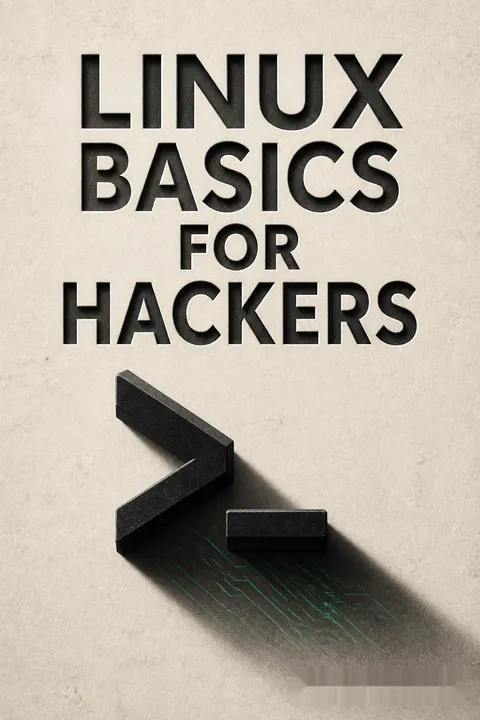


Key Takeaways
Learn Kali in a virtual machine, then practice only with permission
Build a safe workspace. The book introduces Kali Linux, a Debian-based distribution stocked with penetration-testing tools, as a practical training environment. A virtual machine lets it run inside an existing computer without replacing the computer’s operating system. The setup lesson is broader than installation: understand where experiments will run before experimenting, and keep practice separate from systems that matter.
Control is the point. The case for Linux rests on its open source code, visible inner workings, command-line control, and support for many security tools. The book is aimed at beginners, not experienced administrators. Its examples belong in a lab or an explicitly authorized test. A tool’s technical capability is not permission to use it against someone else’s network.
What's useful here is the pairing of a technical sandbox with an ethical boundary. Virtual machines make experimentation reversible, a principle shared with laboratory science and safe software deployment: isolate the test so mistakes do not become incidents. The author presents Linux as a gateway to security work, not as the only possible operating system. That distinction matters. Linux fluency expands what a learner can inspect and automate, while professional judgment determines whether an experiment should happen at all.
Treat the terminal as a map, editor, and search tool
Know the terrain. Linux organizes files beneath a single filesystem root, written as `/`, rather than starting from drive letters. The root directory is distinct from the `root` account, which has administrator privileges. Important locations include `/etc` for configuration, `/home` for user files, and `/dev` for device representations. Commands such as `pwd`, `cd`, and `ls` show where the user is and what is nearby.
Make text manageable. Many Linux settings are plain text, so tools for viewing and filtering text are practical system skills. `head`, `tail`, and `less` help inspect large files; `grep` finds matching lines; `sed` can transform text. Search tools such as `find` and `locate` help find files, though their results differ in scope and freshness.
The command line is less a memorization test than a way to make a system legible. Small utilities can be combined, letting a learner inspect only the slice of a large file that matters instead of drowning in output. This resembles data analysis: filtering and labeling often matter as much as collecting information. The book's examples also reveal a limitation of command recipes. Linux distributions and versions change, so understanding what a command is meant to do is more durable than copying its exact form.
Map the network before testing a service
Establish what is present. Network interfaces have addresses and settings that can be inspected with Linux tools. DNS queries can reveal how a domain is mapped to servers, while port scanning can help an authorized tester identify which services respond. WiFi tools add details such as access-point names, channels, and signal strength. Together, these practices form reconnaissance: gathering context before deciding what a security test should examine.
A cautionary case. The book describes hacker Max Butler identifying remote-support access on Aloha point-of-sale systems and using it to steal payment-card data. The lesson is not that every exposed service is exploitable, but that a feature designed for maintenance can create serious risk when reachable by the wrong party. Test only systems owned by the tester or covered by clear authorization.
Network mapping is valuable because security depends on the gap between intended exposure and actual exposure. Asset inventories, routine in defensive IT, answer the same basic question as reconnaissance: what is connected, and why? Butler's story makes that question concrete by linking a support feature to sensitive financial data. Yet discovery is not proof of a vulnerability. An open service may be expected, protected, or essential. Responsible assessment interprets findings in context rather than treating every response as an invitation to intrude.
Use Linux permissions to define who can change what
Three kinds of access. Linux assigns read, write, and execute permissions to three audiences: the file owner, the owner’s group, and other users. A long directory listing displays these permissions, while tools such as `chmod`, `chown`, and `chgrp` change permissions or ownership. The `umask` setting narrows the default access granted to newly created files and directories.
Watch privileged exceptions. SUID and SGID permissions let a program run with the authority of its owner or group in specified circumstances. They support legitimate tasks, but a poorly chosen program with elevated access can become a security weakness. The book shows how administrators and testers can locate such files. The defensive principle is to grant only the access a task requires and review privileged programs carefully.
Permissions turn an abstract security policy into a property attached to each file. This is a form of least privilege: a user or program receives only the authority needed for its role. The model is powerful because it is inspectable and administratively simple, especially when groups match real work responsibilities. Its weakness is human complexity. Broad permissions may be convenient in the moment, while accumulated exceptions become hard to audit. A listing is therefore not just output; it is a prompt to ask whether each grant still has a reason.
Turn repeated checks into small Bash and Python programs
Automate the routine. Bash scripts combine commands into repeatable procedures. The book starts with simple output and user input, then builds an example that checks a chosen network range for a particular service. Its Python introduction adds variables, lists, dictionaries, functions, loops, and modules, then demonstrates how scripts can inspect network banners and test connections. These examples show how a few lines of code can turn a manual sequence into a reusable tool.
Prefer understanding to collecting tools. Python’s libraries make it possible to reuse existing capabilities rather than recreate them from scratch. A script should also handle missing files, failed connections, and unexpected input. The book’s password-cracker example illustrates the power of automation, but the same technique can be misused. Practice belongs in a lab or an explicitly approved assessment, with a defined target and scope.
Scripting changes the learner’s role from operator to builder. That shift is valuable because a homemade script can express a specific testing question more clearly than a general-purpose tool. It also raises the cost of mistakes: automation can repeat an incorrect action quickly and at scale. Good scripting therefore includes more than syntax. Input checks, clear output, bounded scope, and failure handling are security features, not polish. The book’s progression from shell commands to Python gives beginners a useful ladder, though neither language substitutes for understanding the network being tested.
Manage processes, variables, and schedules as one operating system
See what is consuming resources. Processes are running programs, each with an identifier and a claim on CPU time or memory. `ps` offers a snapshot, while `top` refreshes a live view. Linux users can adjust process priority, move work into the background, or stop a process when appropriate. Environment variables shape a session; the `PATH` variable tells the shell where to look for commands, so replacing it carelessly can make ordinary tools unavailable.
Make recurring work dependable. The `cron` daemon reads scheduled tasks from a crontab, allowing a script to run at a chosen time without someone starting it manually. Startup scripts can launch services when the computer boots. These conveniences are useful for maintenance and authorized testing, but scheduled tasks should be reviewed: an old job can keep running after its purpose has disappeared.
This section presents Linux as a system of interacting resources rather than a collection of isolated commands. A process competes for capacity, variables shape the environment in which it runs, and a scheduler determines when it starts. That systems view resembles operations engineering, where reliability depends on coordination across components. The practical warning is that automation can outlive its author. Clear ownership, documented purpose, and periodic review are necessary complements to scheduling, especially when a task runs with administrator privileges.
Follow a service from its port to the data it protects
Understand the whole application. A service is a program waiting for requests, often over a network. The book focuses on Apache for serving web pages, OpenSSH for remote administration, and MySQL and PostgreSQL for databases. It shows how configuration files affect services and introduces LAMP, the combination of Linux, Apache, MySQL, and a scripting language such as PHP or Perl. A web application is not just its visible page; its server and database are part of the security picture.
Small devices count too. A remote Raspberry Pi camera demonstration shows how SSH can administer a networked device. The useful lesson is that a service can expose real-world capabilities, not only files or commands. A device placed in a private space requires consent and careful access control. Database examples likewise underline that stored records may be far more sensitive than the interface through which users reach them.
Following a request from network entry point to application and stored data is a strong security habit. It prevents a narrow focus on the web page while ignoring the database, credentials, or device behind it. The chapter’s service examples make infrastructure tangible, from a basic web server to a small camera-equipped computer. That concreteness is memorable, but it also sharpens the ethical stakes: remote access is not ethically neutral simply because it is technically possible. Administration and surveillance can use similar mechanisms, with consent and authorization separating them.
Layer privacy tools, but never confuse friction with invisibility
Different tools hide different things. Tor routes traffic through a volunteer network and encrypts information between hops, making a direct path harder to observe. Proxy servers relay traffic, VPNs encrypt a connection to an intermediary, and encrypted email can protect message contents between compatible users. Each changes a different part of the exposure picture; none makes a person impossible to identify.
Know the tradeoffs. Tor can be slower, and the book notes that traffic analysis and compromised exit points can weaken anonymity. A proxy operator may retain records, while an email provider may not encrypt every exchange with non-users. The practical question is therefore not whether a tool is anonymous, but what observer it helps resist, what information remains visible, and what trust the tool shifts to another organization.
Privacy is best understood as threat modeling, not as a magic setting. A tool can conceal an IP address from a website while still exposing activity to an intermediary, or protect message contents while leaving other metadata available. This layered view is more realistic than declaring a service secure or insecure in isolation. The section also invites a useful habit: identify the observer and the asset before choosing a tool. Stronger privacy often carries costs in speed, usability, or trust in a provider, and those tradeoffs deserve explicit consideration.
Treat logs and disks as evidence, not disposable clutter
Logs tell a system’s story. Linux logging services record events, errors, and security information according to rules in configuration files. Log rotation archives older files so they do not consume storage indefinitely. For administrators, logs can help reconstruct failures or suspicious activity; for investigators, they can provide evidence. The book also discusses how an intruder might tamper with records, which is a reminder to protect logs from the systems they monitor.
Copies preserve more than visible files. Archive tools combine files, and compression can reduce their size. The `dd` utility makes a lower-level copy of a storage device, which can preserve data not captured by ordinary file copying, including recoverable deleted material. This distinction matters in forensic work: preserve the original, document handling, and avoid changing evidence before it is examined.
Logs and storage are not merely housekeeping; they are memory. In incident response, a timeline built from records can distinguish a routine failure from unauthorized activity, while careless handling can destroy that distinction. The book’s contrast between ordinary copying and a bit-level image is especially useful because it shows that a file browser reveals only part of a disk’s history. A further implication is institutional: records are most trustworthy when access is controlled and copies are protected from alteration on the machine generating them.
Protect the kernel because modules operate with system-wide power
Separate the core from applications. The kernel manages hardware, memory, and other essential operating-system functions. User applications normally operate with less authority, while loadable kernel modules can add capabilities such as device drivers without rebuilding the entire kernel. The book introduces tools for inspecting modules and describes `sysctl` settings that tune kernel behavior, including network functions.
Treat privileged code as a serious trust decision. A malicious or defective kernel module can affect the whole system, which is why module installation deserves more scrutiny than an ordinary application install. Kernel settings can also change system behavior, and some changes last only until reboot unless saved in configuration. The practical lesson is to know what is being added or altered, why it is needed, and how to reverse the change.
The kernel is a useful boundary for thinking about trust: code with authority over the operating system can affect every application beneath it. This makes driver installation a supply-chain decision, not a trivial setup step. The book’s module discussion helps beginners see why a device driver is security-sensitive even when its purpose appears mundane. The same principle applies to configuration tuning: greater control brings greater responsibility. A safe administrator tests consequential changes, records them, and keeps a recovery path rather than treating privileged access as permission to experiment without limits.
Analysis
Linux Basics for Hackers is a beginner’s technical field guide, not a comprehensive Linux reference or a full penetration-testing manual. Its structure follows a clear progression: orient the reader in Kali, teach command-line and filesystem habits, move into networking and permissions, then expand toward scripting, services, privacy, wireless systems, logs, and kernel internals. The recurring promise is practical fluency. A learner should be able to inspect a Linux system, understand its moving parts, and begin building small tools rather than relying only on prebuilt software.
The book’s strongest design choice is that ordinary administration commands are taught through security use cases. Searching a file, changing permissions, or checking a process becomes meaningful when linked to a real system question. Its examples also establish a useful conceptual chain: services expose functionality, permissions govern access, logs record activity, and scripts can automate observation. That connected view is more valuable than memorizing isolated command names.
The same hands-on approach creates a dual-use tension. Some demonstrations involve credential attacks, wireless compromise, surveillance, and concealment of activity. Those techniques are not inherently evidence of malicious intent, but operational knowledge can cross ethical and legal boundaries quickly. A responsible reader should keep exercises inside owned labs or explicitly authorized engagements, and treat privacy and forensic concepts as tools for defense as well as testing.
The material is anchored to a 2018 Kali environment. Commands, package names, default configurations, and graphical interfaces can change, so the most durable lessons are the underlying ideas: inspect before changing, understand privilege, limit access, and verify outcomes. Some simplifications make a first encounter approachable, but Linux distributions differ and real production systems require more careful design than a learner's virtual machine. Read as a guided first map rather than a current, exhaustive security manual, the book succeeds at lowering the first barrier to Linux-based security work while making the need for judgment visible.
Review Summary
Linux Basics for Hackers receives mixed reviews, with an overall rating of 4.14/5. Many praise it as an excellent introduction to Linux and ethical hacking for beginners, covering essential concepts and tools. Some experienced users find it too basic, while others appreciate its broad overview. Criticisms include outdated examples, shallow coverage of topics, and confusion about the target audience. Despite these concerns, most reviewers recommend it as a solid starting point for those new to Linux and cybersecurity, particularly praising its hands-on approach and practical examples.
People Also Read




Glossary
Kali Linux
Penetration-testing distributionA Linux distribution based on Debian and assembled for security testing and related work. The book uses Kali because it includes many commonly used security tools, reducing setup time for beginners. Kali is still a general operating system with configurable services and permissions, and its tools should be used only on systems the user owns or is authorized to assess.
root
Linux administrator accountThe privileged Linux user account with broad authority to read, change, or execute files and manage the system. It is distinct from /, which names the top of the filesystem. Because actions performed as root can affect the whole machine, routine work is generally safer under a regular account, using elevated privileges only when necessary.
SUID
Temporary owner privilegesSet user ID is a special file permission that can make a program run with the privileges of its file owner rather than those of the user who launched it. It supports legitimate tasks that require elevated access, but unnecessary or unsafe SUID programs can create security risks. Administrators should understand why each such program needs its privilege.
SGID
Group-based execution or inheritanceSet group ID is a special permission that can let a program run with the privileges of its owning group. When applied to a directory, it can cause new files within that directory to inherit the directory's group. This can simplify collaboration, but group access should remain limited to users who need it.
umask
Default permission filterA setting that removes selected permissions from the default permissions assigned to newly created files and directories. Each user can have a different umask, so it helps establish a baseline for access without changing every new item individually. It does not replace checking permissions on important files after creation.
PATH variable
Command search locationsAn environment variable containing directories that a shell searches when a user enters a command name. Adding a tool's directory can make it available from other locations, but replacing the existing PATH can hide essential system commands. The shell inherits environment settings, and changes may apply only to the current session unless exported or otherwise configured.
loadable kernel modules
Dynamically added kernel codeLoadable kernel modules are pieces of code that can be added to or removed from a Linux kernel while the system is running. Device drivers are a common example. Modules avoid rebuilding the entire kernel for every addition, but they operate with high system privilege, so their source and purpose deserve careful scrutiny.
rsyslog
System logging serviceA logging daemon used by Debian-based systems, including the Kali version discussed in the book. It records messages from facilities such as the kernel, mail system, and authentication services according to configuration rules. Those rules specify message priorities and destinations, commonly files under /var/log.
crontab
Scheduled task tableA table of instructions used by the cron daemon to run commands or scripts at specified times. Entries identify time fields, a user, and the command to execute. Crontab can automate recurring maintenance or authorized testing, but scheduled jobs should be reviewed so outdated tasks do not continue unnoticed.
proxychains
Proxy-routing utilityA utility that directs supported application traffic through proxies configured in a settings file. It can use a single proxy or form chains, with options that affect how proxies are selected and handled. Proxychains changes the route traffic takes but does not guarantee anonymity, since proxy operators and other observers may retain information.
BlueZ
Linux Bluetooth protocol stackThe Linux implementation of the Bluetooth protocol stack, accompanied by command-line tools for inspecting adapters, discovering nearby devices, and examining services. In the book, BlueZ tools provide introductory Bluetooth reconnaissance. Device discovery and reachability are not authorization to connect to or test another person's device.
LAMP
Linux web application stackA common collection of technologies used to build and serve web applications: Linux, Apache, MySQL, and a scripting language such as PHP or Perl. The components work together, with Apache serving requests and MySQL storing data. Understanding the stack helps administrators and authorized testers assess an application beyond its visible web pages.
FAQ
What's "Linux Basics for Hackers" about?
- Introduction to Linux for Hackers: The book serves as a beginner's guide to using Linux, specifically tailored for aspiring hackers and cybersecurity professionals.
- Focus on Kali Linux: It uses Kali Linux, a popular penetration testing distribution, to teach the basics of Linux and hacking tools.
- Comprehensive Coverage: Topics range from basic Linux commands to more advanced concepts like scripting and network security.
- Practical Exercises: The book includes tutorials and exercises to reinforce learning and provide hands-on experience.
Why should I read "Linux Basics for Hackers"?
- Foundation for Hacking: It provides the essential Linux skills needed to start a career in hacking and cybersecurity.
- Hands-On Learning: The book emphasizes practical exercises, allowing readers to apply what they learn immediately.
- Security and Anonymity: It covers crucial topics like maintaining anonymity and securing your activities online.
- Scripting Skills: Readers will learn to write scripts in bash and Python, which are vital for automating tasks and developing hacking tools.
What are the key takeaways of "Linux Basics for Hackers"?
- Linux Proficiency: Gain a solid understanding of Linux commands, file systems, and user management.
- Networking Skills: Learn to analyze and manage networks, a critical skill for any hacker.
- Security Practices: Understand how to secure your activities and maintain anonymity online.
- Scripting and Automation: Develop the ability to write scripts to automate tasks and create hacking tools.
How does "Linux Basics for Hackers" help with scripting?
- Bash Scripting: The book introduces bash scripting, teaching how to automate tasks and manage files.
- Python Introduction: It provides a basic introduction to Python, focusing on its use in hacking.
- Practical Examples: Readers create scripts for tasks like scanning networks and cracking passwords.
- Skill Development: Scripting skills are essential for creating custom tools and automating repetitive tasks.
What are the best quotes from "Linux Basics for Hackers" and what do they mean?
- "Hacking is the most important skill set of the 21st century!" This emphasizes the growing importance of cybersecurity skills in today's digital world.
- "The future belongs to Linux/Unix." Highlights the dominance of Linux/Unix systems in servers, mobile devices, and virtualization.
- "If something is free, you’re not the customer; you’re the product." A caution about free services that may compromise privacy.
- "To graduate beyond script-kiddie status, a hacker must master a scripting language." Stresses the importance of scripting skills for serious hackers.
How does "Linux Basics for Hackers" address network security?
- Network Analysis Tools: The book covers tools like ifconfig and iwconfig for analyzing network interfaces.
- Wi-Fi and Bluetooth: It teaches how to find and connect to Wi-Fi and Bluetooth devices, crucial for wireless hacking.
- Security Protocols: Readers learn about different security protocols and how to exploit or secure them.
- Practical Exercises: Exercises include scanning networks and capturing data, providing hands-on experience.
What is the significance of Kali Linux in "Linux Basics for Hackers"?
- Penetration Testing Focus: Kali Linux is a distribution specifically designed for penetration testing and security auditing.
- Pre-installed Tools: It comes with hundreds of pre-installed tools for hacking and cybersecurity tasks.
- Learning Environment: The book uses Kali Linux to teach Linux basics, making it relevant for aspiring hackers.
- Community and Support: Kali Linux has a strong community and extensive documentation, aiding learning and troubleshooting.
How does "Linux Basics for Hackers" teach about maintaining anonymity?
- Tor Network: The book explains how to use the Tor network for anonymous web browsing.
- Proxy Servers: It covers setting up and using proxy servers to mask your IP address.
- VPNs: Readers learn about virtual private networks and their role in securing online activities.
- Encrypted Email: The book discusses using encrypted email services to protect communications.
What are the practical exercises in "Linux Basics for Hackers"?
- Network Scanning: Exercises include using tools like nmap to scan networks for open ports.
- Script Writing: Readers write scripts to automate tasks, such as scanning for MySQL servers.
- Service Management: The book includes exercises on starting, stopping, and configuring services like Apache and MySQL.
- File and Directory Management: Practical tasks involve manipulating files and directories, crucial for system administration.
How does "Linux Basics for Hackers" cover file and directory permissions?
- Understanding Permissions: The book explains Linux file permissions and how they control access.
- Changing Permissions: Readers learn to use commands like chmod to modify file and directory permissions.
- Special Permissions: It covers special permissions like SUID and SGID, which can be exploited for privilege escalation.
- Security Implications: Understanding permissions is crucial for both securing a system and exploiting vulnerabilities.
What is the role of Python in "Linux Basics for Hackers"?
- Scripting Language: Python is introduced as a powerful scripting language for hackers.
- Modules and Libraries: The book covers Python's extensive libraries, which simplify many hacking tasks.
- Practical Applications: Readers use Python to write scripts for tasks like banner grabbing and password cracking.
- Skill Development: Learning Python is essential for creating custom hacking tools and automating complex tasks.
How does "Linux Basics for Hackers" address service management?
- Starting and Stopping Services: The book teaches how to manage services like Apache and MySQL from the command line.
- Configuration Files: Readers learn to edit configuration files to customize service behavior.
- Security Considerations: It covers securing services to prevent unauthorized access and exploitation.
- Practical Exercises: Exercises include setting up a web server and configuring a remote video spy camera using OpenSSH.
About the Author
Other books by OccupyTheWeb

Download PDF
Download EPUB
.epub digital book format is ideal for reading ebooks on phones, tablets, and e-readers.








