

Key Takeaways
Make Evernote a daily external memory, not another place to accumulate clutter.
Centralize what you need. The guide presents Evernote as a cross-device store for notes, documents, photos, audio, web pages, and reminders. Instead of scattering useful information across email, paper, and browser bookmarks, capture it in one searchable account. The author’s larger point is behavioral: the tool pays off when opening it to record and retrieve information becomes routine, not when the account merely fills up.
Start with the free basics. New users can begin by making notes and organizing them into notebooks, then add more elaborate features only when a real need appears. A scanned receipt, a quick voice memo, or a saved article all become more useful when they can be found again. Evernote is an information system, not a productivity result by itself.
What's valuable here is the shift from remembering where information lives to building a dependable place to look. That is a form of cognitive offloading: external records can reduce the need to keep unfinished thoughts active in working memory. The important word is dependable. If capture is sporadic, or retrieval is confusing, the system adds another layer of mental bookkeeping. A useful test is whether a saved item can be recovered quickly when needed. A single repository helps only when its owner has a repeatable way to maintain it.
Capture quickly, then process each note instead of sorting mid-thought.
Separate capture from decisions. The guide recommends an !Inbox notebook as a temporary home for unfiled notes. Ideas, forwarded messages, scans, and web clips can go there immediately, so recording a thought does not require choosing its permanent category on the spot. The inbox is not meant to become an archive; its purpose is to make capture easy while keeping unsorted material visible.
Review on a schedule. During a daily or weekly session, inspect each item, add useful tags, choose a destination, and decide whether it calls for action, reference, later consideration, or deletion. The author favors a weekly review as a way to prevent a backlog. A reminder can help establish this routine until it becomes familiar. The essential discipline is not capturing everything, but reliably returning to what was captured.
This division resembles a two-stage decision process: first preserve a potentially useful signal, then evaluate it with more attention. It lowers friction at the moment an idea appears, while the later review provides a chance to judge relevance. The tradeoff is that capture can become a socially acceptable form of procrastination. A growing inbox may feel like progress while concealing neglected decisions. A practical safeguard is to limit the inbox to items awaiting classification and to treat its review as a real appointment, not an optional act of tidying.
Give each note one home, then use tags to find its other contexts.
Use a simple hierarchy. Evernote’s basic structure has notes inside notebooks, with stacks grouping related notebooks. A note can belong to only one notebook, so notebooks work best as broad filing locations, such as finances or travel. Stacks can group those areas under larger themes. The guide suggests an inbox, an action area, an ideas area, and notebooks for major parts of life, while warning against creating an elaborate structure before it is needed.
Let tags cross boundaries. A receipt about a car repair may belong in a finance notebook but also relate to a vehicle, a year, or a tax record. Tags make those overlapping relationships searchable without copying the note into several places. The structure should make filing predictable and retrieval flexible. If a note’s correct home is unclear, it can be captured first and classified during review.
This is a compact lesson in information architecture. Folders and notebooks answer, “Where does this live?” Tags answer, “What else is this about?” Keeping those jobs distinct reduces the pressure to invent a perfect hierarchy. The model also reflects how people retrieve information: sometimes by domain, sometimes by person, place, or project. More categories are not automatically better, however. A structure that requires constant deliberation can discourage filing, so the most effective taxonomy is usually the smallest one that supports recurring searches.
Standardize a small tag vocabulary before thousands of notes make inconsistency expensive.
Make labels predictable. The guide warns against using near-duplicates such as “photo,” “photos,” and “pictures” for the same kind of note. It recommends consistent naming, broad tags paired with narrower ones, and labels that can represent people, places, dates, or subjects. A note about a beach trip, for example, could carry tags for the location, the people, the year, and the image type.
Search with intent. Evernote search can examine note text, titles, tags, and text recognized inside images. Searches can also be narrowed to a notebook, a tag, a title, or a creation date, and useful searches can be saved. Tags are most valuable when they reflect questions the user will actually ask later. The guide’s suggestion to create many tags should be treated as a possibility, not a target.
A tag system is a small controlled vocabulary, and consistency matters more than its size. This resembles database design: a few stable fields make records easier to query, while synonyms and one-off labels fragment results. The strongest test is practical: can the user predict the terms they will search months from now? A rigid taxonomy can also age badly as interests change. Periodic cleanup is sensible, but excessive maintenance defeats the purpose. Search behavior should shape the labels, rather than an abstract desire to tag everything.
Make scanned images searchable, not merely stored.
Use OCR as an index. Optical character recognition, or OCR, is software that identifies text inside images. In the guide’s example, a photo of a restaurant menu can later appear in a search for a dish named on the menu, even if the note has no matching text or tag. The same principle applies to photographed lists, warranties, labels, and other documents containing words.
Pair scanning with context. CamScanner is presented as a way to use a phone camera to digitize documents and send them to Evernote. A short title or note can still explain why an image matters, while OCR helps surface the words it contains. Searchable scans can reduce dependence on piles of paper, but digitizing a document does not guarantee that its image is legible, correctly recognized, or safely preserved.
OCR changes a photograph from a visual record into something closer to a searchable document. That is a meaningful bridge between physical paperwork and digital retrieval: the user can search for content rather than remember which folder contains the image. Yet recognition is not the same as verification. Poor lighting, handwriting, unusual layouts, or small print can undermine the result. For consequential records, a sensible system preserves the original when required and checks that the scan is readable. Searchability improves access, but it does not establish accuracy or legal sufficiency.
Automate repeatable capture, but keep the system's intake deliberate.
Connect recurring sources. The guide describes sending selected emails to Evernote, clipping web articles, scanning documents, and using IFTTT recipes to move information between services. IFTTT means “If This, Then That”: a recipe triggers one action when a specified event occurs elsewhere. For example, a starred email or an online purchase receipt could be routed into Evernote. Web Clipper can save an article, a whole page, or just its address, with a note about why it was kept.
Automate the boring parts. These tools are most useful when they remove a repeated step, such as filing receipts or saving selected reading. The author also describes importing folders and using Skitch to annotate images, although availability varies by platform and software version. Automation should feed a manageable inbox or destination, not silently send every digital event into a growing archive.
Automation works best when it removes predictable friction from a process that already has a purpose. In control-system terms, a trigger without a review mechanism can create an uncontrolled inflow: the system gets more efficient at collecting material than anyone is at using it. A good recipe therefore has a clear boundary, a useful destination, and an occasional audit. The same restraint applies to web clipping. Saving an article is not equivalent to learning from it; selection and later use remain human tasks.
Turn captured tasks into next actions through GTD's five-step cycle.
Move from memory to action. Getting Things Done, or GTD, is a productivity method that processes incoming commitments through five stages: collection, processing, organization, review, and doing. In Evernote, an inbox holds uncategorized material. During processing, ask what an item is, whether it is actionable, and what the next concrete step should be. “Finish the budget” is vague; contacting the person who has the needed figures is a clearer action.
Choose the right disposition. A task taking less than two minutes can be done immediately. Other work can be delegated with a follow-up reminder, deferred to a calendar or next-action list, or filed as reference or someday/maybe. The weekly review checks projects, calendars, and pending items. When choosing what to do, consider context, available time, energy, and priority.
GTD’s value is less about a particular app than about converting ambiguous obligations into defined decisions. That distinction matters because “remember to deal with this” is not a plan. A next action reduces the distance between intention and behavior, while the review keeps deferred work from disappearing. The method can become burdensome if every minor task demands elaborate classification. Its best use is proportional: maintain enough structure to trust the system, but do not let processing become a second job that competes with the work itself.
Use Evernote where information vanishes: travel, receipts, projects, and records.
Choose a real problem. The guide offers 75 possible uses, from keeping travel itineraries and packing lists to saving book notes, recipes, meeting records, home repairs, medical history, and tax documents. The common pattern is information that is scattered, easy to forget, or useful again later. A travel notebook might hold hotel details, directions, and restaurant ideas; a project note can combine research, a checklist, and reference material.
Start with a few cases. The author advises readers not to adopt all 75 ideas at once. Pick an area that causes recurring friction, create a simple place to store its information, and build the capture and review habit there. A checklist can preserve a repeatable process, while reminders can prompt follow-up. The purpose is not to digitize life indiscriminately, but to make specific information easier to find and act on.
The range of examples reveals the tool’s central strength: it can connect records, notes, and reminders around a real-life activity. A travel plan, for instance, is more useful when its reservations and local research sit together than when they are distributed across unrelated apps. But breadth can invite overbuilding. Every aspect of life does not need a notebook, and some information is better handled by specialized systems. The practical standard is whether central storage reduces friction for a recurring need without creating an archive that no one reviews.
Protect sensitive files and verify backups instead of trusting convenience alone.
Match storage to sensitivity. The guide distinguishes synchronized notebooks, which are stored in the cloud and shared across devices, from local notebooks, which remain on the device where they are created. It also describes encrypting selected text and warns that a forgotten passphrase cannot be recovered through Evernote. These options matter when storing financial, identity, health, or other sensitive information.
Keep a recovery plan. The author views synced copies across devices and servers as reassuring, while recommending backups for especially important material. That advice is more durable than any particular claim about a service’s reliability. A cloud account can be convenient without being the only copy of a critical record. Before uploading sensitive files, consider whether they belong in the system at all, and check that important information can be restored if access is lost.
Convenience and resilience are different properties. Synchronization helps keep devices aligned, but it does not by itself answer questions about account access, accidental deletion, service changes, or appropriate handling of confidential records. A robust personal archive needs a recovery path and a clear rule for what should not be uploaded. Encryption can reduce exposure, but it introduces a key-management burden: security fails if the passphrase is lost. The useful principle is not to distrust digital storage, but to make risk decisions according to the cost of losing or exposing each file.
Analysis
This guide is both a software manual and a personal information-management method. Its deeper argument is not that one application can organize every corner of life, but that reliable capture and retrieval depend on repeated behavior. The Evernote Habit is the bridge between the two: record information when it appears, then return to it through a deliberate review. Without that loop, a digital notebook can reproduce the same disorder as a desk piled with paper, only with better search.
The most useful design insight is the separation of roles. Notes hold material, notebooks provide a primary location, stacks group broad domains, tags express overlapping relationships, and search retrieves across them. This is a practical answer to a fundamental filing problem: information belongs to several conceptual categories, while a single folder structure permits only one location. The system works best when these mechanisms remain simple and complementary, rather than when every note is burdened with a miniature taxonomy.
The GTD section gives the archive a purpose beyond preservation. Processing turns captured material into decisions: act, delegate, defer, retain, or discard. Weekly review is the control mechanism that keeps those decisions current. This is where the book’s productivity claim is strongest. A searchable archive can reduce time spent hunting, but only clear next actions and scheduled attention turn stored information into completed work.
The guide’s 2014 setting matters. Its platform instructions, product limits, and add-on recommendations describe a particular software moment, not timeless technical guarantees. Readers should verify current features and security practices before relying on them. More broadly, a universal repository is not automatically ideal: sensitive records may need stronger safeguards, and specialized tools may serve particular tasks better. The enduring lesson is to design a small, trusted capture-and-review system around actual recurring needs, rather than treating more saved information as more organization.
Review Summary
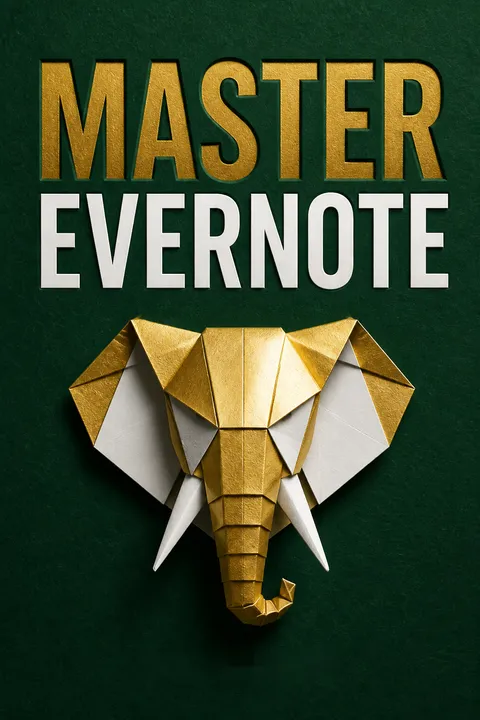
Master Evernote receives mostly positive reviews, with readers praising its comprehensive guide for both beginners and experienced users. Many found it helpful for improving productivity and organization. Reviewers appreciated the author's tone, practical tips, and ideas for using Evernote in various aspects of life. Some criticisms included outdated information and a lack of depth in certain areas. Overall, readers found the book valuable for learning Evernote's features and potential applications, with many reporting increased usage and efficiency after reading.


Glossary
Evernote Habit
Routine capture and reviewThe author’s name for making Evernote part of everyday information management. It involves capturing thoughts, documents, and useful material as they arise, then returning regularly to organize and retrieve them. The habit, rather than the software alone, is presented as what turns a digital archive into a practical organizing tool.
Getting Things Done
A task-processing methodA productivity system developed by David Allen and adapted in the guide for Evernote. Its five stages are collection, processing, organization, review, and doing. Incoming material is clarified into a next action, delegated or deferred, stored for reference, or discarded, while regular review keeps commitments visible.
open loop
Unresolved mental commitmentIn the guide’s explanation of GTD, an open loop is an incomplete task or concern that continues to occupy attention because no trusted plan records what will happen next. Capturing it externally and deciding on an action or future reminder can reduce the need to keep mentally rehearsing it.
optical character recognition
Text detection in imagesOptical character recognition, usually abbreviated OCR, is technology that identifies printed or handwritten words inside an image. The guide explains that searchable text can be associated with uploaded pictures, allowing an image such as a photographed menu to appear in searches for words visible within it.
IFTTT recipes
Triggered app automationsIFTTT stands for “If This, Then That.” A recipe links a trigger in one service to an action in another. In the guide’s examples, events such as starring an email or receiving a purchase receipt can cause information to be sent to Evernote automatically. Recipes can reduce repeated filing work but may also create excess intake.
navigational tags
Tags grouped for browsingThe guide uses this term for a nested arrangement of tags that helps users browse related labels. A broad tag can contain narrower tags, such as an overall projects label with individual project labels beneath it. These tags organize access to other tags; they are distinct from labels applied directly to individual notes.
tickler file
Material for future reviewA storage location for information that is not actionable now but may matter at a specified future time. In the guide’s Evernote workflow, an item can be stored for later consideration, with a reminder used when a particular follow-up date is appropriate. It prevents future possibilities from cluttering the immediate action list.
About the Author
Other books by S.J. Scott

Download PDF
Download EPUB
.epub digital book format is ideal for reading ebooks on phones, tablets, and e-readers.








